 United States site instead?
Smart design tools for architects and engineers
Get model-aware assistance, visualize ideas, and use MCP-enabled Archicad workflows to work intuitively, automate, and focus on high-impact design decisions.
Archicad MCP
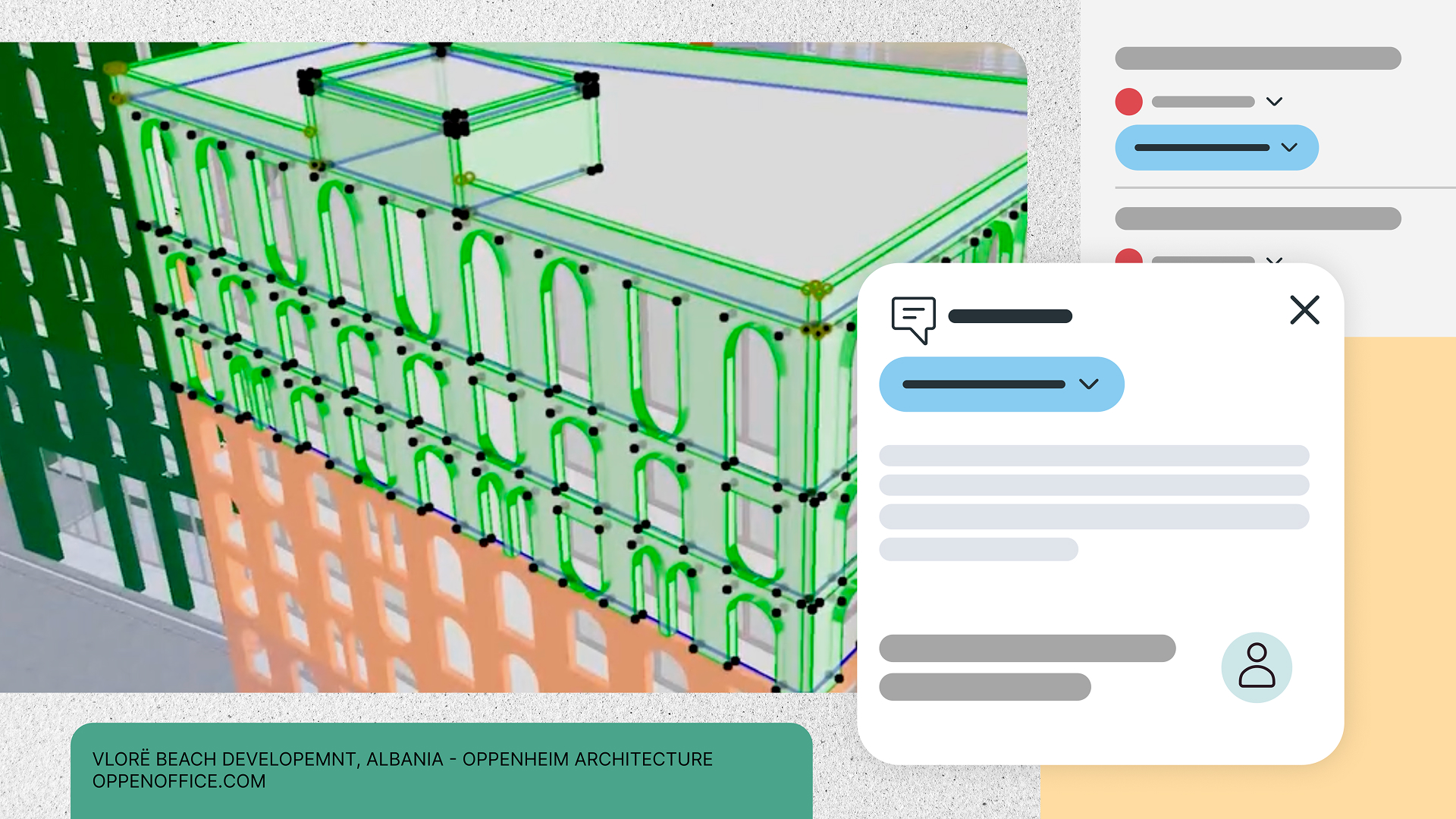
Connect AI directly to your project with Archicad MCP. Work with your model and project data through the agentic AI Assistant, or connect compatible desktop AI applications through the Public Archicad MCP Server. Stay in control with clear, defined workflows and actions.
Capabilities
Connect compatible desktop AI applications to your Archicad project through the Public Archicad MCP Server. Let your AI tools work with your model, elements, and properties using the project data you already have, while you stay in control of every action. ⓘ
Get started with our user guide to learn how Archicad MCP works, along with real-world workflows and prompt suggestions tailored to architects’ needs.
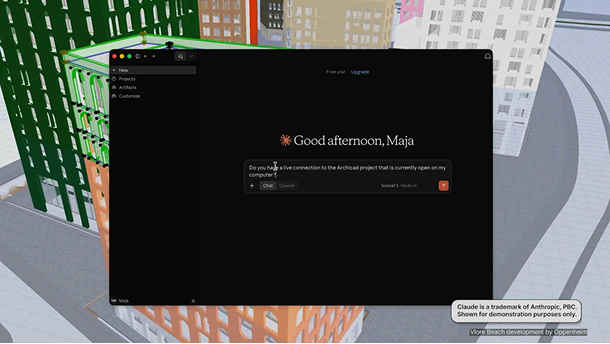
Use the agentic AI Assistant to work directly with your project and model data through MCP. Get answers, run queries, check your model, and make approved batch edits using the BIM data already in your project.
Organize your standards, guidelines, and project documents in AI Assistant Spaces, so the agentic AI Assistant can use them when checking, flagging, or fixing your model. Give AI the project-specific knowledge it needs to make more relevant and reliable decisions.
Benefits
Work with AI directly on your BIM data
Bring AI into your BIM model with Archicad MCP. Get assistance based on your project’s current state, analyze your model, and apply batch edits to speed up repetitive work, reduce manual steps, and make more confident design decisions.
Reduce manual data handling
Eliminate repetitive export, reformatting, and copy-paste steps so that you can spend less time managing files and more time designing.
Support varied AI workflows, from one project source
Run complete workflows end-to-end, combine the commands you need, and work with the same project data for a faster, more consistent process.
Build a future ready design environment
Rely on Graphisoft-maintained MCP to give AI tools structured access to your model context within the Archicad environment you already trust.
Stay in control of AI actions
Tell AI what you want it to do, review the proposed changes, and approve them before they are applied. You stay in control of every AI-assisted action, whether you work through the agentic AI Assistant or compatible desktop AI apps.
Available AI solutions and capacity vary by product version and plan.
Archicad MCP (agentic AI Assistant and Public Archicad MCP Server): Archicad 30 (Archicad Collaborate and Archicad Max plans)
AI Assistant
Learn faster, navigate documentation more easily, and interact with your model in natural language. Built directly into Archicad and Graphisoft MEP Designer, the AI Assistant helps you find answers faster, reduce time spent searching, and focus on confident, high-impact design decisions.


Capabilities
Get answers to how‑to questions about Archicad or MEP Designer tools, workflows, and architectural concepts—powered by official guides, support articles, and Graphisoft Learn content.
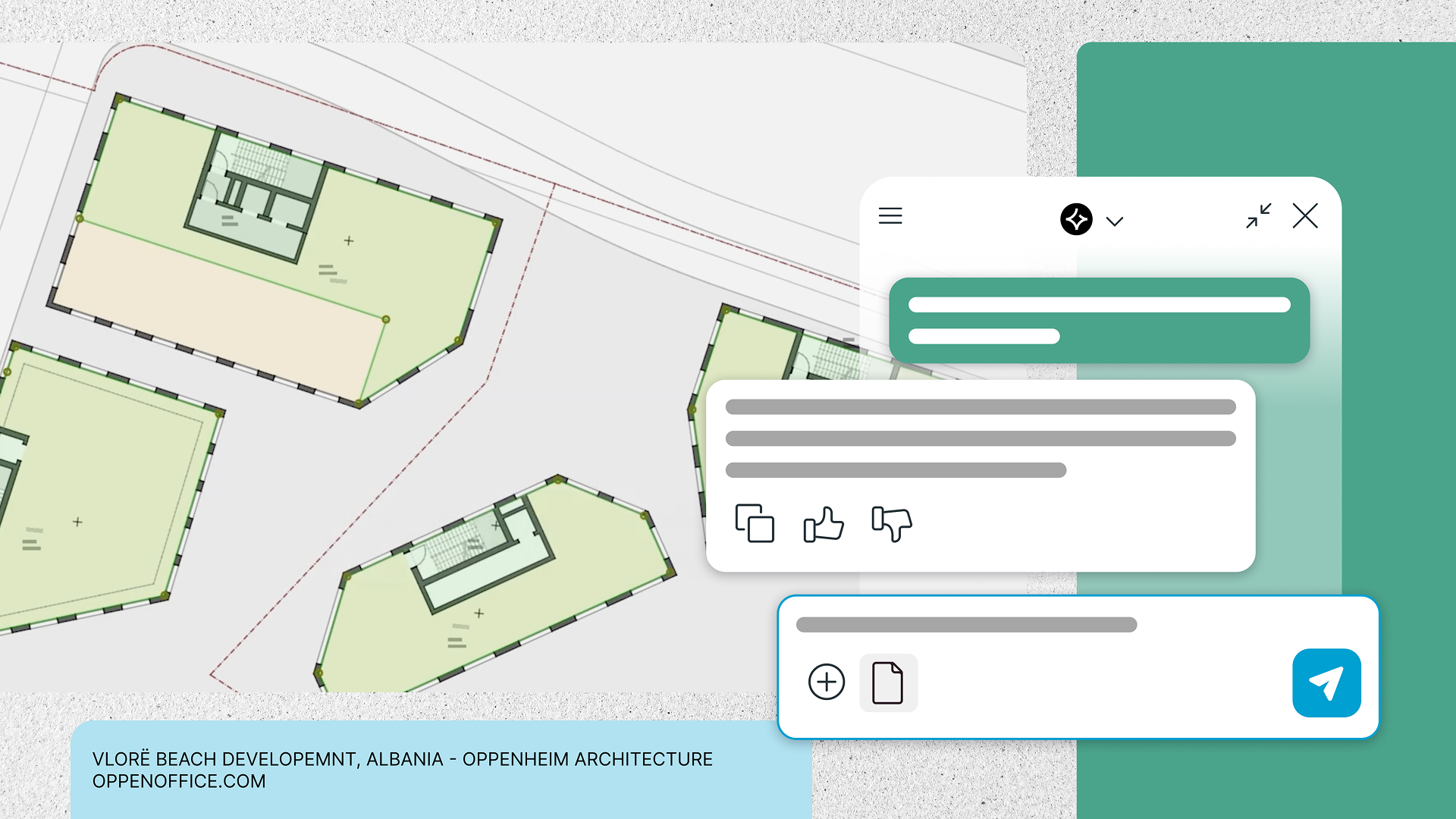
Use the agentic AI Assistant in Archicad 30, powered by MCP, to understand, navigate, and edit your BIM model, automate repetitive tasks, review changes while staying in control. ⓘ
Explore selected building standards and regulations. ⓘ The AI Assistant helps you understand requirements in context, so you can have the information at your fingertips and make confident design decisions.
Turn your documents into a personalized knowledge base. Create a dedicated space for each project, topic, or file collection, then quickly surface insights, get answers, and summarize content from the materials you upload.
In Archicad 30, generate concept images directly in the AI Assistant through a conversational chat interface, powered by top-tier AI image models such as Nano Banana Pro. Then open the results in AI Visualizer, with all settings carried over for further refinement.
Benefits

Learn faster in context
Get trustworthy, step-by-step answers right where you work instead of switching between multiple help sources.

Design with more confidence
Check straightforward questions about supported standards and regulations early, reducing rework and surprises later.

Save time in large models
Let natural-language queries handle precise, criteria-based selections so you can focus on design decisions rather than manual element hunting.

Accelerate visual exploration
Create and refine visual concepts without leaving the conversational interface, then continue in AI Visualizer without restarting your workflow.

Keep project knowledge close
Turn PDFs into a conversational knowledge base so your designs stay aligned with requirements, constraints, and client expectations.

Streamline everyday model workflows
Accelerate structured BIM operations in Archicad with MCP-powered AI workflows. Automate repetitive steps, make model edits and updates faster, and stay focused on higher-value design work.

Personalized Knowledge, On Demand
Turn your own project documents into an instant, searchable knowledge base that the AI Assistant can summarize and answer questions from.
Available AI solutions and capacity vary by product version and plan.
Archicad MCP (agentic AI Assistant and Public Archicad MCP Server): Archicad 30 (Archicad Collaborate and Archicad Max plans).
AI Assistant Spaces: Archicad 30 (Archicad Studio, Archicad Collaborate and Archicad Max plans), MEP Designer 30 (MEP Designer Studio plan), DDScad 22 (DDScad Electrical Collaborate and DDScad plans)
AI Assistant (Beta) for product and domain questions: Archicad 30 (Archicad Studio plan), Archicad 29 (Archicad Studio and Archicad Collaborate plans), MEP Designer 30 (MEP Designer Studio plan), DDScad 22 (DDScad Electrical Collaborate and DDScad plans)
Updated AI Visualizer: Archicad 30 (Archicad Studio, Archicad Collaborate and Archicad Max plans)
AI Visualizer
AI Visualizer helps you turn sketches, models, and ideas into rich visual output directly from Archicad. Generate images, textures, isolated objects, and high-resolution visuals with simple prompts, using top-tier AI image models such as Nano Banana Pro. Explore design directions and communicate concepts earlier in the process.
Capabilities
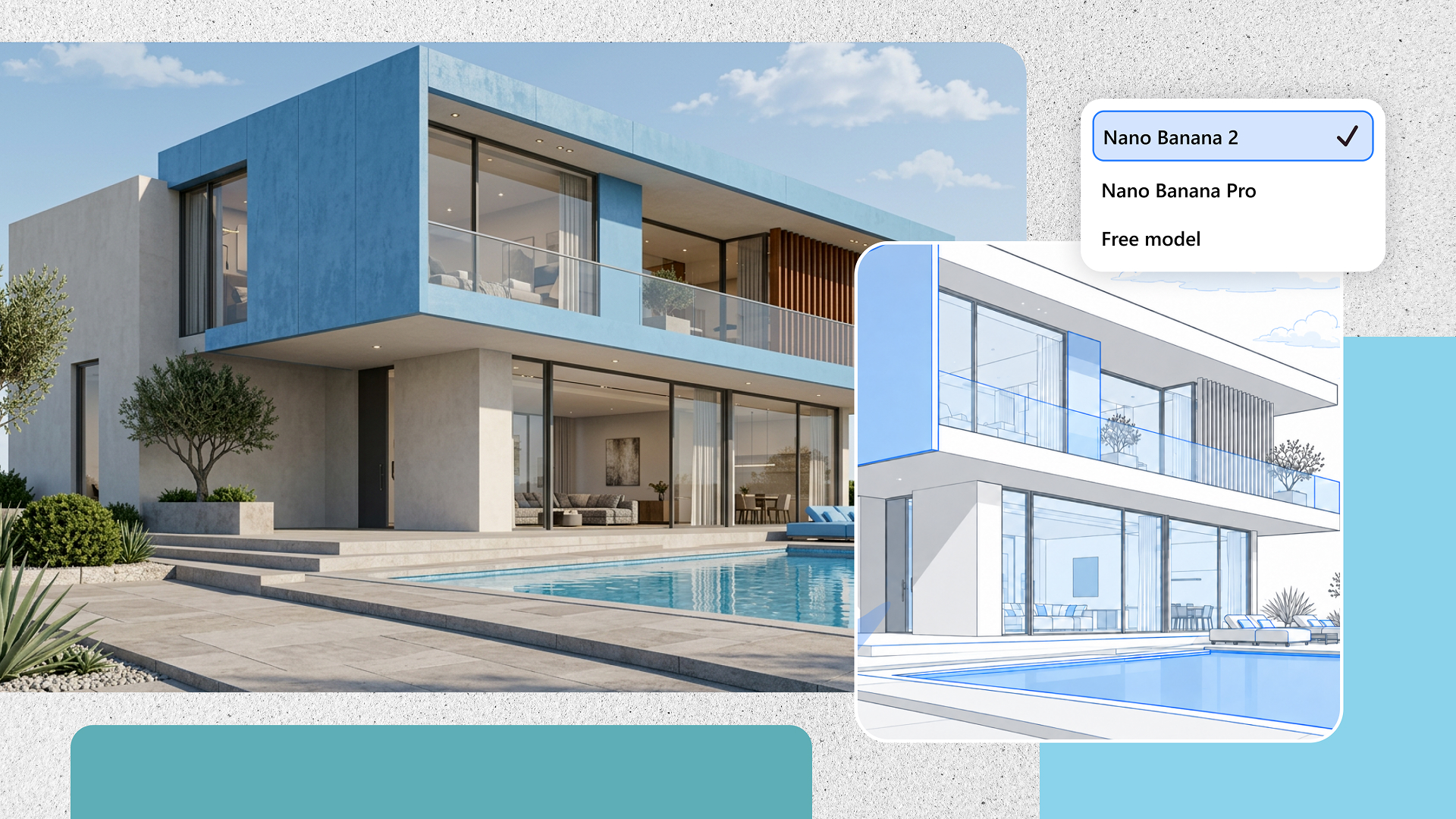
Choose from three AI engines, from fast and lightweight to more advanced models, depending on the level of detail you need.
Turn a sketch, diagram, or model view into a rich visual by guiding AI with a simple text prompt while keeping your original layout.
Generate seamless, tileable textures and surface patterns from short descriptions that match the materials and mood you have in mind.
Select parts of a generated image and quickly replace or remove them using targeted prompts, without starting from scratch.
Boost image resolution by 4× to reveal finer detail and prepare visuals for print‑ready or client‑facing deliverables.
Benefits
Communicate ideas earlier
Turn rough sketches or simple model views into visuals that clients and colleagues can immediately understand.

Test materials quickly
Swap material and texture options without manual texture creation so you can focus on the overall design.

Speed up presentations
Enrich scenes and layouts with ready‑to‑use cutouts, reducing reliance on external asset libraries.
Explore multiple styles
Layer different stylistic directions on top of a fixed layout to compare options and agree on a clear direction with stakeholders.

Refine instead of restarting
Adjust only what needs to change in generated images, keeping what already works and saving time.

Present with confidence
Turn quick concept images into sharper, high‑resolution visuals suitable for client meetings and documentation.
Updated AI Visualizer with the choice of top-tier AI image models: Archicad 30 (Archicad Studio, Archicad Collaborate and Archicad Max plans)
INTENT BASED ITERATIVE DESIGN
Intent Based Iterative Design in Nemetschek Creator is an AI-first approach that turns project intent into feasible design options before detailed modeling begins. Using requirements, site constraints, performance goals, or visual references, teams can generate, evaluate, and refine concepts against sustainability and performance criteria.
Values
From intent to options
Capture what matters, from program and site constraints to performance targets, and let AI translate that intent into feasible design directions without losing sight of the original concept.
Explore, evaluate, iterate
Generate and refine alternatives quickly, comparing factors such as usability, performance, cost, and carbon to understand trade-offs earlier in the process.
Designers stay in control
Intent Based Iterative Design is built to support decisions, not make them for you. AI expands the design space while designers guide, curate, and choose the direction worth developing.

Enjoy the benefits of AI Solutions
Explore our subscription plans or test them with one of our 30-day trial offers
Frequently Asked Questions
Access and Availability
Available AI Solutions depend on your product version and your subscription plan.
Archicad 30
Archicad Studio Plan:
- AI Assistant (Beta) for product and domain questions
- AI Assistant Spaces
- Updated AI Visualizer
Archicad Collaborate Plan:
- Agentic AI Assistant (Beta) and Public Archicad MCP (Beta) Server
- AI Assistant Spaces
- Updated AI Visualizer
Archicad Max Plan:
- Agentic AI Assistant (Beta) and Public Archicad MCP (Beta) Server
- AI Assistant Spaces
- Updated AI Visualizer
Archicad 29
Archicad Studio and Archicad Collaborate Plans
- AI Assistant (Beta) for product and domain questions
MEP Designer 30
MEP Designer Studio Plan:
- AI Assistant (Beta) for product and domain questions
- AI Assistant Spaces
DDScad 22
DDScad Electrical Collaborate and DDScad Plans:
- AI Assistant (Beta) for product and domain questions
- AI Assistant Spaces
No. The AI solutions are designed to work seamlessly together; however, none is dependent on another. You can use just the one that fits your current work — and add the others later, in whatever order makes sense for you and your team.
Capabilities and Limitations
If your team already works with desktop AI applications such as Claude Desktop or Cursor, the Public Archicad MCP (Beta) Server lets you connect them directly to your Archicad BIM model — giving them the same structured, real access to project data that the agentic AI Assistant (Beta) uses inside Archicad.
Detailed information on how each AI Solution works is available in the product Help documentation: AI Assistant Help and AI Visualizer Help.
The AI Assistant (Beta), AI Assistant Spaces and AI Visualizer require an active internet connection.
To use AI offline, you can connect Archicad through the Public Archicad MCP (Beta) Server to a large language model that runs on your own machine or server, using a tool like LM Studio or Ollama. The model and your prompts stay on your own hardware, so no data goes to a cloud AI provider.
Privacy and Data Use
No, it does not collect or process personal data generated from user interactions. It remains the user’s responsibility not to include sensitive content or personal data in prompts, or in any uploaded documents in AI Assistant Spaces.
Inside Archicad, the AI Assistant (Beta) and AI Visualizer never use project data or prompts to train AI models, and Graphisoft does not use user-generated or project-specific content — project data, project files, documentation, or generated images — for training.
Graphisoft collects software usage data, such as which features are used and how often. This data is never linked to project content. It helps assess feature performance and fix malfunctions while protecting project confidentiality.
When you connect through the Public Archicad MCP (Beta) Server, you choose which desktop AI application to use, and that application’s own license terms and data processing agreements govern the data it receives — the same terms already in place for that tool.
Roadmap
Yes. Continuous improvement is a core part of Graphisoft’s strategy, and user feedback shapes the ongoing development of features, AI models, and integration across the product portfolio. Because these solutions are built natively by Graphisoft, they evolve alongside the platform with every update — no workarounds to create or maintain.