 United States site instead?
GRAPHISOFT ID is your user account to all GRAPHISOFT websites and services.
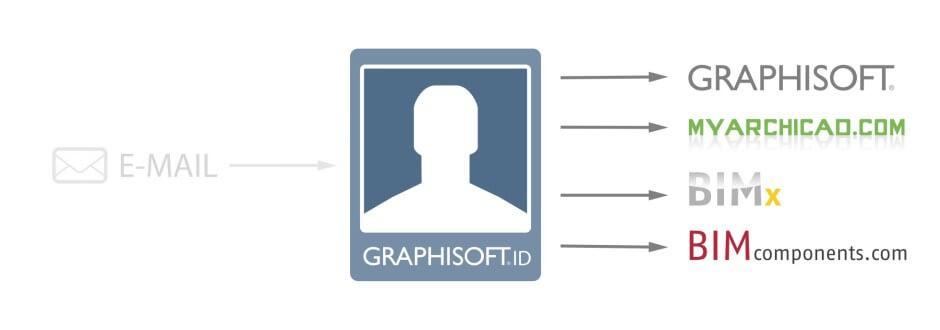
This is the portal for signing in and managing your GRAPHISOFT ID. Here you can also create a new GRAPHISOFT ID if you don’t have one. After signing in, you can change or edit your personal data.
If you are an admin for a company, here you can also:
- Manage company’s members (send invitations, approve requests and remove members).
- Manage and assign licenses to different members.
- Assign/transfer the Administrator role and Contract Manager role to any other member.
This is the new portal for users purchasing Subscriptions. It offers similar functions as the old website graphisoftid.graphisoft.com. If a Graphisoft ID account has access to Webshop for purchasing Subscriptions, it will always be automatically redirected from the old website to the new one. Currently, this website is only available to those who have Webshop access.
- If you have an existing account to MyARCHICAD, BIMx, BIMcomponents, or GRAPHISOFT.com, you already have a Graphisoft ID.
- If you don’t yet have a Graphisoft ID, you can create one here: http://graphisoftid.graphisoft.com/#/register. You can sign up with your e-mail address. The benefit of this is that you don’t have to remember a new password to access GRAPHISOFT websites and services.
- Also note, that license management functions and applications require you to use email and password.
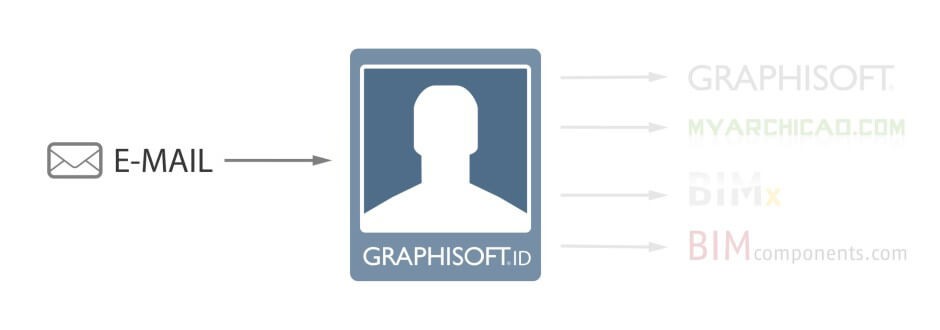
- Maybe there is an existing GRAPHISOFT ID with the same email address. This can happen if you have previously created an account to MyArchicad.com, BIMcomponents.com, BIMx.graphisoft.com or graphisoft.com. Use Reset password to find out. Type your email address:
- If the “This email is not registered” message appears, then you don’t have a Graphisoft ID based on your email address. (See 2. for next steps)
- If the message does not appear, than the GRAPHISOFT ID exists, and you can reset your password by clicking “Send email”.
- Some email domain addresses are blocked, because their registration process is not safe. You will not be able to create a Graphisoft ID with such an email address.
Visit http://graphisoftid.graphisoft.com/#/resetpassword and type your email address(es)
- If the “This email is not registered” message appears, then you don’t have a Graphisoft ID based on your email address.
- If the message does not appear, then the GRAPHISOFT ID exists, and you can reset your password by clicking “Send email”.
GRAPHISOFT IDs can not be merged. Keep using your preferred GRAPHISOFT ID.
Please visit http://graphisoftid.graphisoft.com/#/resetpassword and type your email address. You will be emailed a new password.
Note:
- If the “This email is not registered” message appears, then you don’t have a Graphisoft ID based on your email address.
- Maybe you typed your password wrong. If you forgot, you can reset your password here: http://graphisoftid.graphisoft.com/#/resetpassword
- Maybe your password contains national characters which are not compatible with the License Manager Tool. Please log in to graphisoftid.graphisoft.com and go to “Personal Details/Manage password” and change your password. Avoid national characters (characters with an accent) in your password.
- Maybe you don’t yet have a Graphisoft ID yet. Create one here: http://graphisoftid.graphisoft.com/#/register
You tried to log in too many times with the wrong password. Your account has been temporarily locked for 60 minutes.
You’ll receive a notification email with a link. By clicking on that link can unlock your account.
- If you signed up with email and password, then sign in to http://graphisoftid.graphisoft.com and navigate to the “Change email” or “Change Password” sub-menus under the “Personal Details” menu
Note: Sign in to http://graphisoftid.graphisoft.com to manage settings of your GRAPHISOFT ID, like your contact preferences and your Company settings. You can also review here the online services you are registered for; and if your GRAPHISOFT ID is connected to a Company, you can also view and manage the licenses your company owns.
If you need personal assistance, please contact your local GRAPHISOFT support