 United States site instead?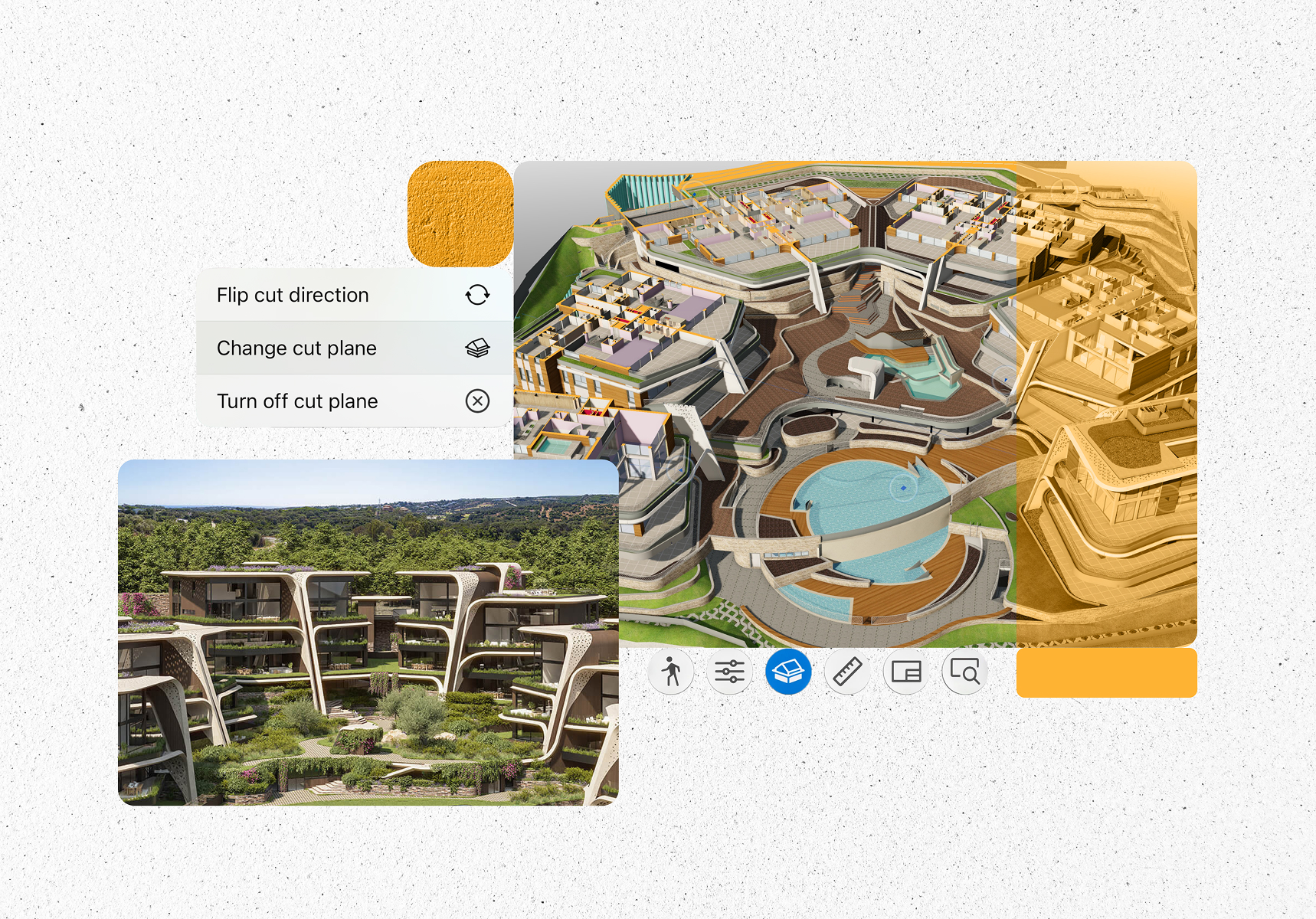
Sotogrande, Spain
morph.es

Explore and collaborate in BIM
Crafted to connect stakeholders, streamline workflows, and bring projects to life.


What is BIMx?
BIMx is a multi-platform application, which supports architects, engineers, construction teams, and clients by delivering:
-
 Layouts, 3D models and BIM data interconnected in a single file
-
 Intuitive, easy-to-learn project communication combined with professional presentation tools
-
 Streamlined, data-rich model coordination anytime and anywhere
Explore

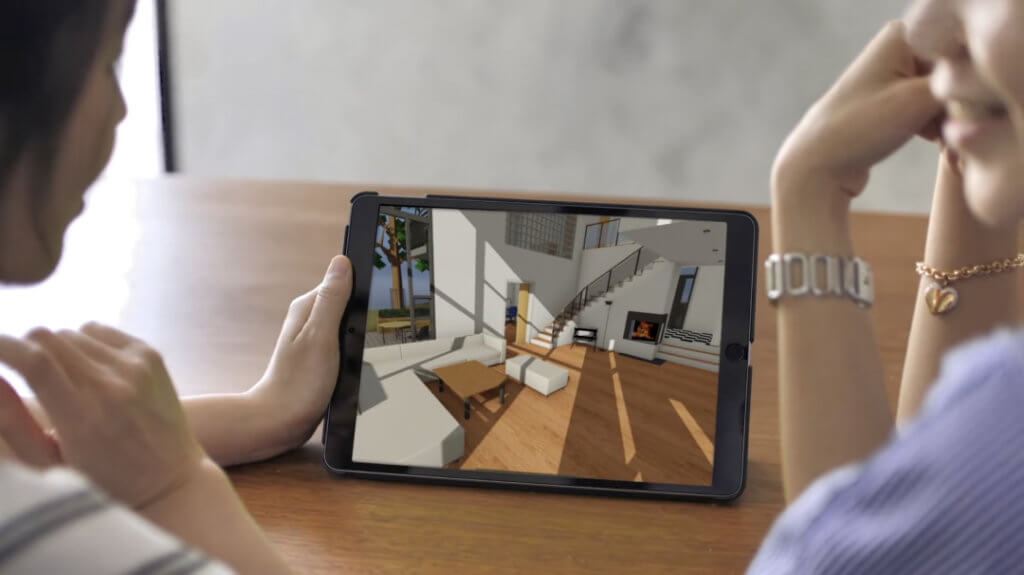
Game-like experience
Share your design with all your project stakeholders — there’s no need for training — just dive right in!

Complete project documentation
BIMx Hyper-models link your 3D model to the complete 2D documentation, so every sheet is just a click away
2D and 3D explained
Team members or clients not trained in reading 2D plans will instantly understand your design intent when they see the project in 3D.
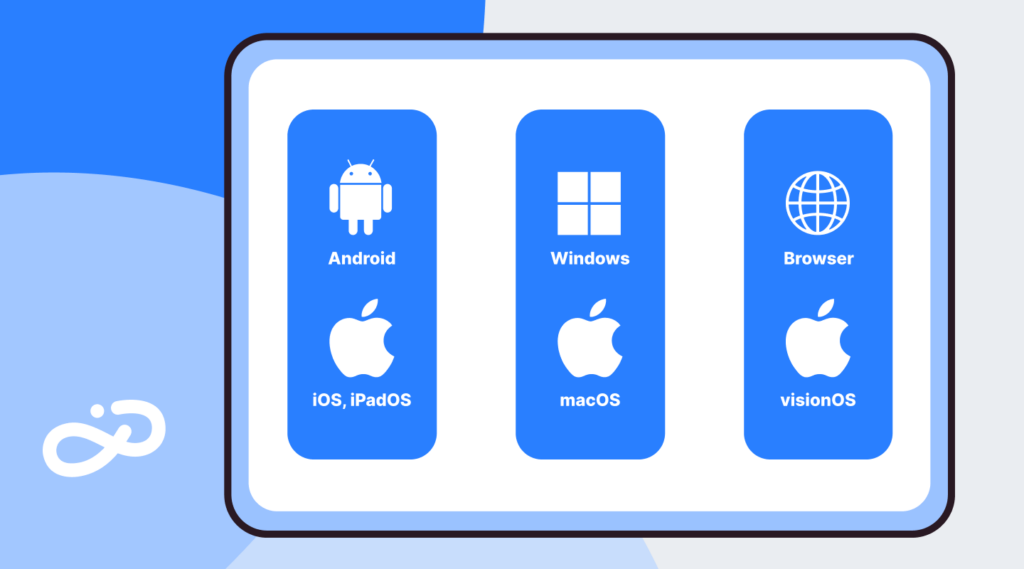
BIMx on all platforms
Access BIMx wherever work takes you—on mobile, desktop, and web—for a seamless experience across every device.

Cuenca, Ecuador
www.inai.com.ec
Photo: © INAI Arquitectura
Casa el Vergel
“BIMx is the way to be connected with the entire world. It’s a universal language.”

Engage

3D models with meta-data
Get instant access to all building-element information such as fire-ratings or manufacturer-specific properties.

No project is too big
Engage clients on projects of any size thanks to model streaming technology that works just like a computer game.

Connect to BIM databases
Facility managers and owners can access and integrate Facilities Management databases for streamlined maintenance using the BIM model.

Share models via the BIMx Model Transfer Site
Upload BIMx Hyper-models to the BIMx Model Transfer site and engage your clients using a simple web link — there’s no need to install or download an app.

Share BIMx Hyper-models privately
Graphisoft Subscribers, SSA, and Forward users can create and share private BIMx hyper-models – which can also be embedded on websites – to share with selected customers and clients.
Present your designs
Drive the narrative of your design for faster, specific feedback with BIMx Presenter and Gallery. Perfect for in-person presentations or to invite clients to explore on their own time.
Norway
Embed your designs
Boost your sales! Promote your design in a unique way by embedding your design on your own website with BIMx Web Viewer.


Start strong with Archicad Collaborate
Design, collaborate, and coordinate effortlessly with Archicad Collaborate, bringing Archicad, BIMcloud, BIMx, and MEP Designer together.
Mobilize
Say goodbye to paper
Save paper using digital documentation that is always up to date and at your fingertips.

Take it anywhere
Run BIMx on any mobile device without special hardware.

Revision on the go
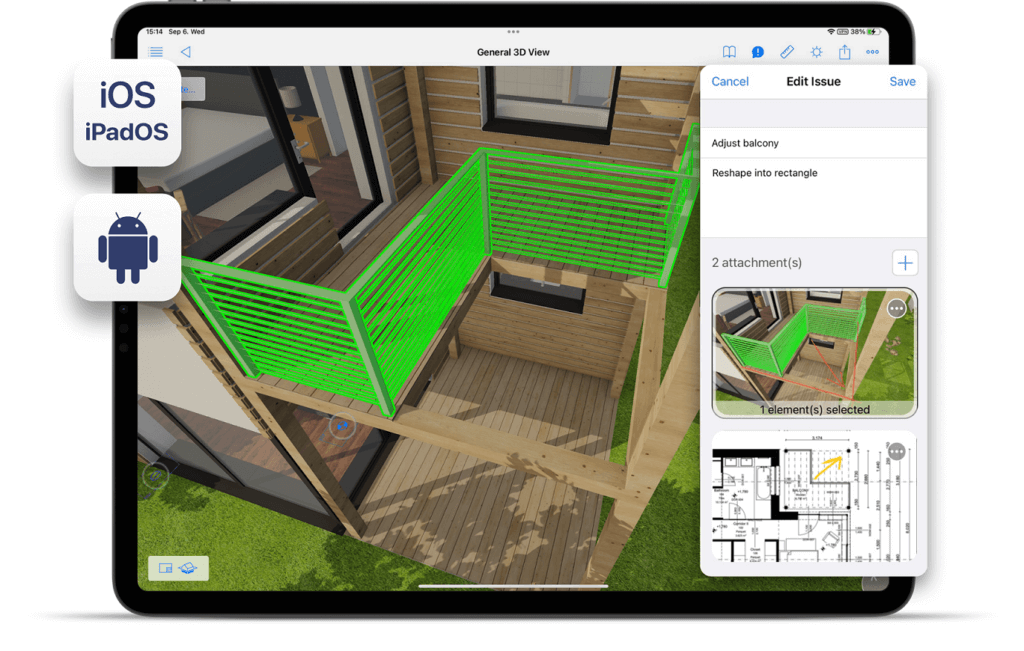
Review designs and suggest changes on the go — there’s no need to head back to the office.
Track and resolve issues
Stay on top of design changes with BIMx issue management. Review, comment on, and track issues in an interactive 3D model, keeping everyone aligned from office to site.

Sutton-in-Ashfield, United Kingdom
www.akind-a.com
Photo: © Anotherkind Architects
Sherwood Observatory
“Using BIMx throughout the construction process enabled collaboration in real-time on site, moving between drawings and the model.”

Resources to get you started


Get the most out of BIMx


Got more questions?
Getting started
BIMx is Graphisoft’s interactive model viewer, turning your Archicad, MEP Designer, and DDScad projects into immersive 3D walkthroughs. It can also include BIM data and the full 2D documentation set in a single BIMx Hyper-model file. Publish your project from Archicad, MEP Designer, or DDScad, then open it with the free BIMx apps on desktop, web, or mobile.
A BIMx Hyper-model combines the project’s 3D model with selected views and layouts from Archicad, MEP Designer, and DDScad in a single .bimx file. Embedded hyperlinks let users move easily between the 3D model and related 2D sheets, helping clients and project partners understand the design intent and documentation structure without needing Archicad, MEP Designer, or DDScad.
You can download the BIMx app for free on five platforms or access it directly in your browser. Installing BIMx Mobile and Desktop from the store ensures you receive the latest features and fixes automatically as soon as they’re available. See the full list of supported platforms.
No. You can use BIMx for free with a Graphisoft account. Choosing a paid subscription gives you access to advanced productivity and collaboration tools. Learn more about BIMx licensing.
You can export BIMx models or Hyper-models from Archicad, MEP Designer, and DDScad and share them using Graphisoft’s BIMx Model Transfer service in the cloud, then send a direct link or let viewers download the file to their device.
Anyone with whom you share the model link can access it. BIMx itself does not require a license, but signing in is required if you want to open more than one model.