Project Showcase
Managing 31 Levels of
Complex BIM Renovation
Hotel Dorothea, TSPC, Hungary
Hotel Dorothea, Budapest, Hungary, TSPC Group, tspcgroup.com, Photo: © Zsolt Hlinka
Estimated reading time: 18 minutes
Summary
Renovating with BIM was key to overcoming the complex challenges of the Dorothea Hotel project in Budapest. The hotel complex, made up of three historic buildings, required designers to reconcile 31 uneven levels and over 1,000 pages of strict Marriott standards. Using Archicad and OPEN BIM workflows, TSPC Group created coordinated models that aligned disparate floor heights and disciplines. Real-time automation, detailed data visualization, and automated clash detection kept the project on track through years of evolving needs. The result was enhanced accuracy and streamlined communication despite the project’s many unique requirements.
The Project
The New Pearl of Budapest
Shining in a rich historic square in downtown Budapest, the Dorothea Hotel crowns an entire block, standing as a testament to the city’s architectural legacy. The substantial BIM renovation project marked a milestone in the ongoing effort to preserve and protect Budapest’s history. What truly set this project apart was its unique structure. The Dorothea Hotel is a complex of three separate buildings, each representing a different era of design. The Mahart House, Weber House, and Munich House together form a perimeter around a stunning central atrium.
Approximately 35,000 square meters in total, the hotel boasts nearly 250 rooms and 5 stars. The challenges were similarly numerous from a design and engineering standpoint. A total of 31 different levels are connected by hundreds of kilometers of wiring and piping and held to over 1,000 pages of rigorous Marriott standards. With this brief, the design team at TSPC Group set to work modernizing the 1800s and 1900s structures and bringing them into harmony with modern expectations and Marriott’s regulations.

Project: Hotel Dorothea
Project Location: Budapest, Hungary
Firm: TSPC Group
Project Type: Residential
Project Size: 35,000 sqm / 376,737 sqft
Year of Completion: 2022
Software used: Graphisoft Archicad, Graphisoft BIMcloud, Graphisoft BIMx, Solibri, Dalux

On behalf of TSPC, four BIM managers and seventeen architectural designers have worked to create the information conglomerate that we call the BIM model.
Károly Bélafi, Head of BIM, TSPC Group
Explore the Gallery
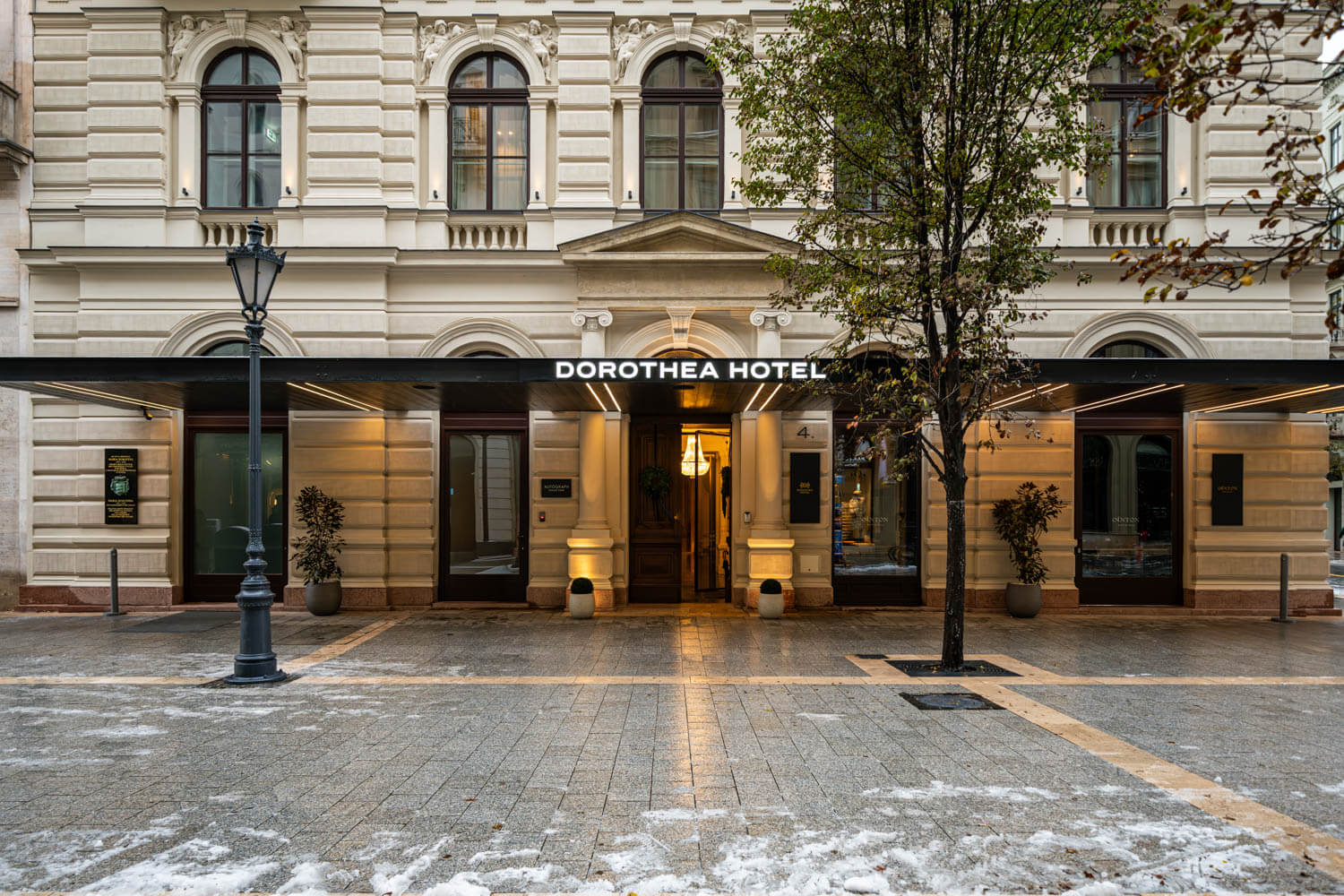
Hotel Dorothea, Budapest, Hungary, TSPC Group, tspcgroup.com, Photo: © Zsolt Hlinka
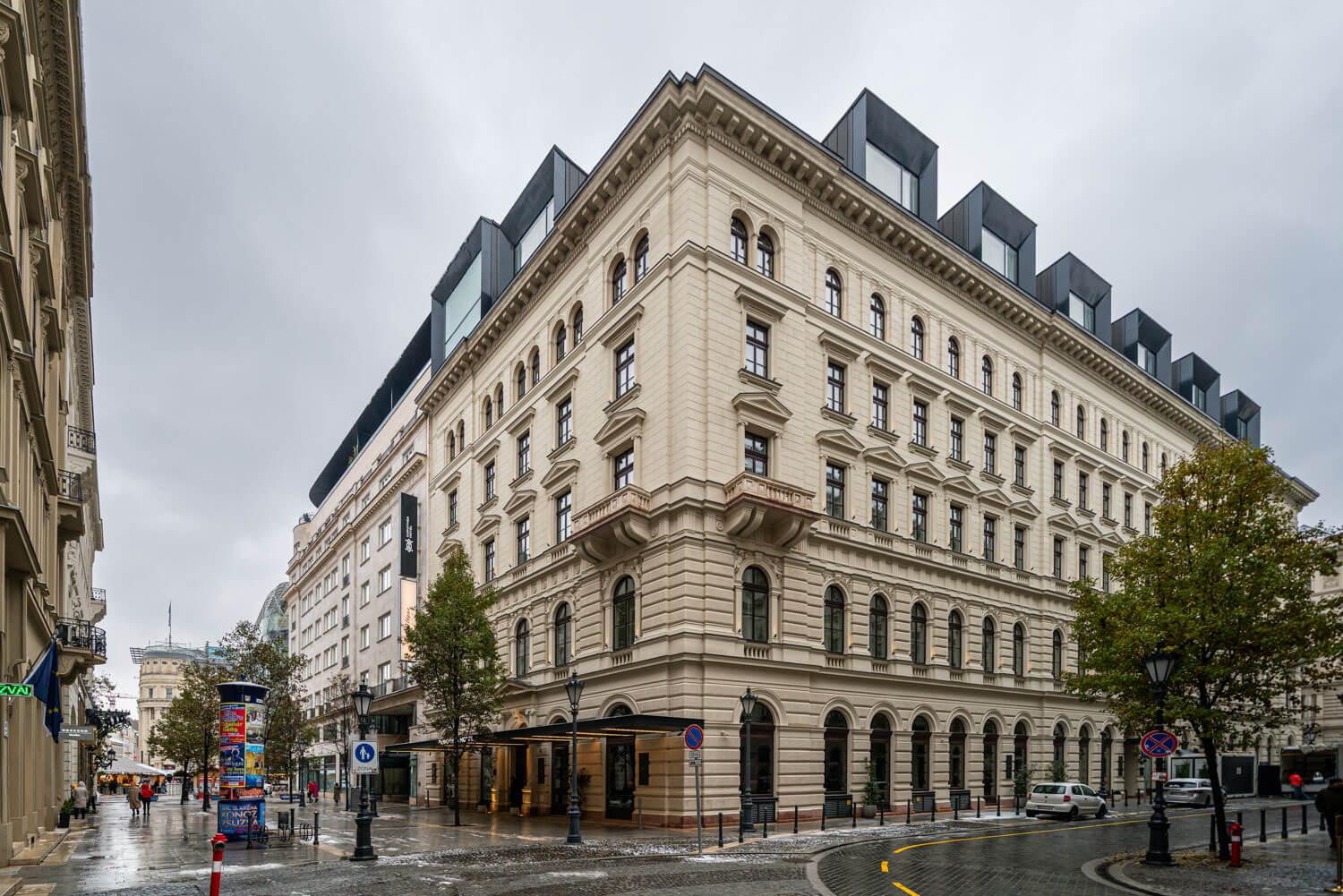
Hotel Dorothea, Budapest, Hungary, TSPC Group, tspcgroup.com, Photo: © Zsolt Hlinka
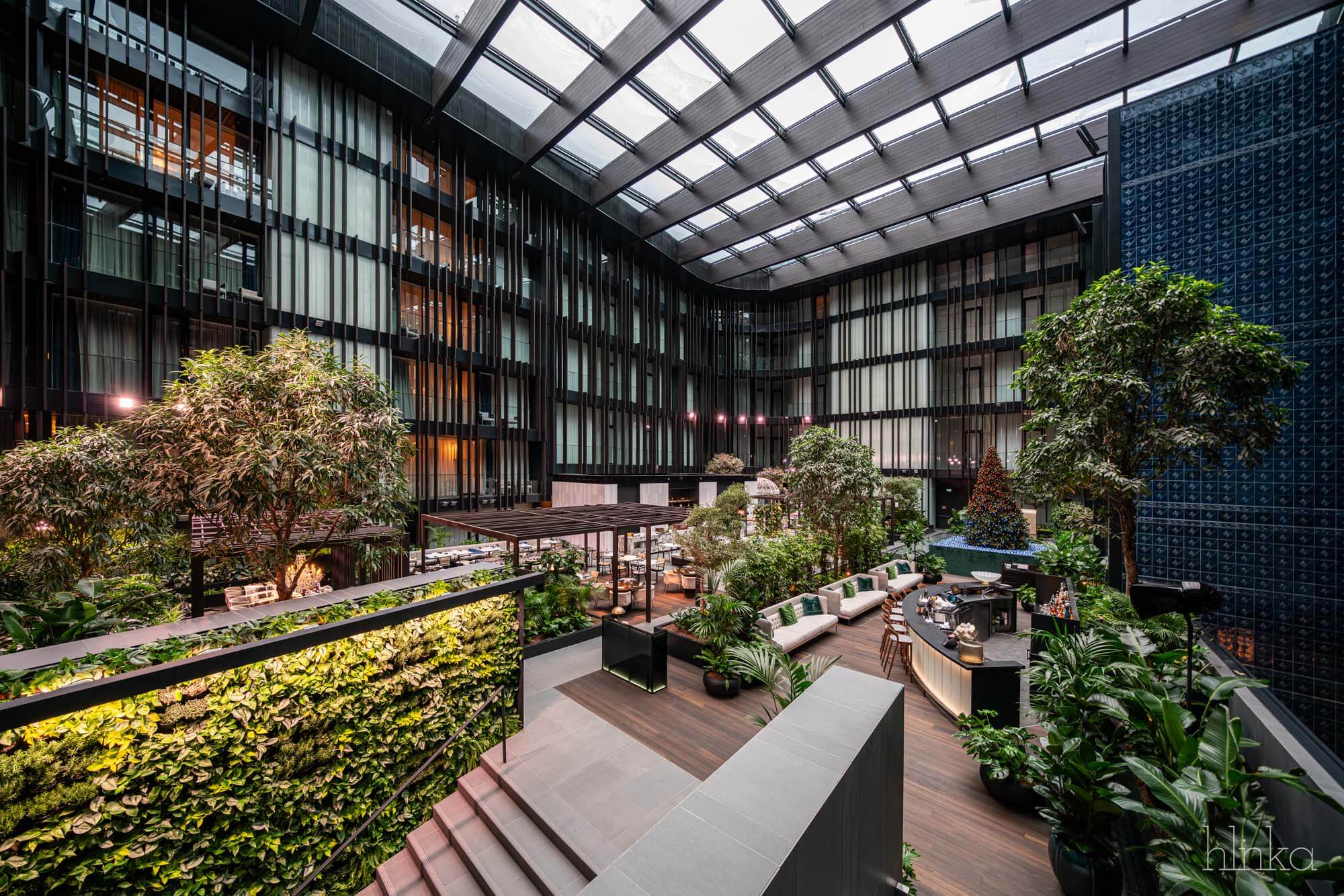
Hotel Dorothea, Budapest, Hungary, TSPC Group, tspcgroup.com, Photo: © Zsolt Hlinka
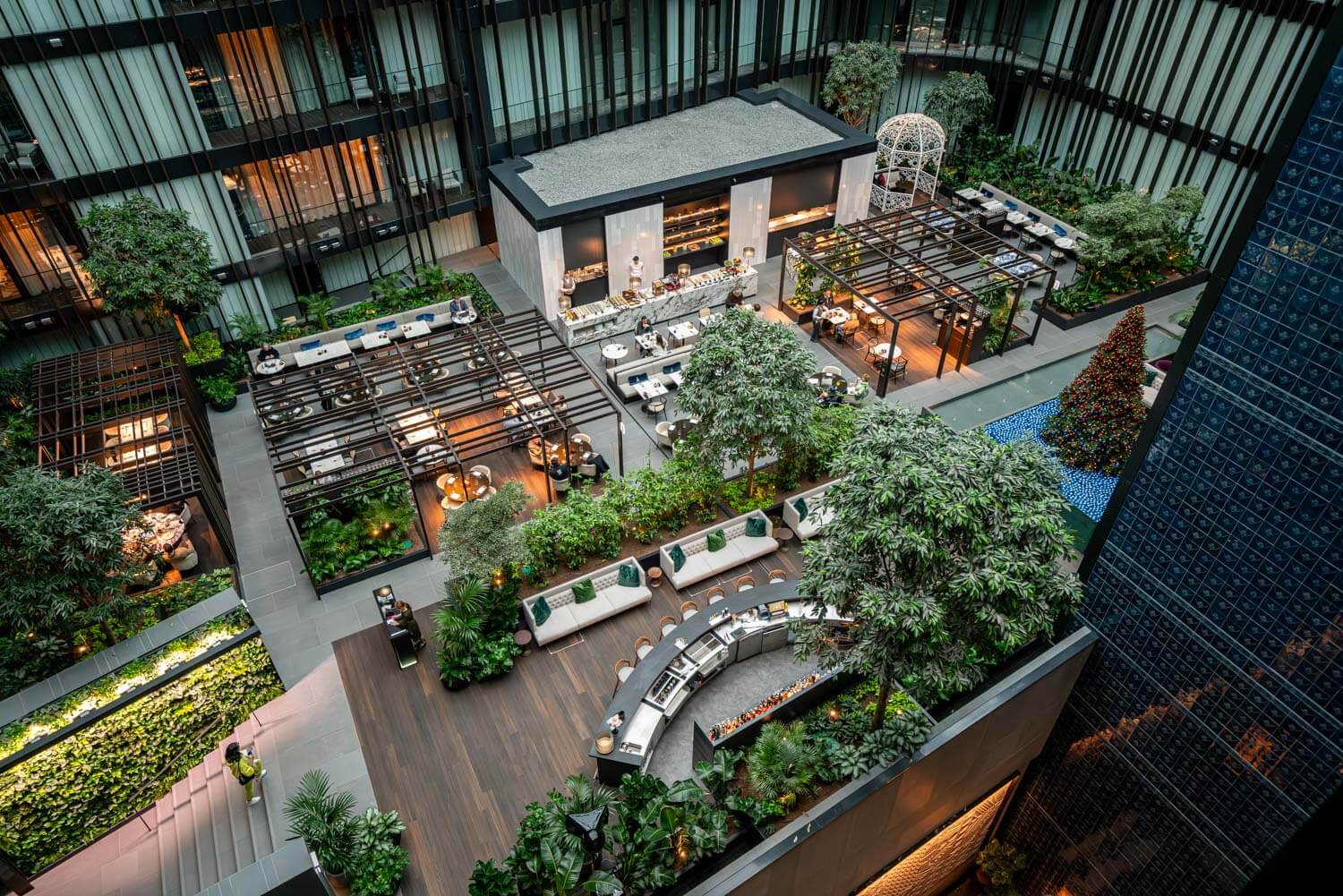
Hotel Dorothea, Budapest, Hungary, TSPC Group, tspcgroup.com, Photo: © Zsolt Hlinka
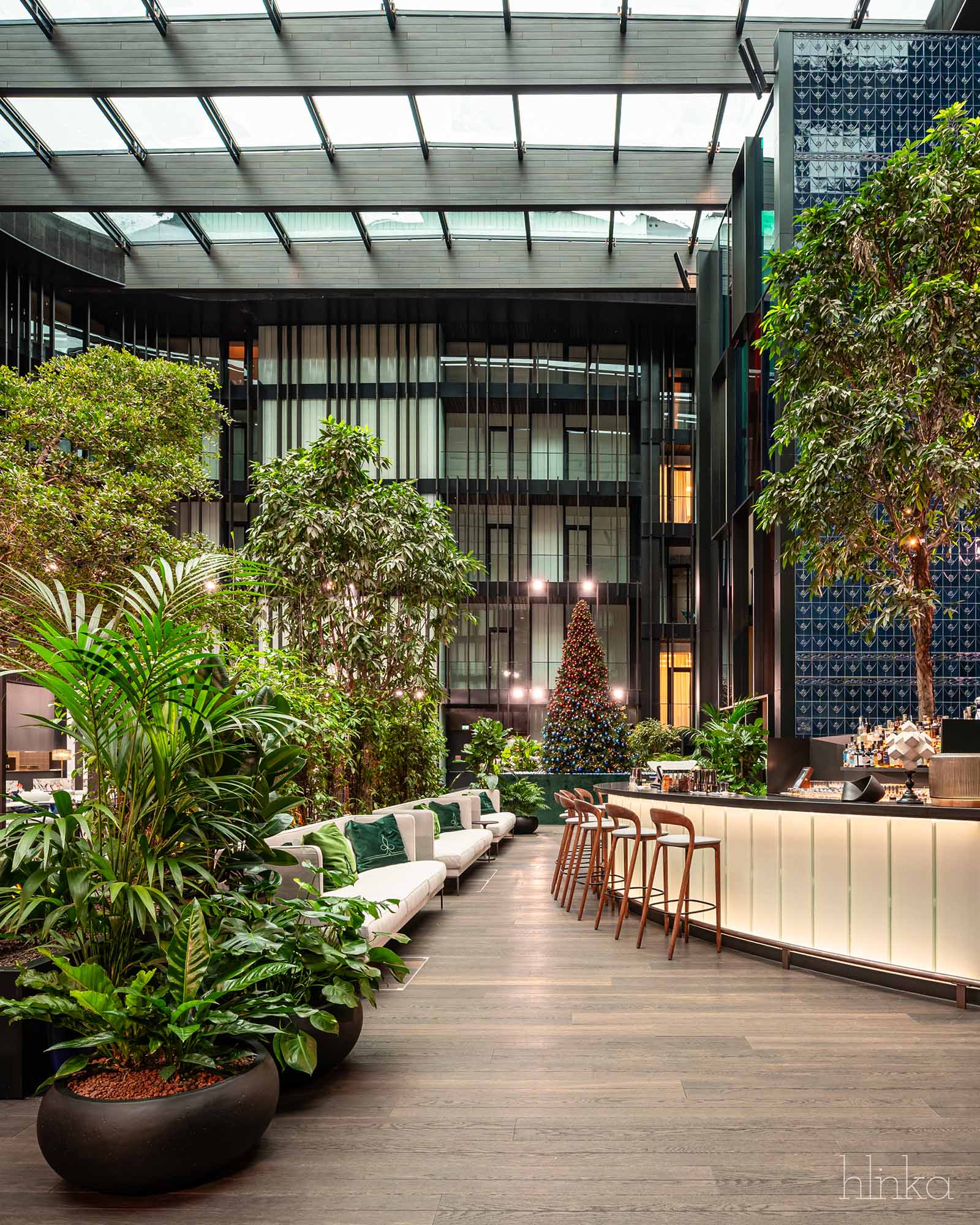
Hotel Dorothea, Budapest, Hungary, TSPC Group, tspcgroup.com, Photo: © Zsolt Hlinka
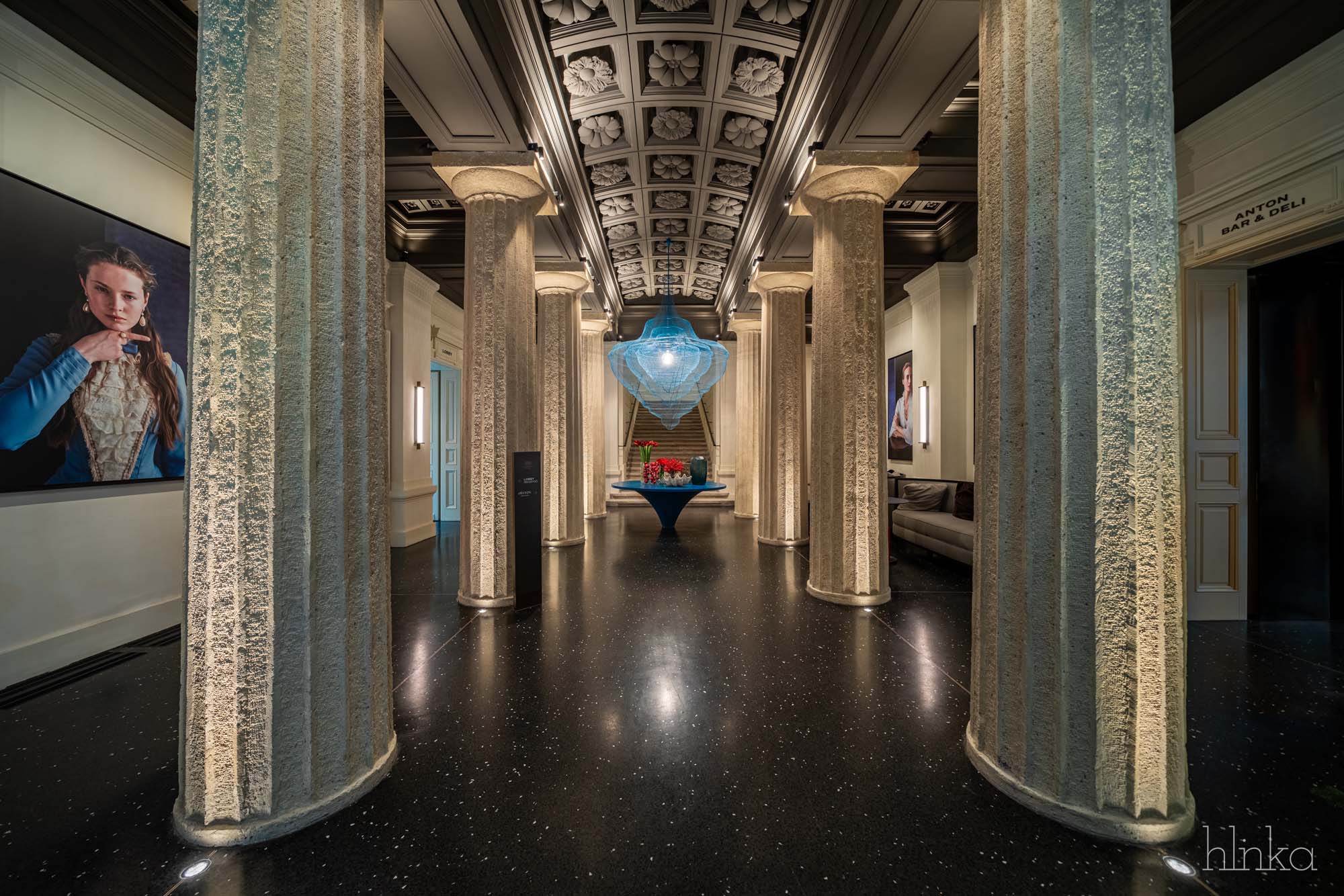
Hotel Dorothea, Budapest, Hungary, TSPC Group, tspcgroup.com, Photo: © Zsolt Hlinka
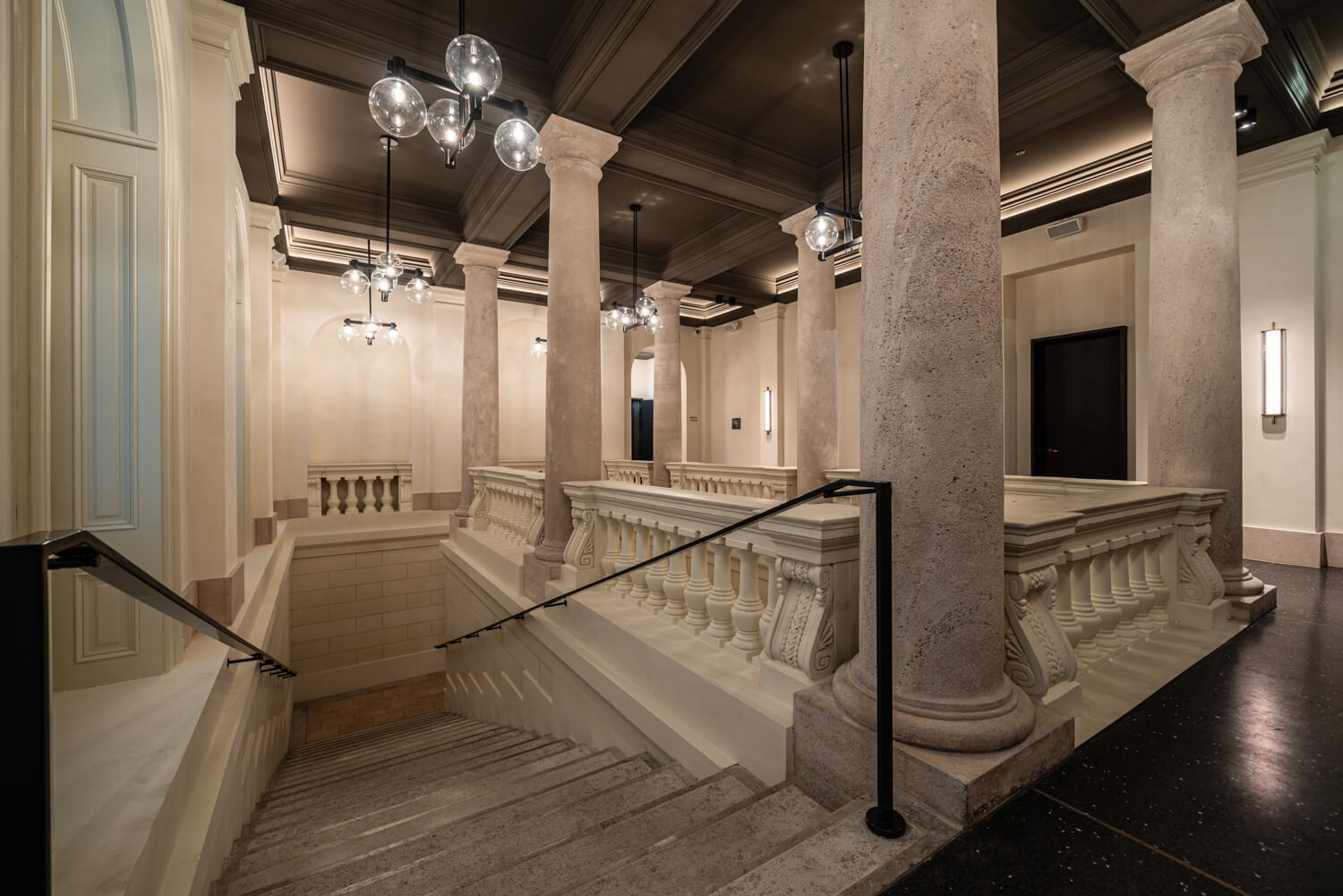
Hotel Dorothea, Budapest, Hungary, TSPC Group, tspcgroup.com, Photo: © Zsolt Hlinka
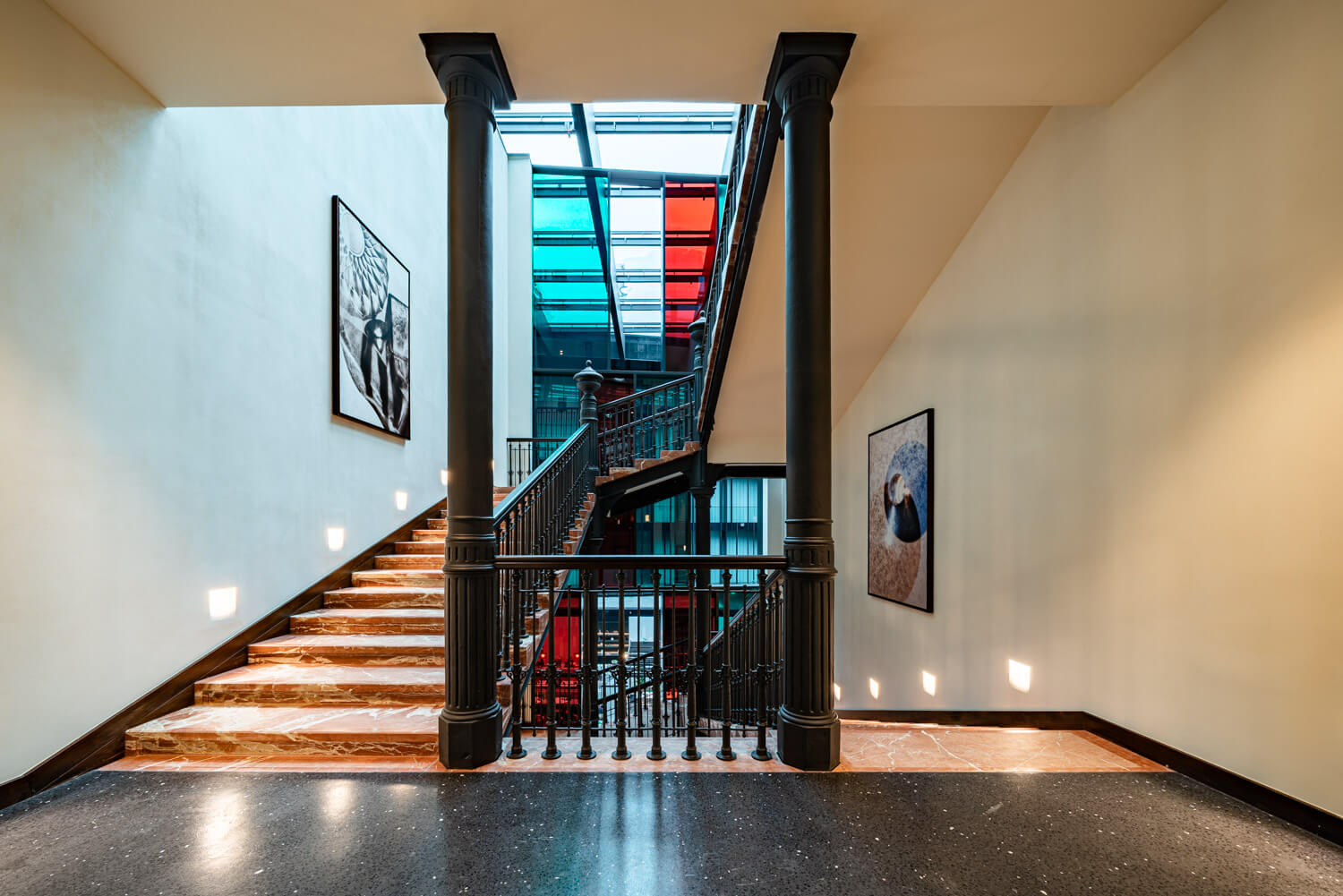
Hotel Dorothea, Budapest, Hungary, TSPC Group, tspcgroup.com, Photo: © Zsolt Hlinka
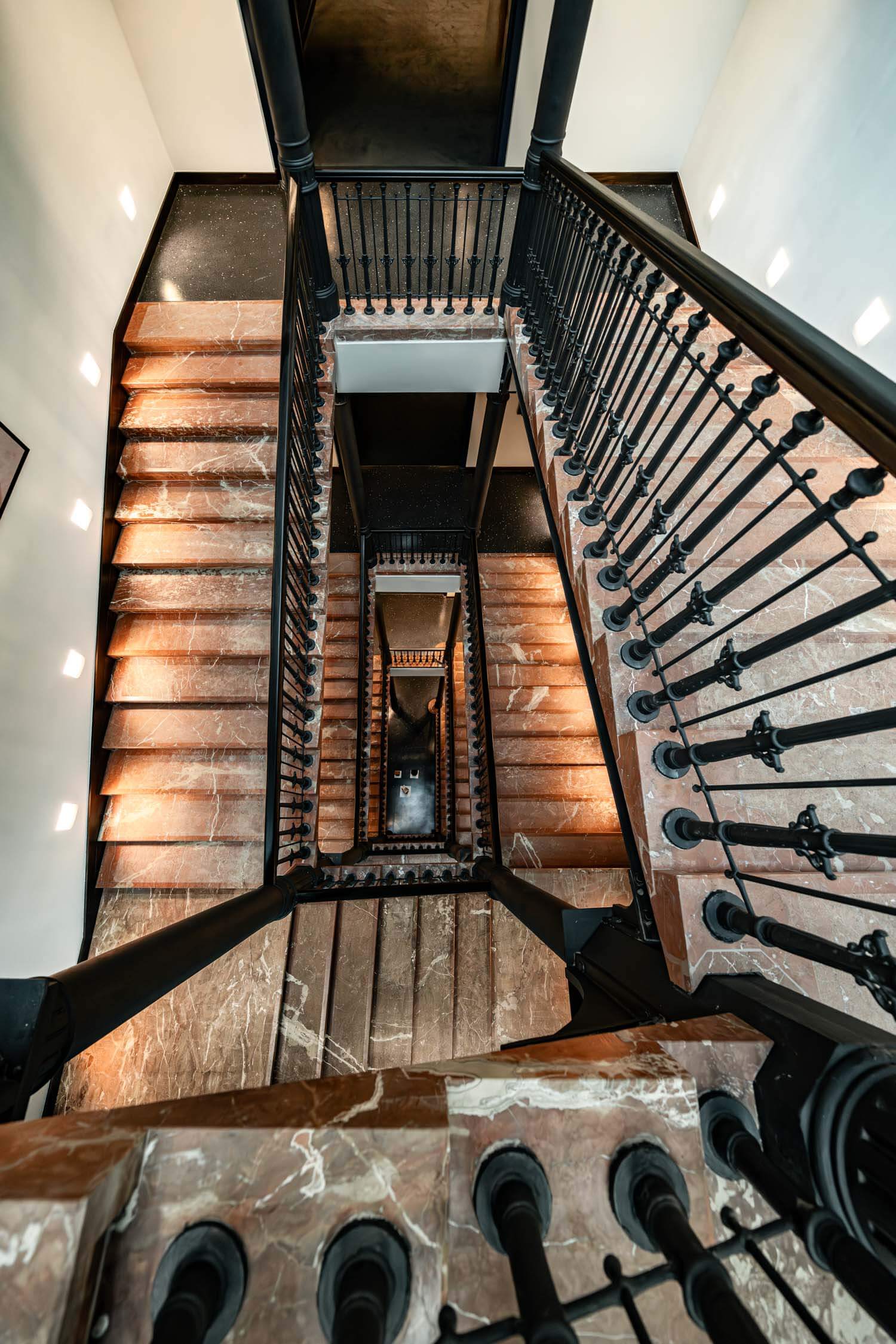
Hotel Dorothea, Budapest, Hungary, TSPC Group, tspcgroup.com, Photo: © Zsolt Hlinka
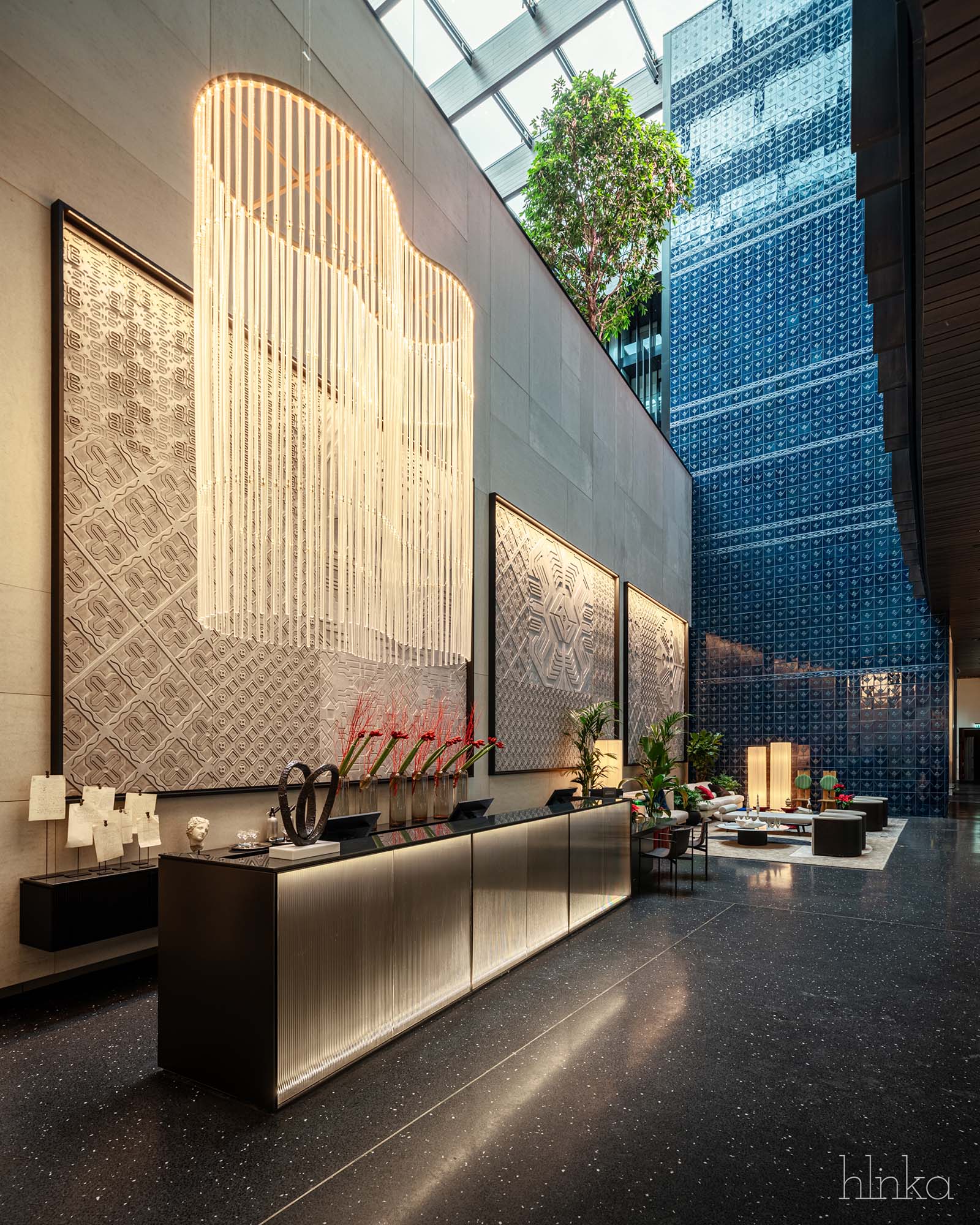
Hotel Dorothea, Budapest, Hungary, TSPC Group, tspcgroup.com, Photo: © Zsolt Hlinka
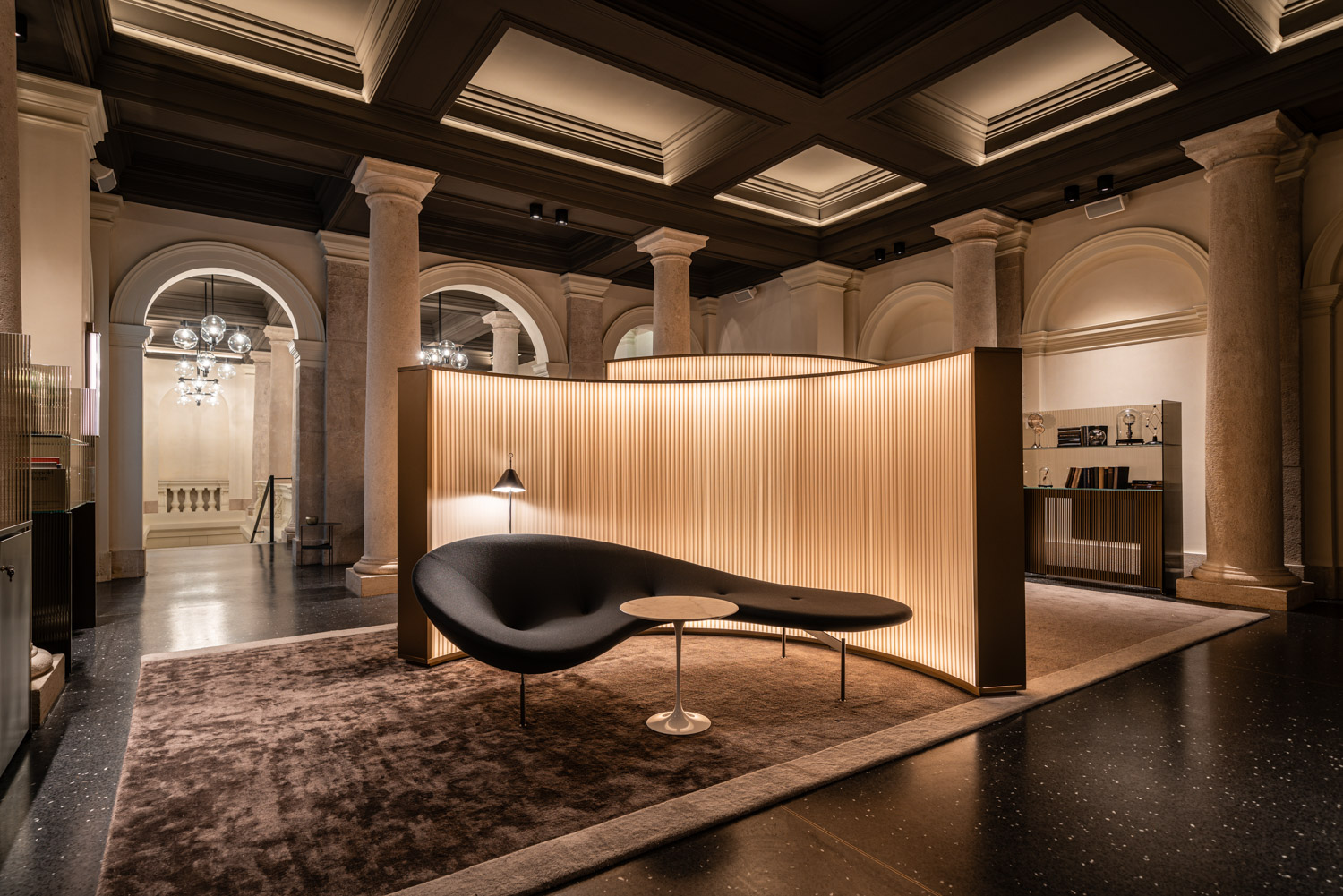
Hotel Dorothea, Budapest, Hungary, TSPC Group, tspcgroup.com, Photo: © Zsolt Hlinka
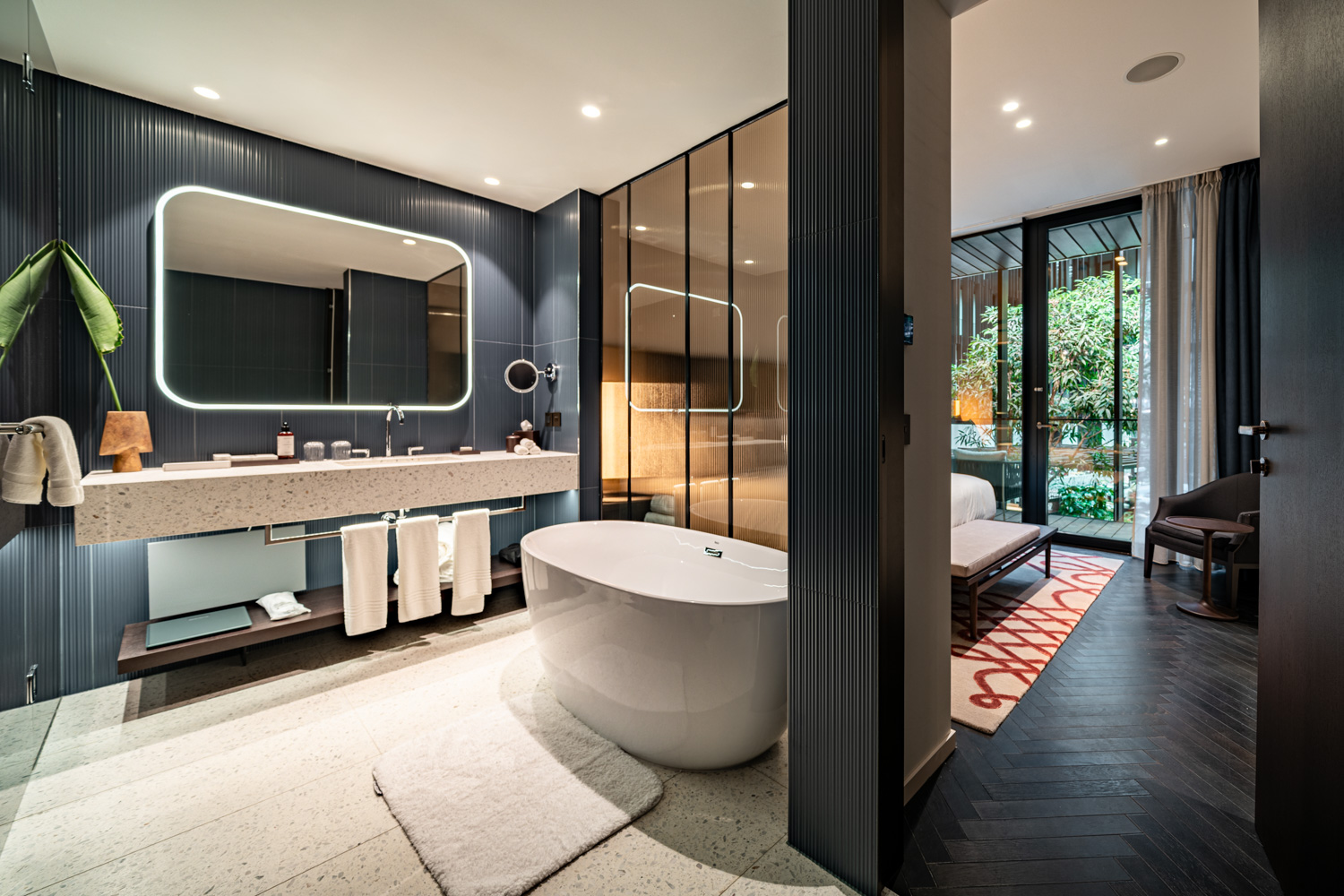
Hotel Dorothea, Budapest, Hungary, TSPC Group, tspcgroup.com, Photo: © Zsolt Hlinka
Hotel Dorothea, Budapest, Hungary, TSPC Group, tspcgroup.com, Photo: © Zsolt Hlinka
Hotel Dorothea, Budapest, Hungary, TSPC Group, tspcgroup.com, Photo: © Zsolt Hlinka
Hotel Dorothea, Budapest, Hungary, TSPC Group, tspcgroup.com, Photo: © Zsolt Hlinka
Hotel Dorothea, Budapest, Hungary, TSPC Group, tspcgroup.com, Photo: © Zsolt Hlinka
Hotel Dorothea, Budapest, Hungary, TSPC Group, tspcgroup.com, Photo: © Zsolt Hlinka
Hotel Dorothea, Budapest, Hungary, TSPC Group, tspcgroup.com, Photo: © Zsolt Hlinka
Hotel Dorothea, Budapest, Hungary, TSPC Group, tspcgroup.com, Photo: © Zsolt Hlinka
Hotel Dorothea, Budapest, Hungary, TSPC Group, tspcgroup.com, Photo: © Zsolt Hlinka
Hotel Dorothea, Budapest, Hungary, TSPC Group, tspcgroup.com, Photo: © Zsolt Hlinka
The Challenge
Leveling out to level up with Archicad
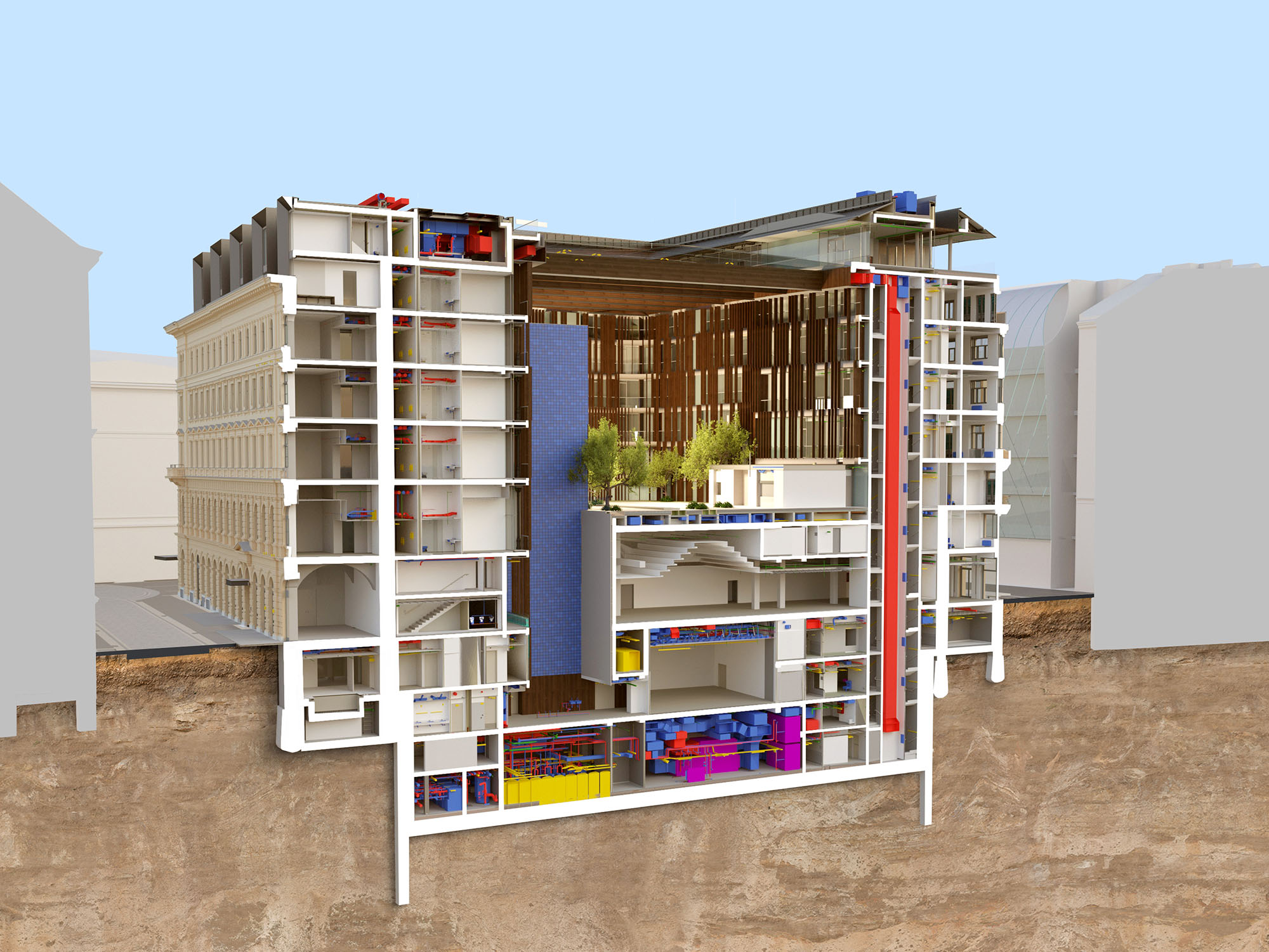
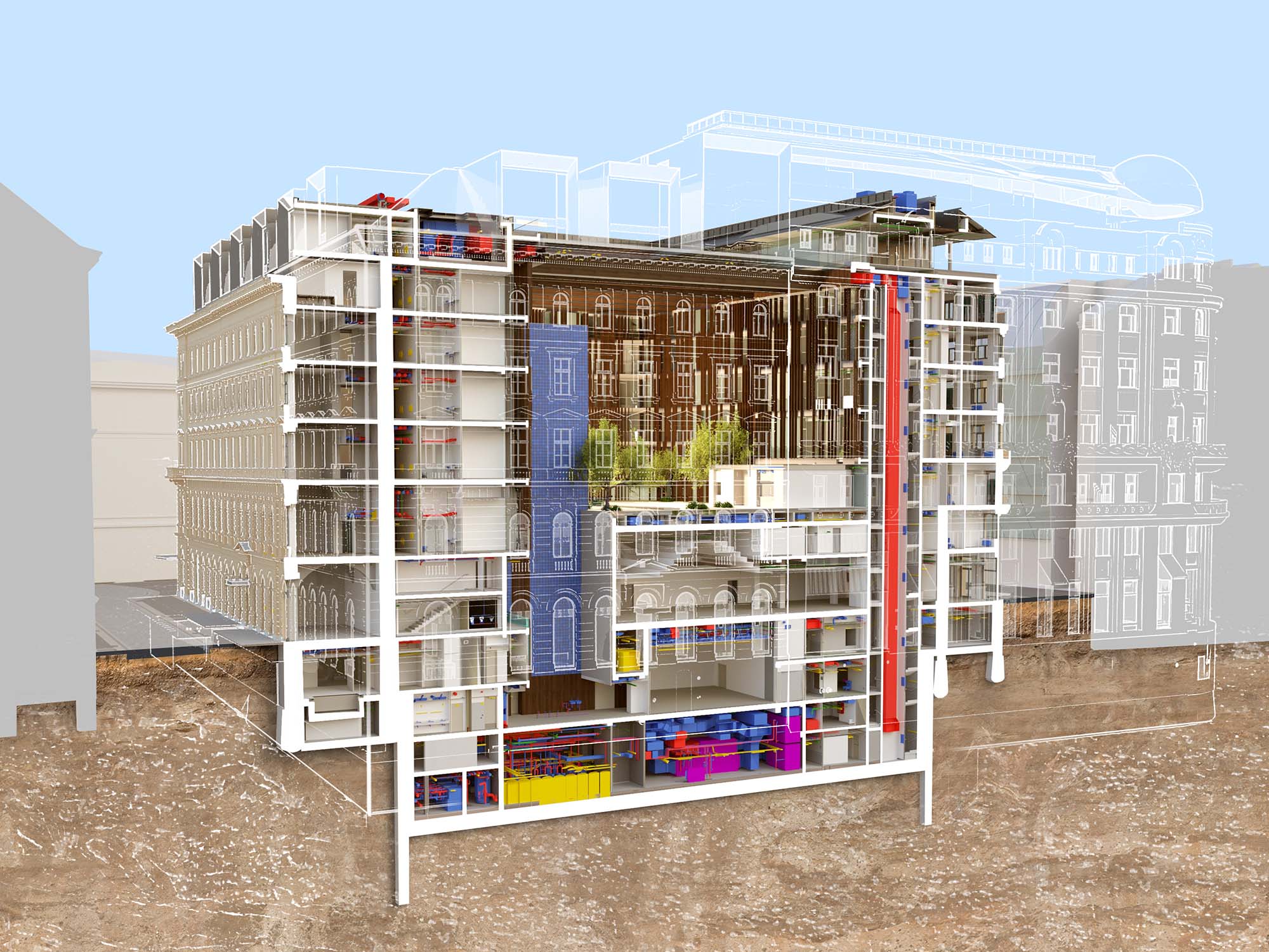
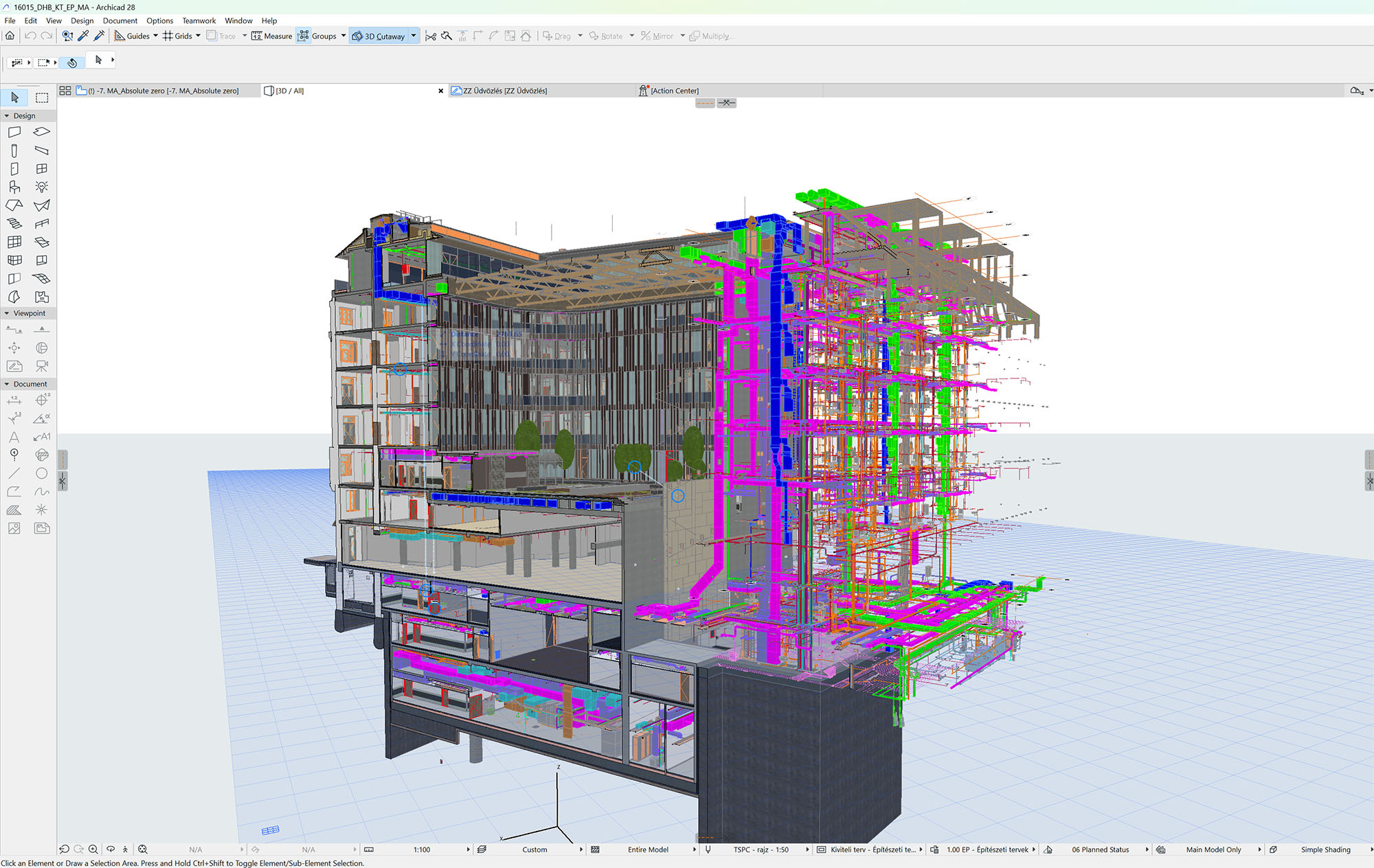
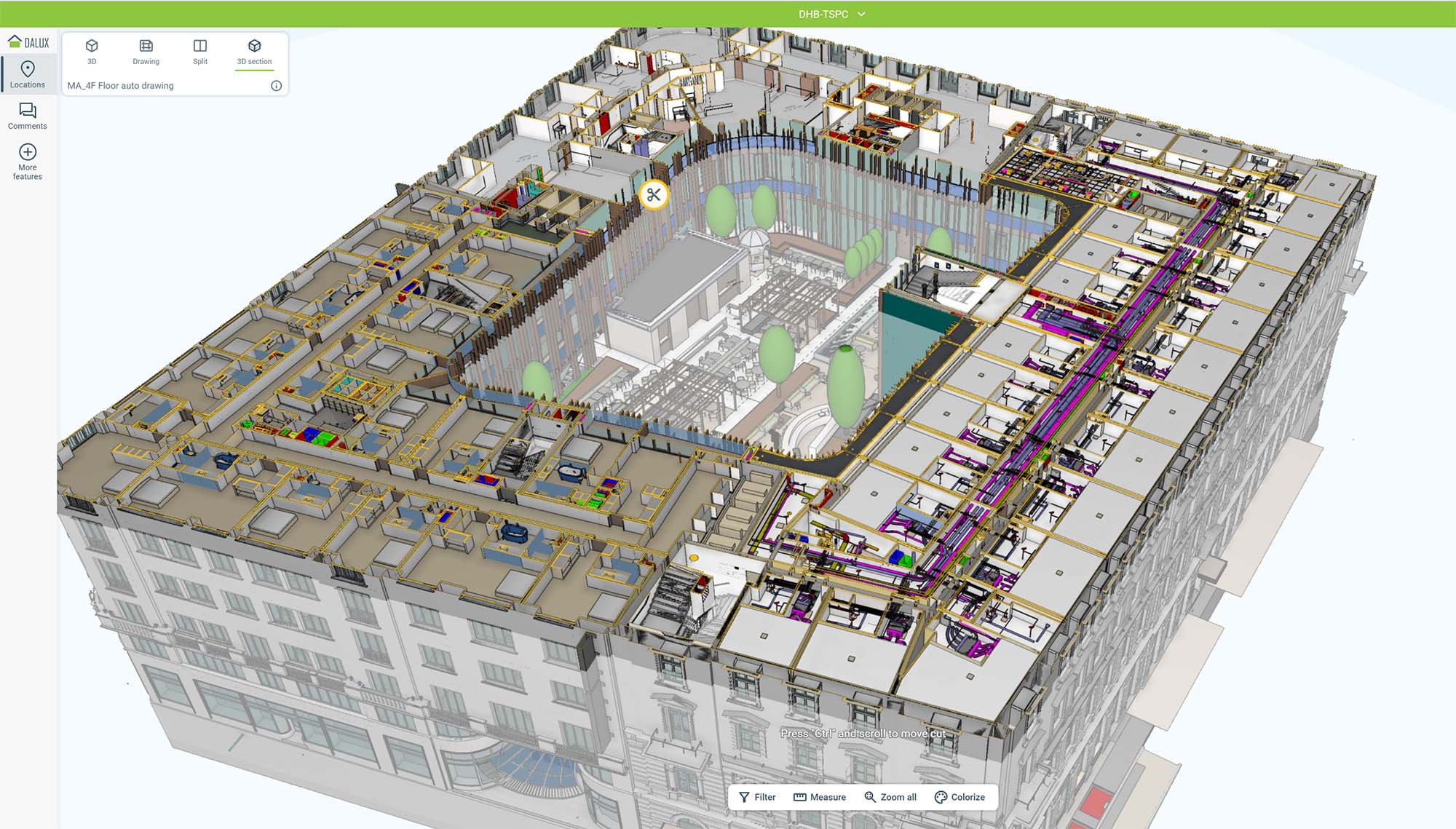
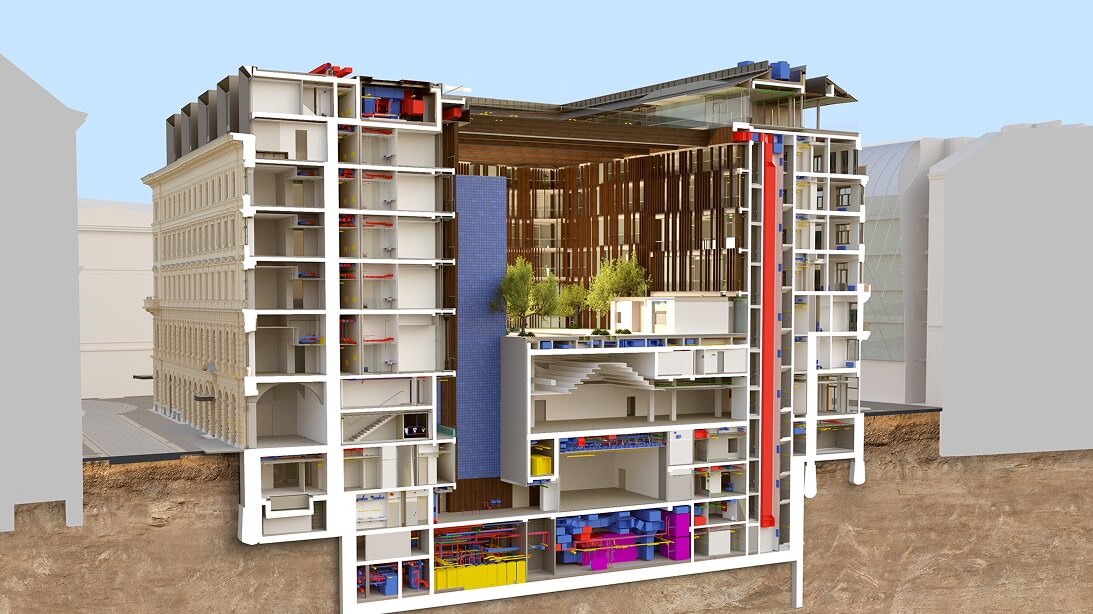
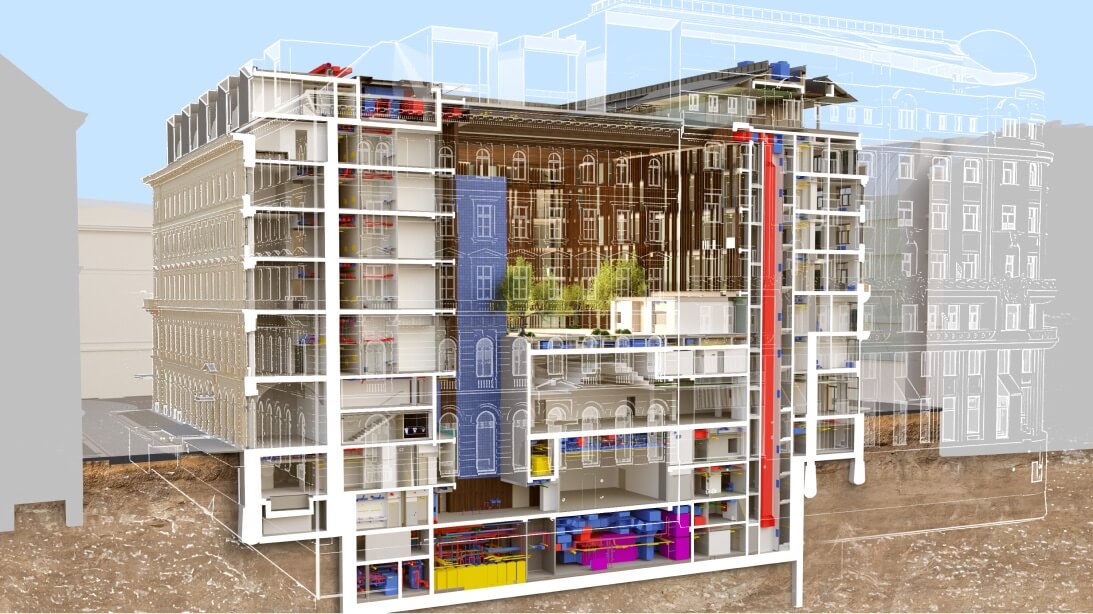
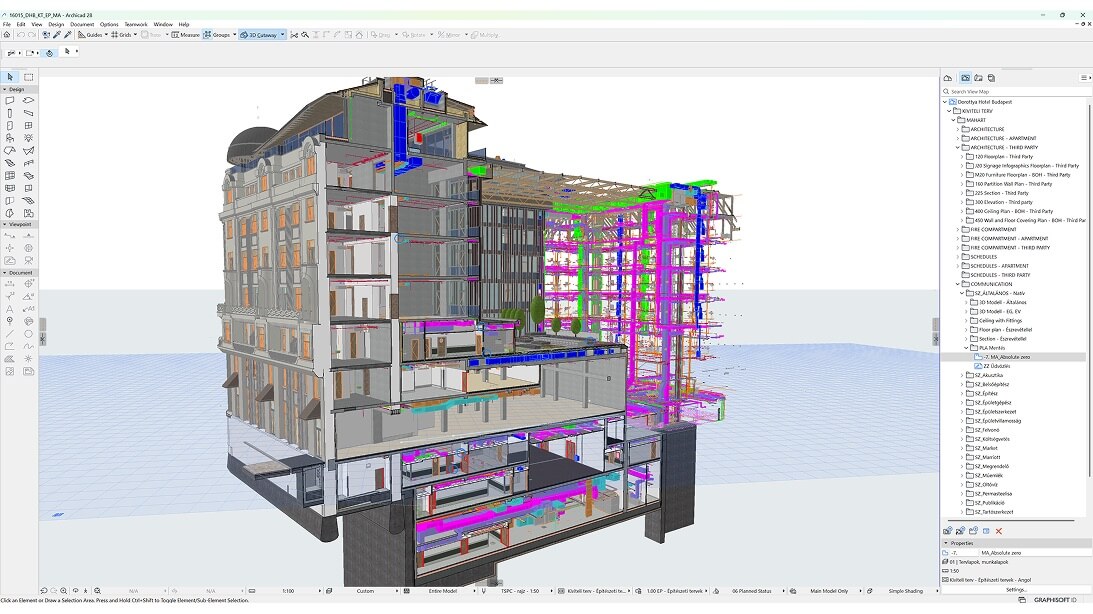
The Dorothea Hotel complex officially stands at nine stories, however a look within its walls tells a different story. Each house within the complex has a completely different style resulting in an ad hoc alignment – and 31 different levels running through the complex. Visualizing designs and managing the BIM model across varying floor heights was no easy task. TSPC Group’s BIM lead, Károly Bélafi took it up with the help of Archicad.
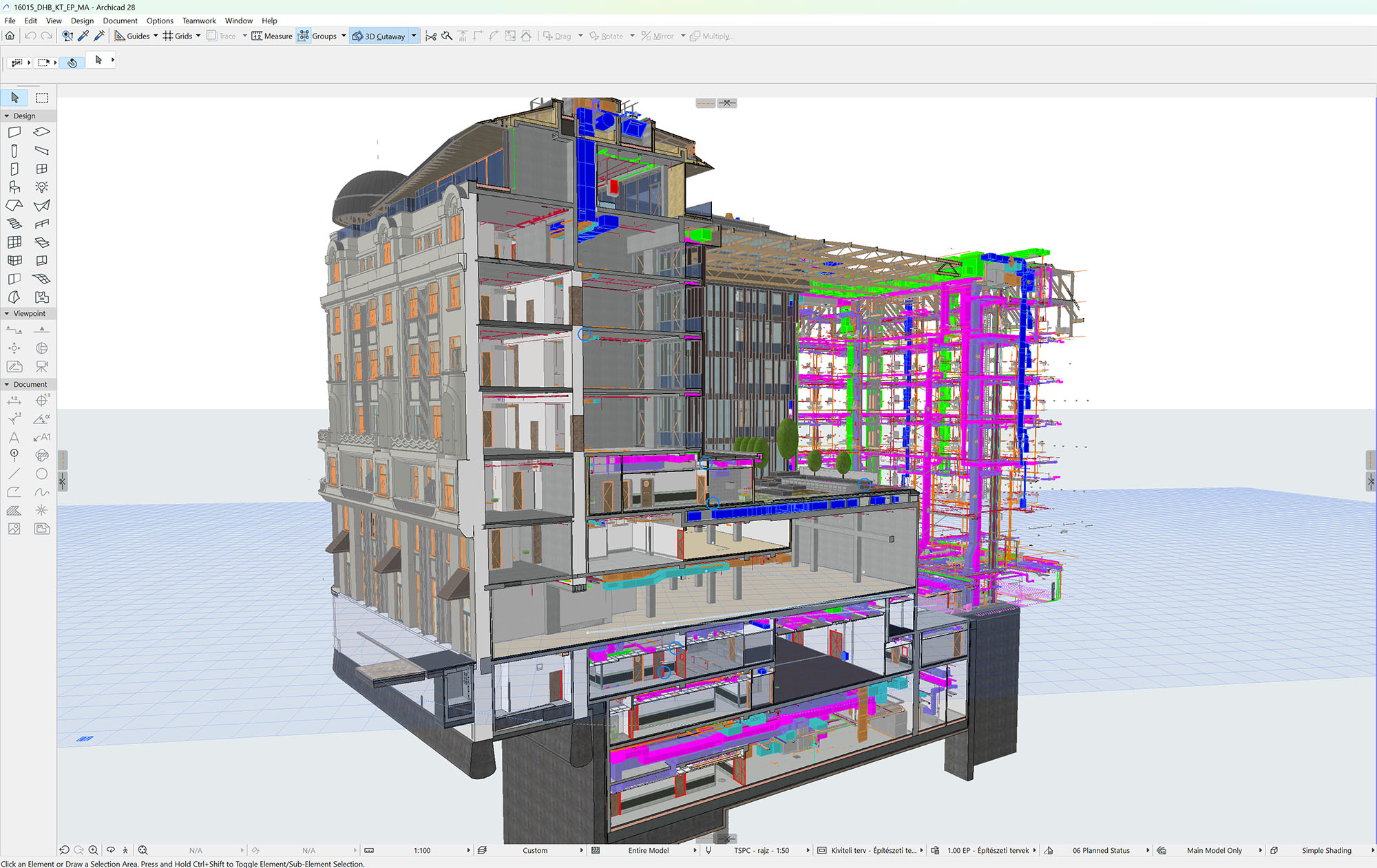
Within the documentation, a property value was assigned to each slab at different levels. The values themselves weren’t simply identifiers. As mathematical functions, they calculated the differences in elevation of each slab, automatically equating, for example, the fifth floor of one building with that of another. An automation that initially required meticulous work, set the stage for the team to easily navigate the entire project across years of development.
Take your knowledge of modeling and documenting in Archicad to the next level with our advanced-level learning path Understanding the Archicad BIM Workflow.
If I am putting a dimension on a slab in the Münnich building, Archicad can automatically calculate the differences in the levels based on what reference that slab was assigned and on what rules I gave it.*
Károly Bélafi, Head of BIM, TSPC Group
*cited from Anthony Frausto-Robledo’s article published in architosh.com
Hotel Dorothea, Budapest, Hungary, TSPC Group, tspcgroup.com
Discover how Archicad supports creative design thinking and collaboration while boosting productivity.
Flexible Workflows
The design-build approach with BIM
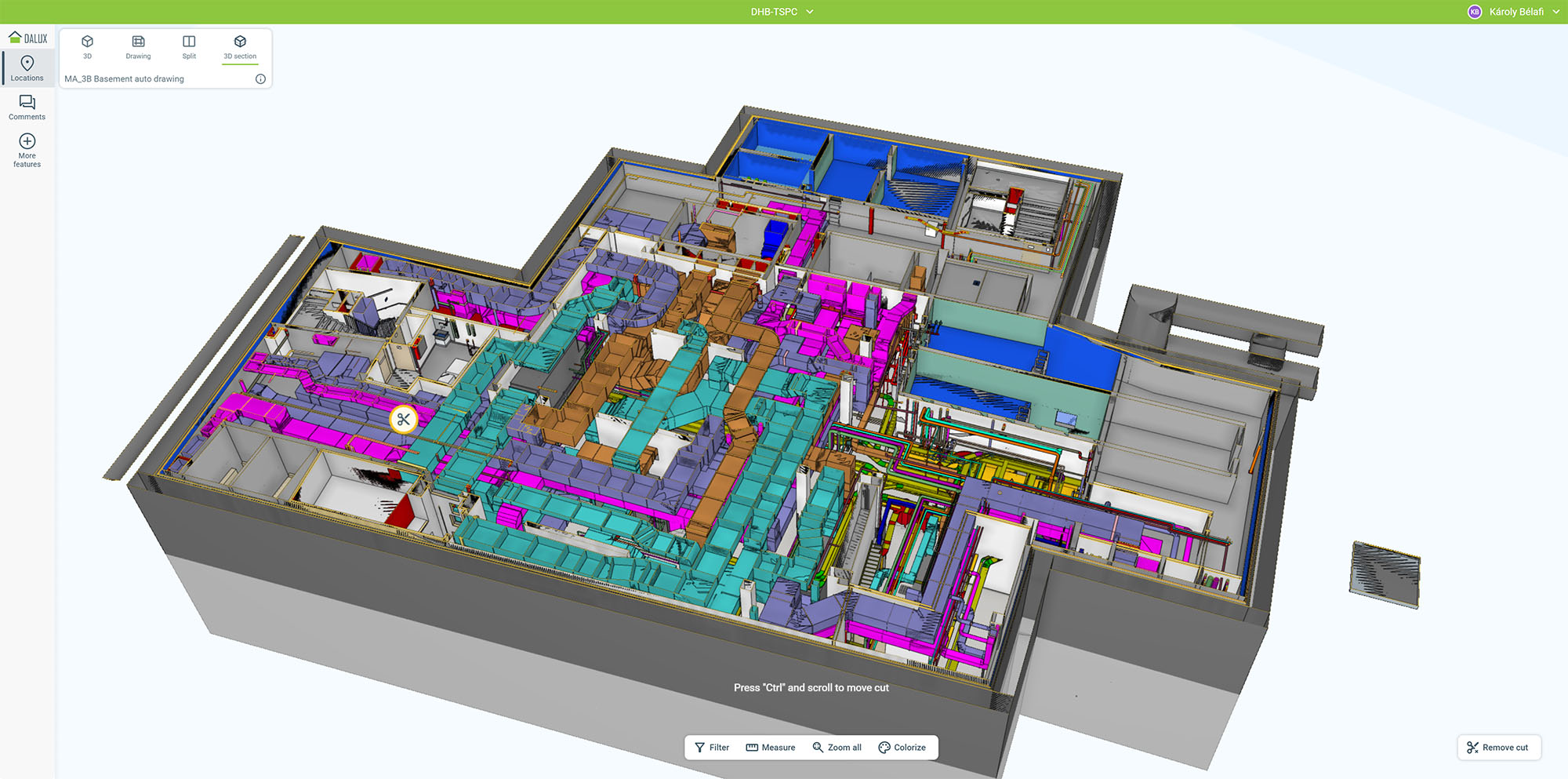
The design and construction of the Dorothea Hotel took years, with needs and building regulations constantly changing. The timeline required the team to work with ultimate flexibility, which is where the documentation aspect of BIM renovation workflows became indispensable. Both the design team and the contractors remained committed to working with BIM, both in approach and implementation. All stakeholders refined high-quality BIM requirements, codifying processes in Exchange Information Requirements (EIRs) and BIM Execution Plan (BEP) contracts and annexes after detailed negotiations.
With this framework, the team could ensure that everything was planned and aligned with the project’s evolving needs. In the design phase, years of BIM experience allowed the team to hone processes and solutions that could adapt to shifting changes almost effortlessly, ‘at the touch of a button.’ BIM’s precision and flexibility meant that construction elements could also take shape, even during the design phase, and be easily adjusted down the line.
eBook promotion
How to implement sustainable efficiency
When it comes to a shift in approach like adopting BIM, integrating new tools with an aligned strategy is key to maximizing time and resource wins.
That’s why we’ve created an actionable guide on building up a project with Graphisoft’s BIM solutions. Use the listed key pointers while integrating Archicad, BIMx, and BIMcloud in your teamwork to watch your project progress seamlessly!
Ready to win back time and resources with efficient workflows?
Visual Collaboration
Modeling progress with a relational database manager
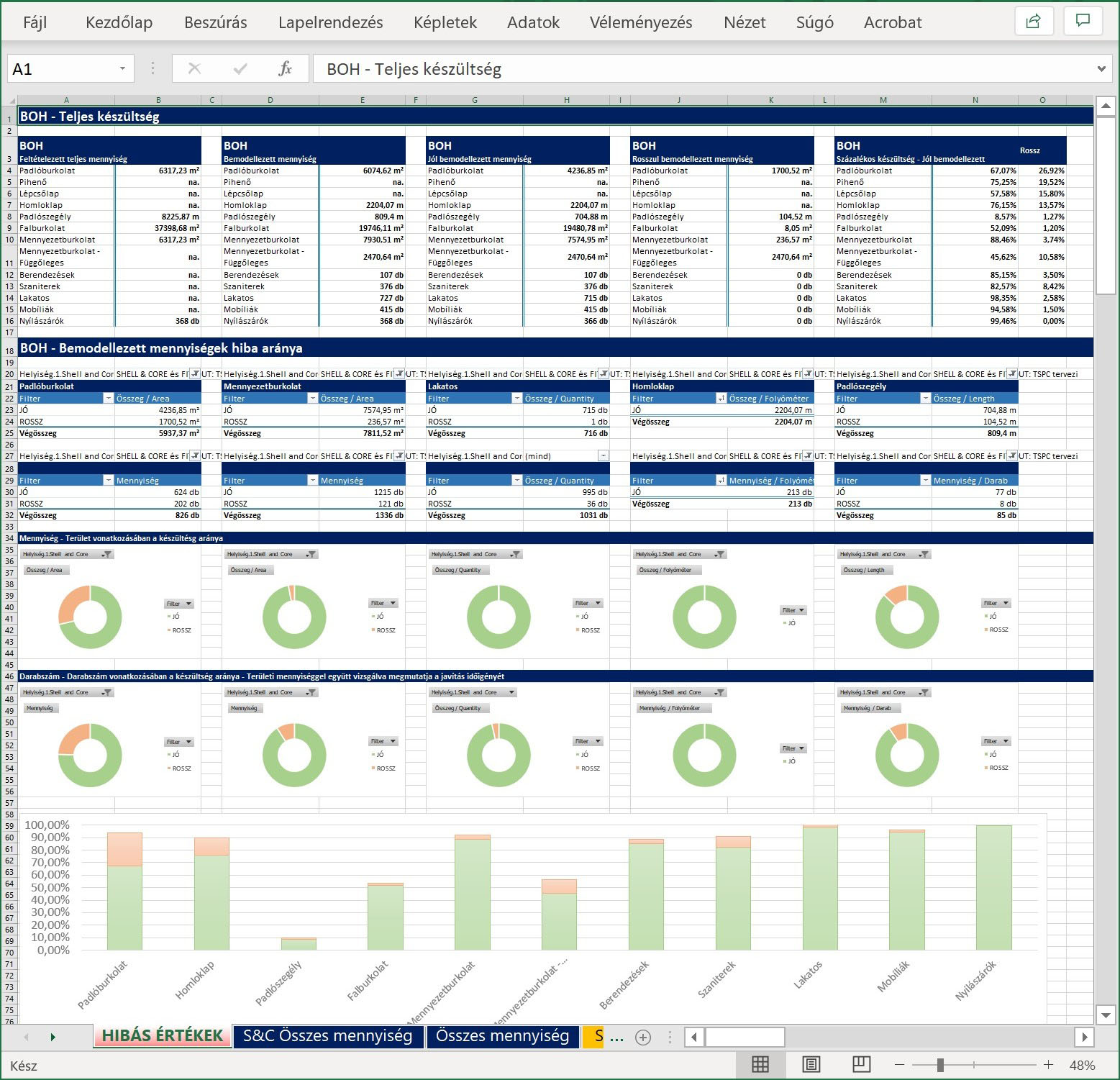
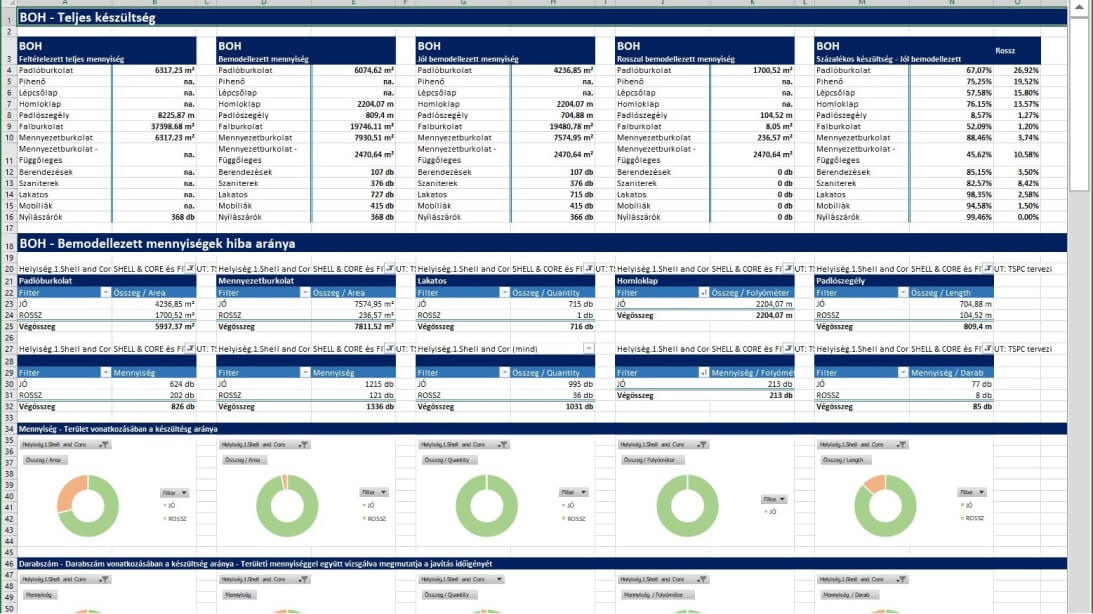
One common challenge in design projects is effectively communicating the level of detail and progress in the model and plans to project management so that it’s as clear to them as it is for those working on the model itself. TSPC came up with an innovative solution to keep everyone on the same page. They exported detailed lists of all the key aspects of the model and used a relational database manager and data visualization tools to create summary diagrams of progress.
These graphs were shared in a single view to give a ‘snapshot’ of the project process, including the percentage of errors in modeled elements compared to the level of project completion. This solution greatly streamlined communication and helped prioritize decision-making, saving both time and money by keeping the project on track.
We created lists that monitor the model from all relevant aspects. The system adds communication, accelerates decision-making, improves focus, and ultimately saves both time and money,
Károly Bélafi, Head of BIM, TSPC Group
Hotel Dorothea, Budapest, Hungary, TSPC Group, tspcgroup.com
Risk Management
QA and Collision Checking with Solibri
The Dorothea Hotel project also marked a significant milestone for the TSPC Group itself, as the first time the fire safety engineers worked directly within the BIM model. Equipping engineers with the tools to work directly within the model was also a huge boon for the overall project, helping it efficiently meet Marriott’s stringent fire safety protocols.
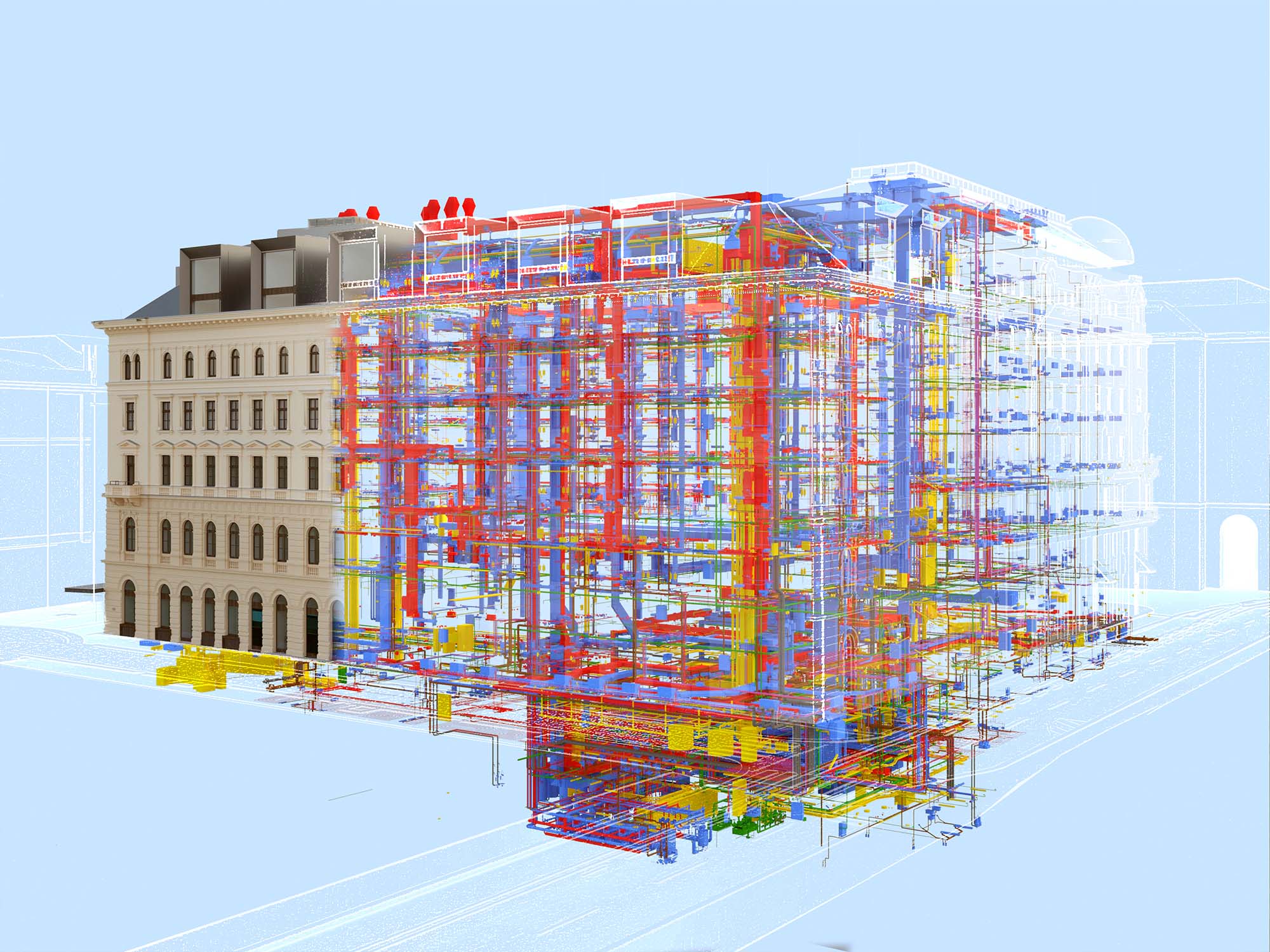
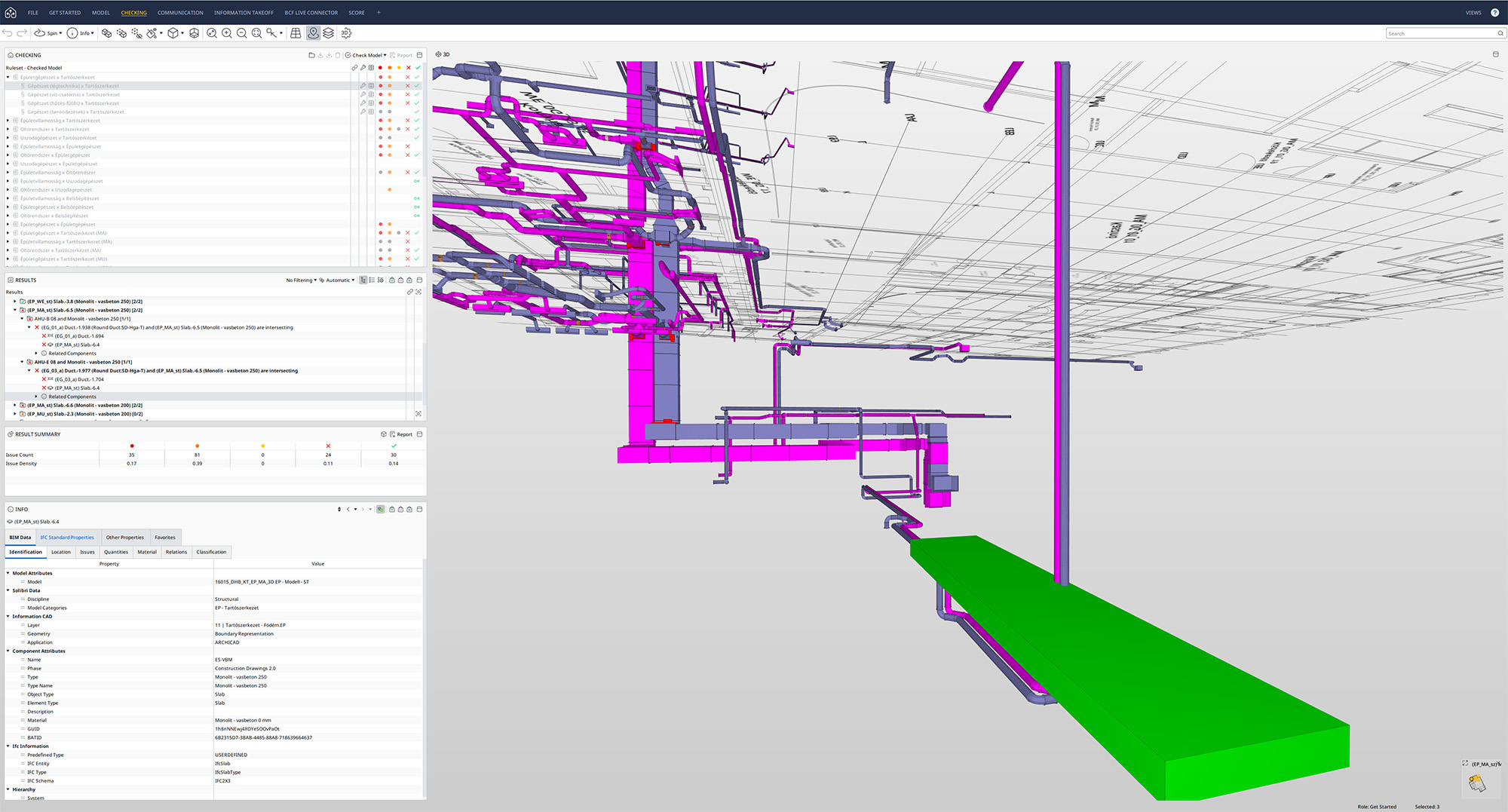
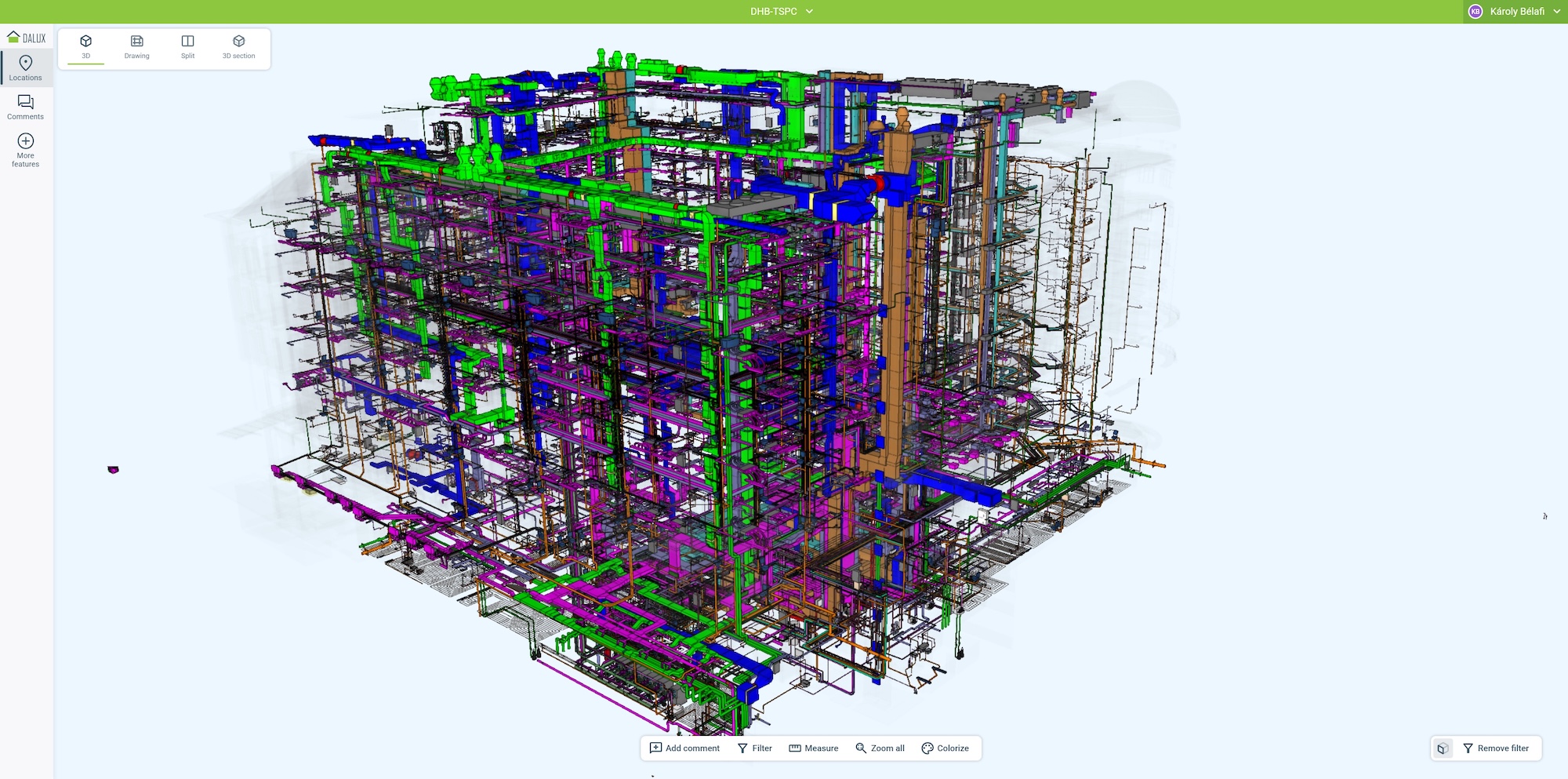
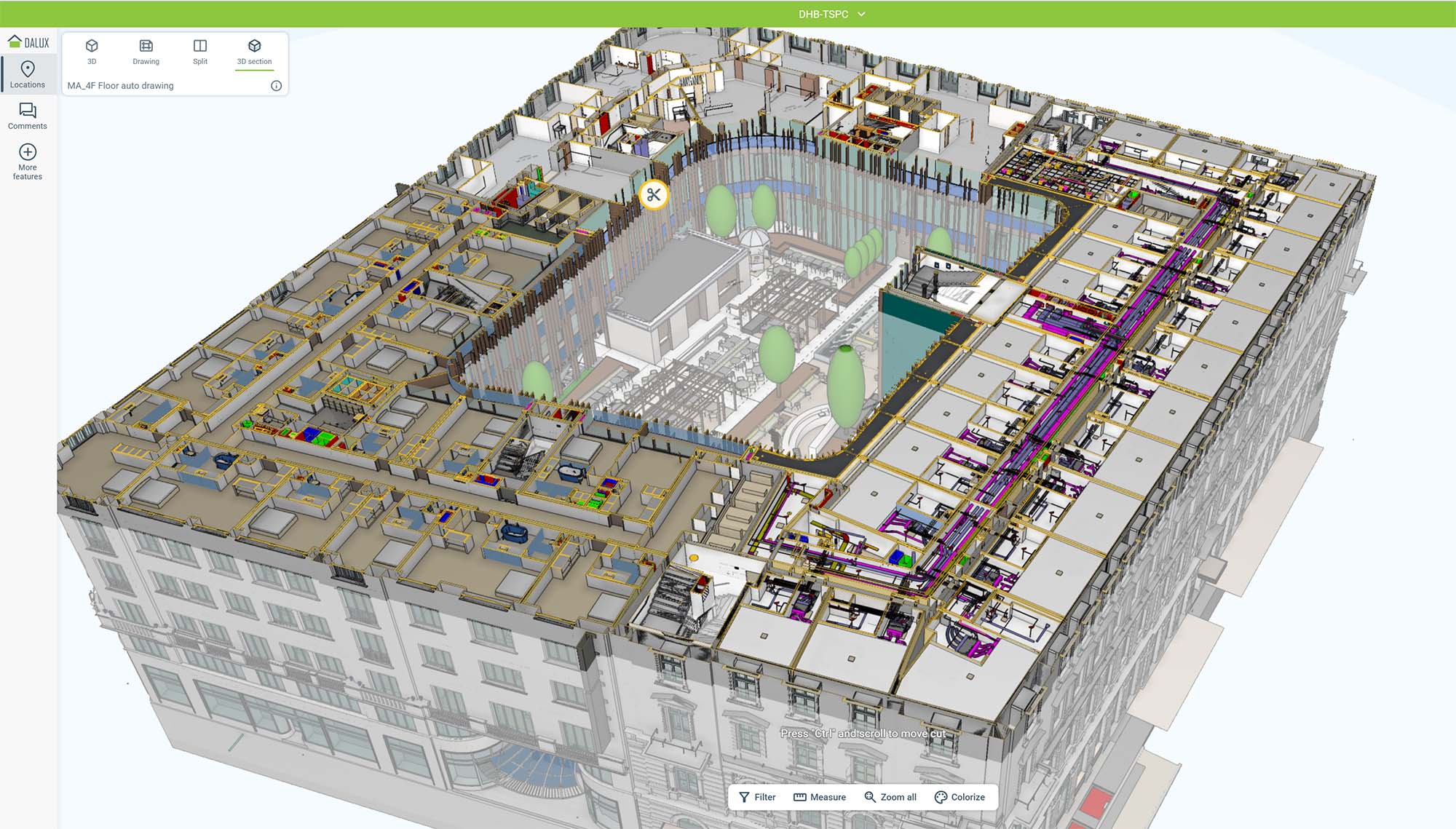
With architects and engineering teams fully integrated into the OPEN BIM workflow, specialists took the lead in pre-checking the IFC models before preparing them for clash detection and quality assurance. The next step involved federating 27 different discipline models within the BIM model checking and quality assurance software Solibri, where a set of rules evaluated the models for clashes and tolerances. This process wasn’t a one-time task; it became part of the routine, repeating every two weeks to keep up with the evolving design and engineering work, ensuring the project remained on track and free of errors.
I don’t feel that real ‘closed BIM’ exists. There will always be some part of the building that we have to plan that requires a different set of tools.
Károly Bélafi, Head of BIM, TSPC Group
Hotel Dorothea, Budapest, Hungary, TSPC Group, tspcgroup.com

Hotel Dorothea, Budapest, Hungary, TSPC Group, tspcgroup.com
Hotel Dorothea, Budapest, Hungary, TSPC Group, tspcgroup.com
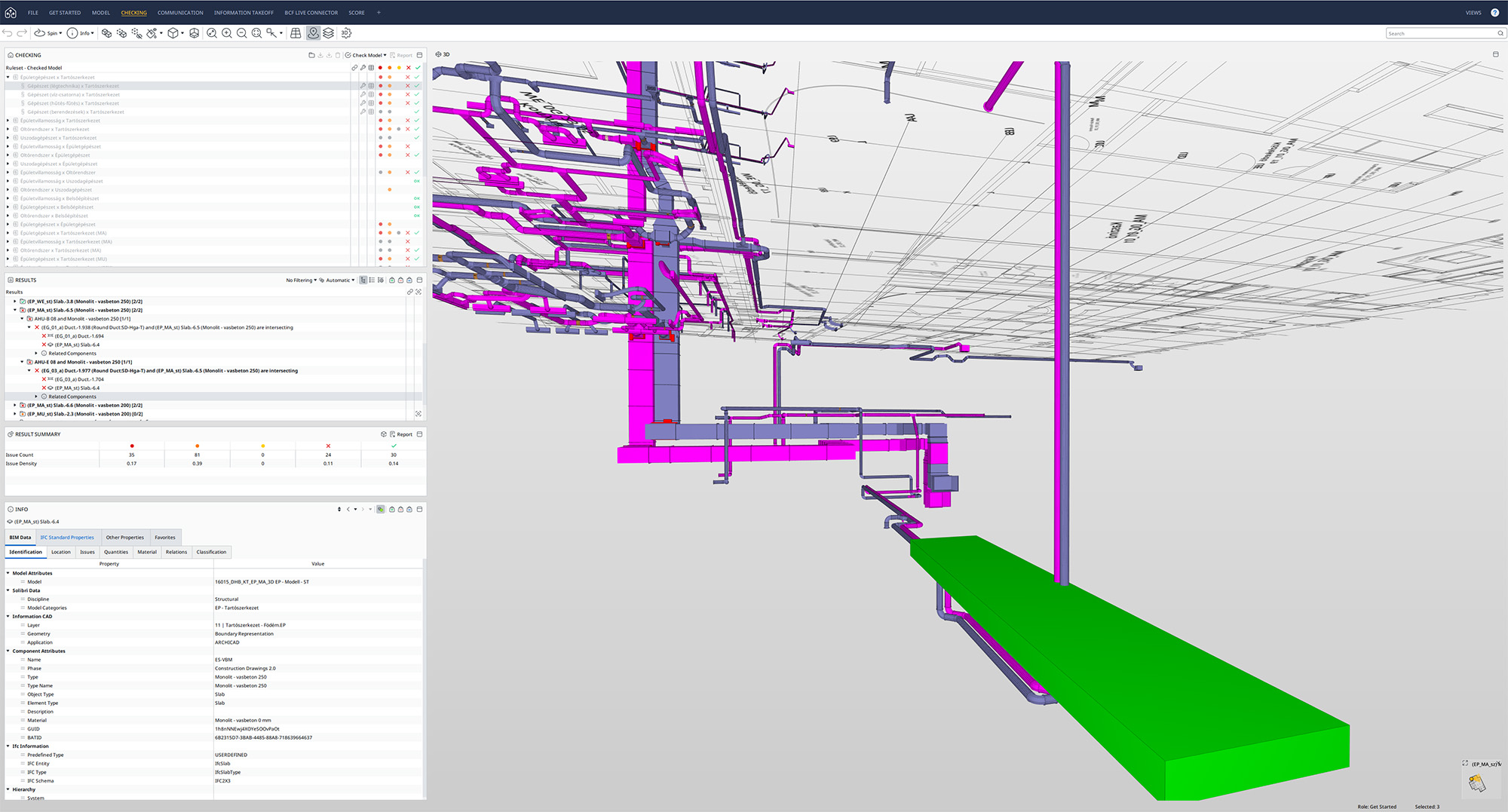
Hotel Dorothea, Budapest, Hungary, TSPC Group, tspcgroup.com
Solibri CheckPoint for clash detection and quality checking
Watch our webinar to learn how Graphisoft Archicad and Solibri CheckPoint can streamline your BIM quality checking workflows and identify clashes between architectural, building services and structural models.
Watch the webinar
Scan the QR-code and download our step-by-step guide outlining how to use the Graphisoft Archicad and Solibri CheckPoint workflow for BIM quality control.