 Bourse à l'emploi
 United States site instead?

Links project elements to items in bill of quantities, automatically calculates their quantities and generates BOQ in Archicad.
 Archicad 28-30

How does Quantify work?
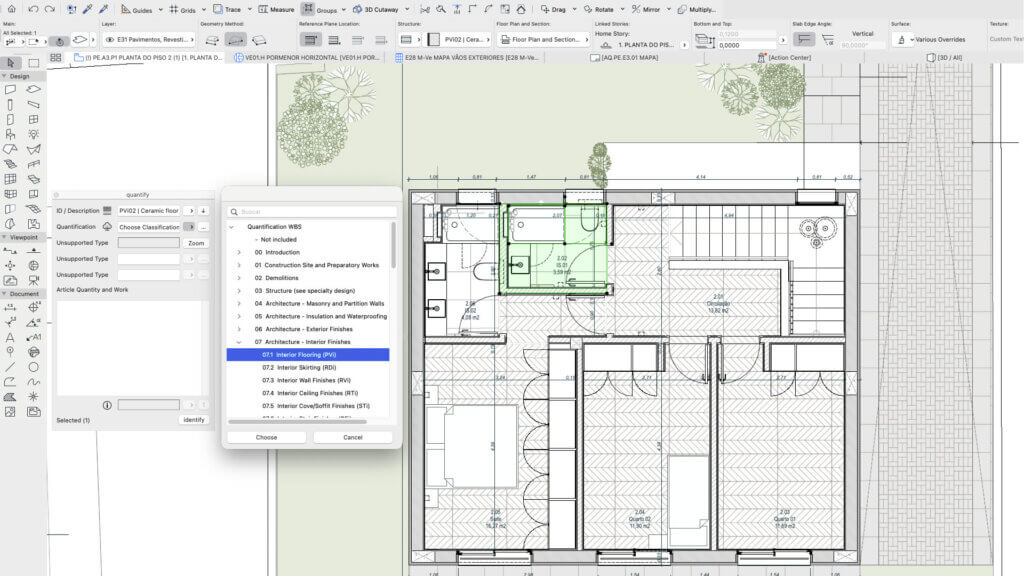
Classify the Element under its item to enable the bill of quantities.
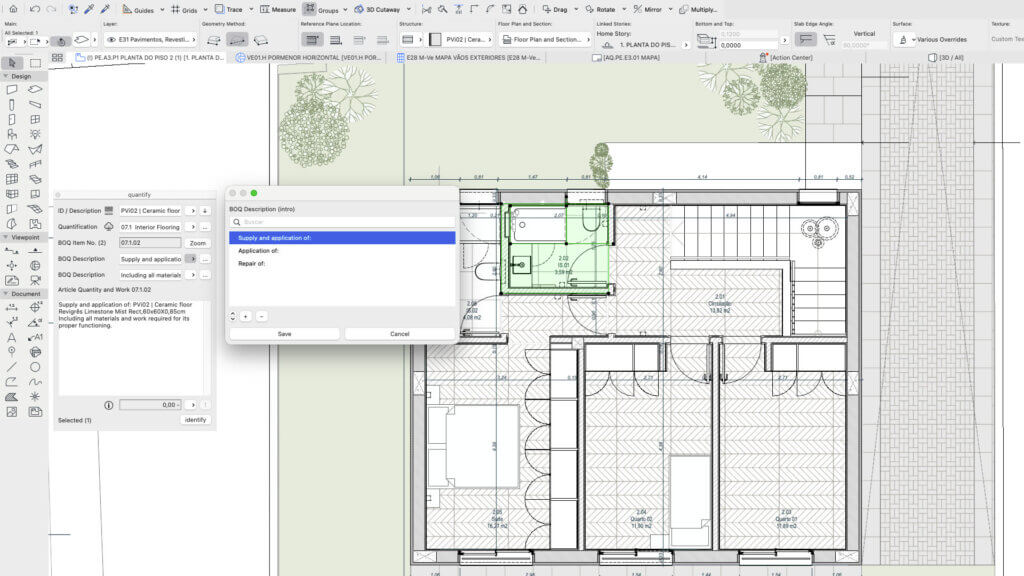
Add information to the Element Description to turn it into a schedule of works entry.
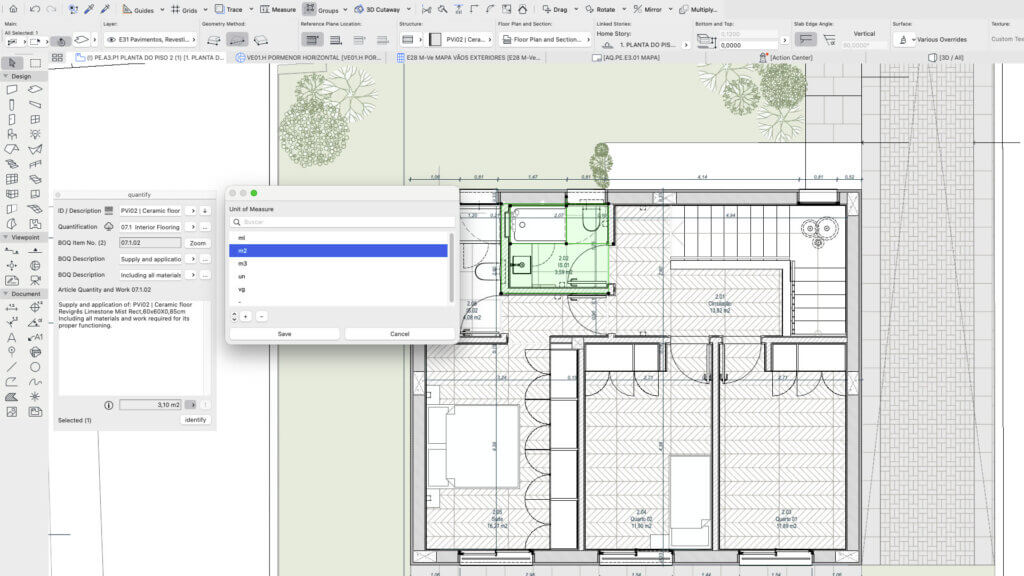
Choose the unit of measurement to display the corresponding value.
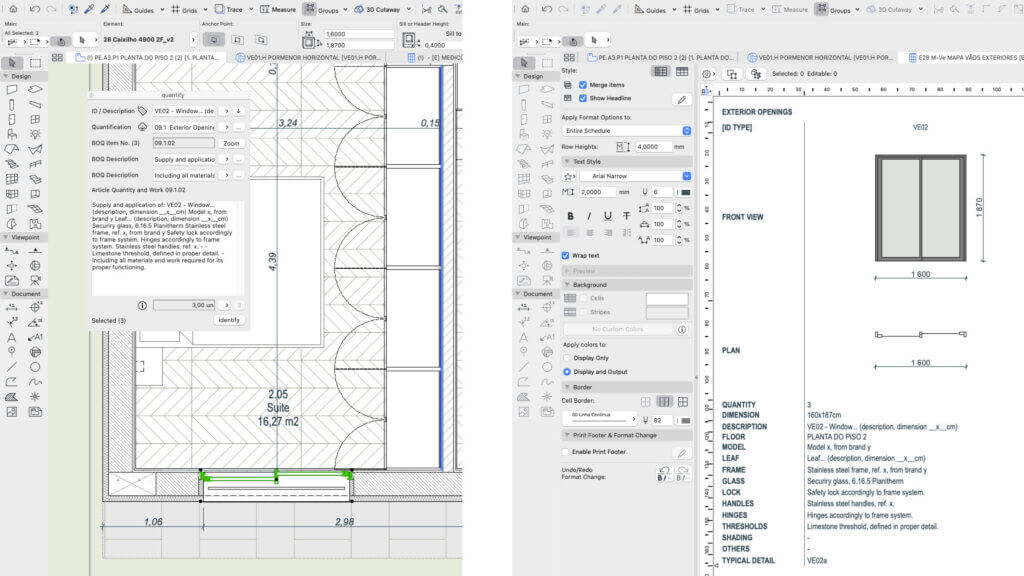
The schedule of works shows all the information contained in the opening schedule.
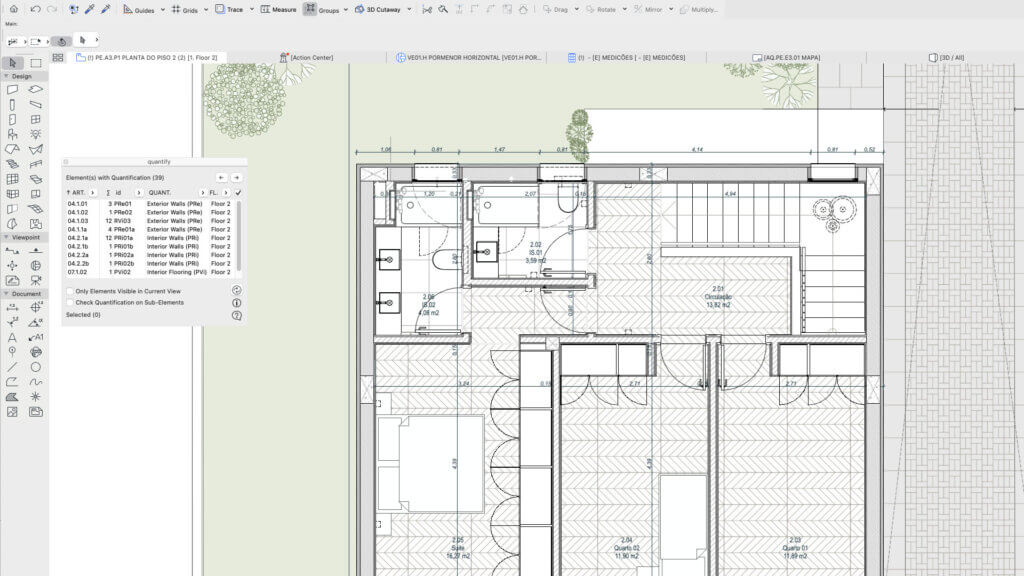
Review and list quantified and unquantified elements or sub-elements.
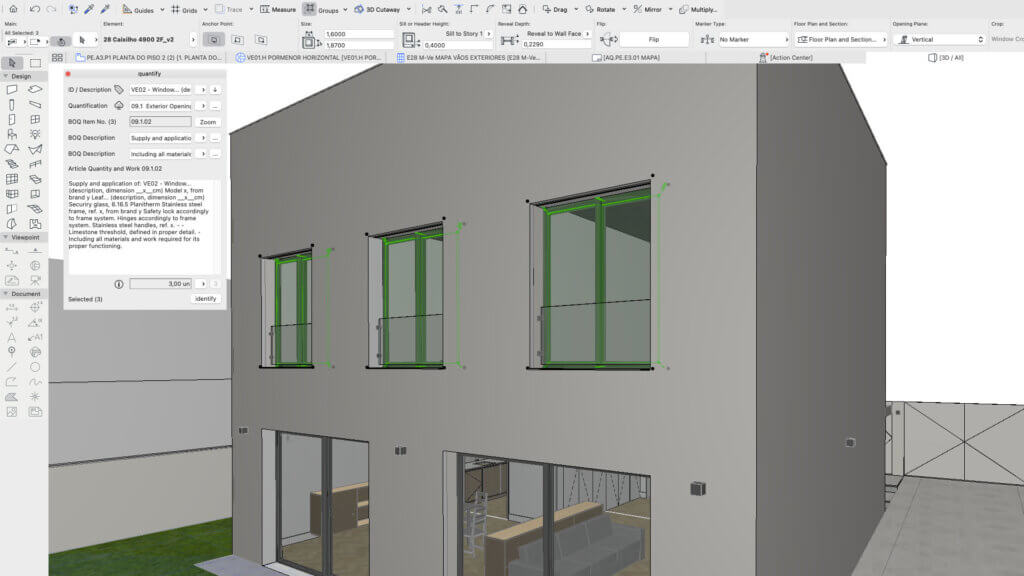
All elements with the same ID automatically belong to the same item.

Quantify allows you to associate all BIM elements with the bill of quantities. It requires the identify add-on to collect the ID and description of the elements


Description
Overview
Quantify is an interface that links project elements to a bill of quantities item and calculates their quantity automatically. Simpler, faster and safer quantity take-off for BIM projects.
Key Capabilities
Quantify incorporates the Trim quantification classification system as a reference, but it can be adapted to any other bill of quantities structure organized by chapters and items. Each set of elements with the same ID is classified under the same item, and its quantity is calculated automatically according to the chosen unit. The calculation can cover the selected elements or every element in the project with the same item number. It works with construction elements and library objects.
Quantify lets you review, in a single interface, the elements or sub-elements already quantified and those still to be quantified, and view them directly in plan or 3D. It works together with Identify, where the element description can be supplemented with opening and closing text to generate the schedule of works. The item number is also linked to the Element ID and the Element Description.
Elements quantified by building material or surface can be included in the element schedule using auxiliary elements.
Who It's For
Quantify is intended for any AEC team working on BIM projects: architects, engineers, quantity surveyors and contractors.
Typical Workflows
- Classify elements by bill of quantities item, with automatic quantity calculation.
- Sum the quantities of all elements under the same item across the project.
- Review elements or sub-elements still to be quantified and select them directly in the model.
- Change the code or name of an item and apply it to all elements with the same ID at once.
- Change the ID or description of an element and apply it to all elements under the same item at once.
Détails
Archicad 28-30

Layered Mesh
Layered Mesh creates layers from an existing Mesh, allowing complex forms to be represented with multiple construction layers.

Nodu Bridge
Turn Archicad elements into native Revit elements, without IFC or manual rebuilding.

identify
Automates the assignment of IDs and descriptions to element types in a single interface, easier and faster.

BIMcollab
Connectez Archicad à un workflow partagé de coordination BIM reliant modèles, documents, problèmes et équipes.

Image to GDL
Generate editable GDL objects from product images and place them directly into your Archicad projects.

PAZ-BOX
Automate repetitive Archicad tasks across design and execution phases, saving architects hours every week.