 United States site instead?

Render Archicad 3D views, plans, elevations and layouts with AI from a panel inside Archicad, for architects and designers.
 Archicad 23-30
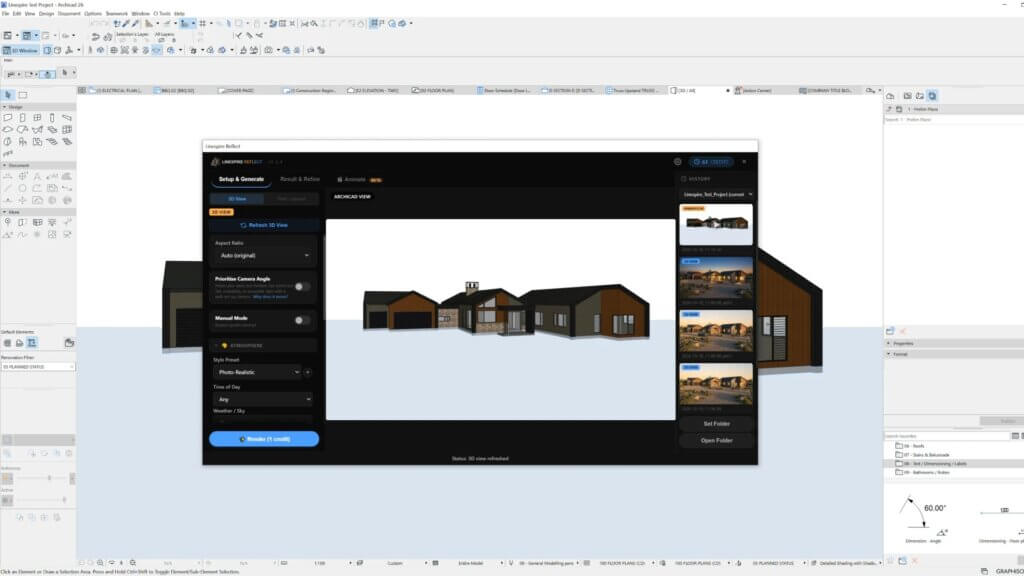
The Reflect panel in Archicad: capture the 3D view or a drawing, choose a preset and render.

Demo: capture a 3D view, render it, refine it in plain words, animate it and place it on a layout.
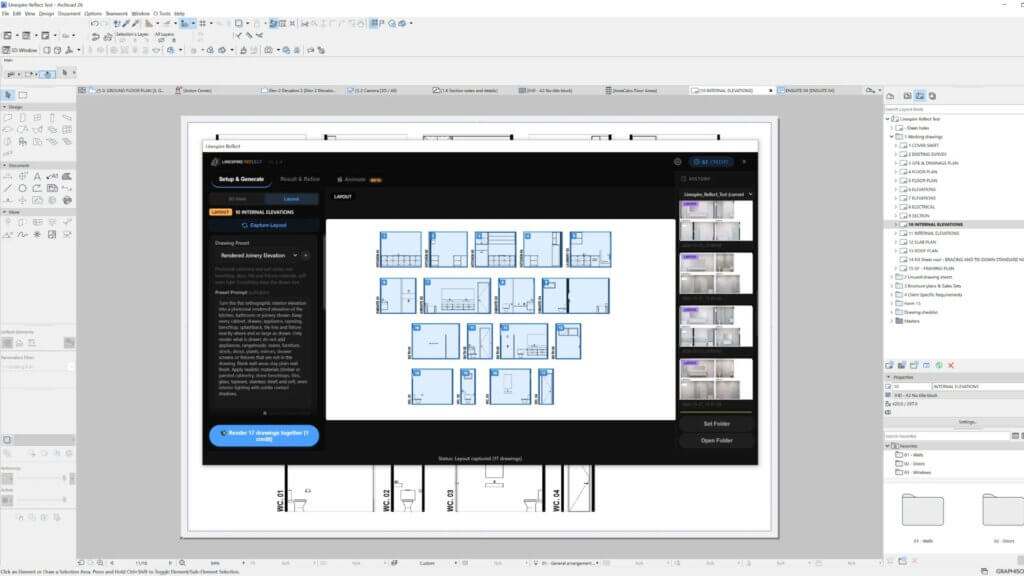
Capture a layout and pick which drawings to render together so materials match.
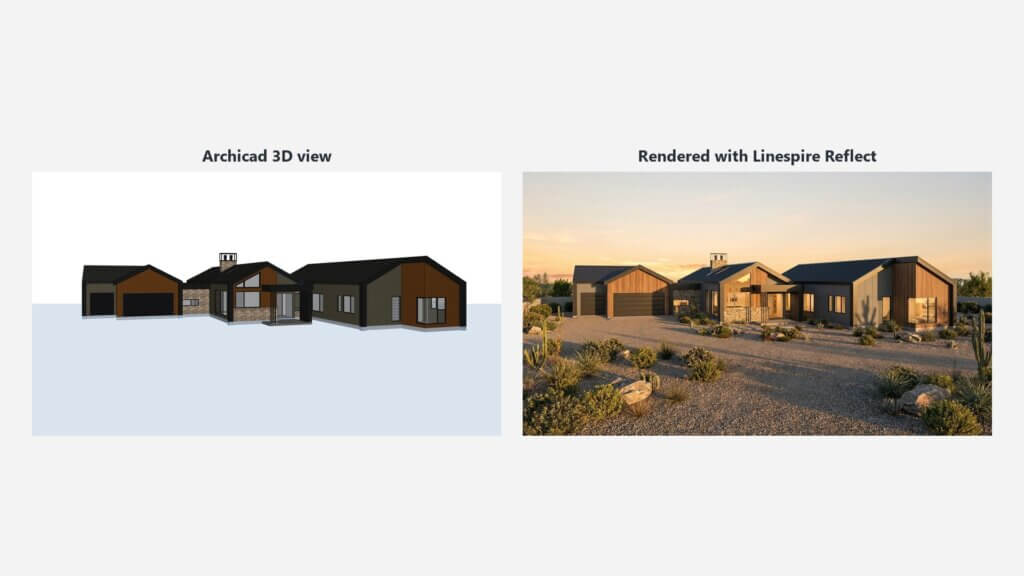
An Archicad 3D view next to the photorealistic render Reflect made from it.
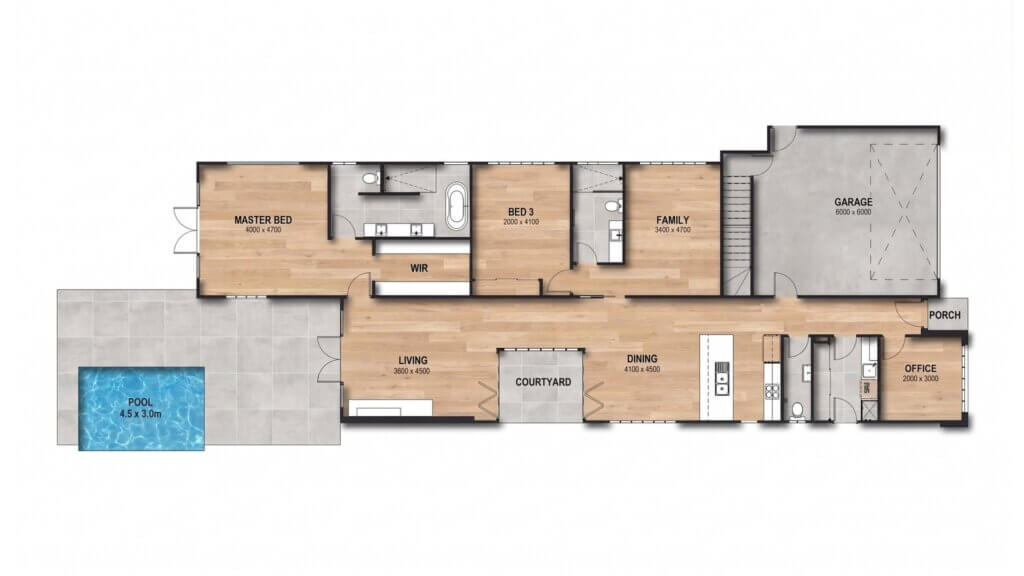
An Archicad floor plan rendered as a brochure-style colour plan.
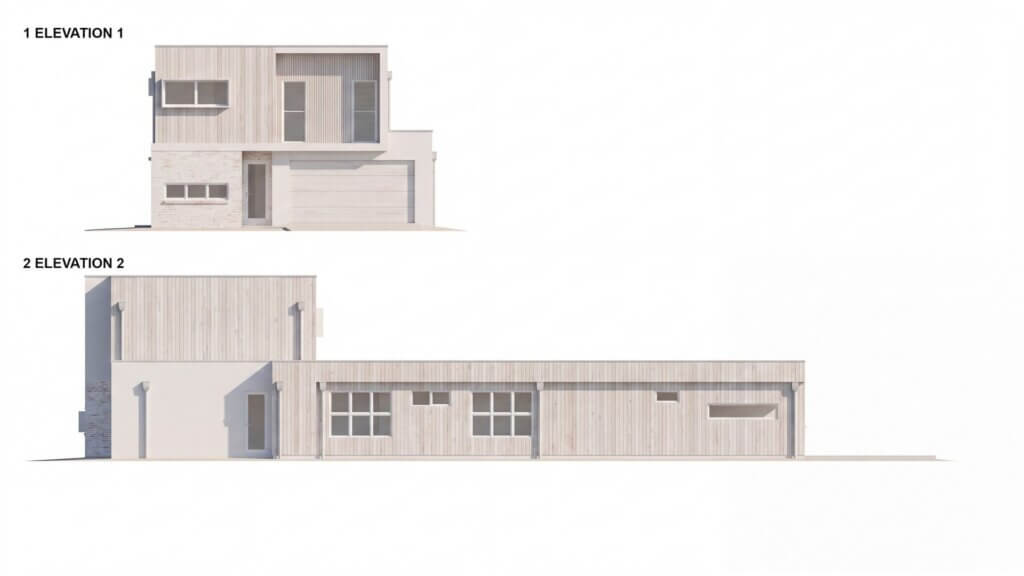
Building elevations from Archicad rendered together with matching materials.
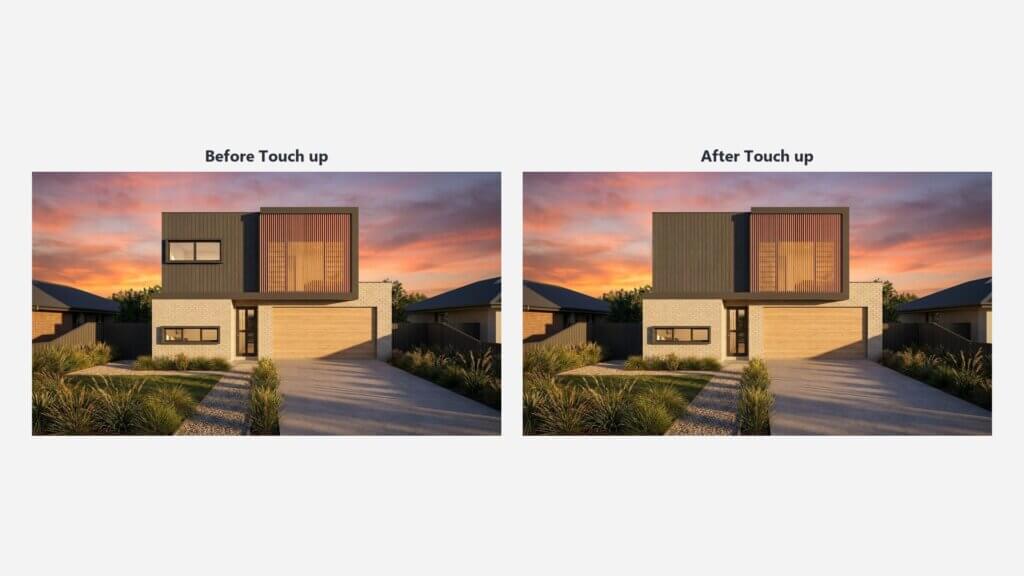
Touch up: paint one area and describe the change; only that area is edited.
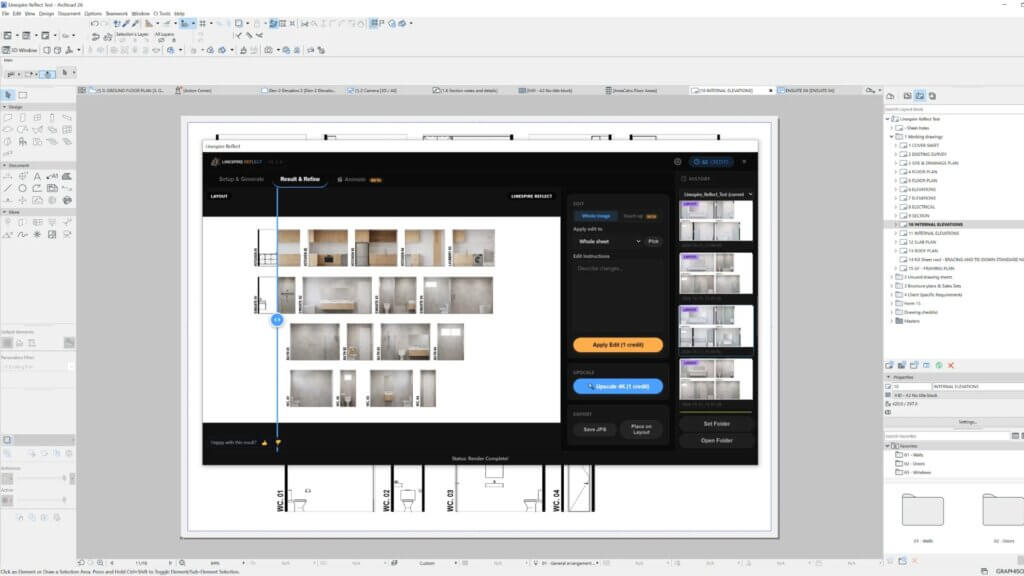
A whole sheet of interior elevations rendered in one go, ready to edit or place on a layout.

Leírás
Linespire Reflect adds an AI rendering panel to Archicad. Capture a 3D view, floor plan, section, elevation or a whole layout, and get a photorealistic render or a rendered presentation drawing back in about a minute, without exporting the model or leaving Archicad.
Overview
Reflect captures the view exactly as it is framed in Archicad and renders it in the style you choose. Results are saved to a project folder on your computer, can be refined in plain words, and can be placed straight back into the Archicad project.
Key Capabilities
- 3D renders from the 3D window, with built-in and custom style presets, time of day and weather.
- Rendered 2D drawings: brochure floor plans, site and landscape plans, building and joinery elevations, and sections, at 2K or 4K.
- Layout rendering: render several drawings on a layout together so materials match, then place the results on a new layout copy, or over or under the original drawings.
- Edits in plain words, or Touch up to change one painted area and leave the rest of the image as it was.
- 4K upscale, and short animations from a render or between two renders.
Who It's For
Architects, building designers and drafting studios who need presentation visuals during design and for client, sales and planning documents, without a separate rendering application or specialist visualisation skills.
Typical Workflows
- Early design: render a 3D view to test materials and landscaping before a client meeting.
- Sales and marketing: turn floor plans and site plans into colour brochure plans.
- Presentation sets: render a layout of elevations and place the results on a new layout, ready to print or export.
Részletek
Archicad 23-30

Rhino, Grasshopper
Advanced modeling and parametric design tools for architects working with complex forms, building systems, and performance-driven design.

Raya.design — MI-renderelés Archicadhez
Építészeknek és belsőépítészeknek: az Archicad nézetből fotorealisztikus MI-látványterv és videó készül.

Layered Mesh
Layered Mesh creates layers from an existing Mesh, allowing complex forms to be represented with multiple construction layers.

identify
Automates the assignment of IDs and descriptions to element types in a single interface, easier and faster.

quantify
Links project elements to items in bill of quantities, automatically calculates their quantities and generates BOQ in Archicad.

BIMcollab
Connect Archicad to a shared BIM coordination workflow across models, documents, issues, and teams.