 United States site instead?

Automates the assignment of IDs and descriptions to element types in a single interface, easier and faster.
 Archicad 28-30

How does Identify work?
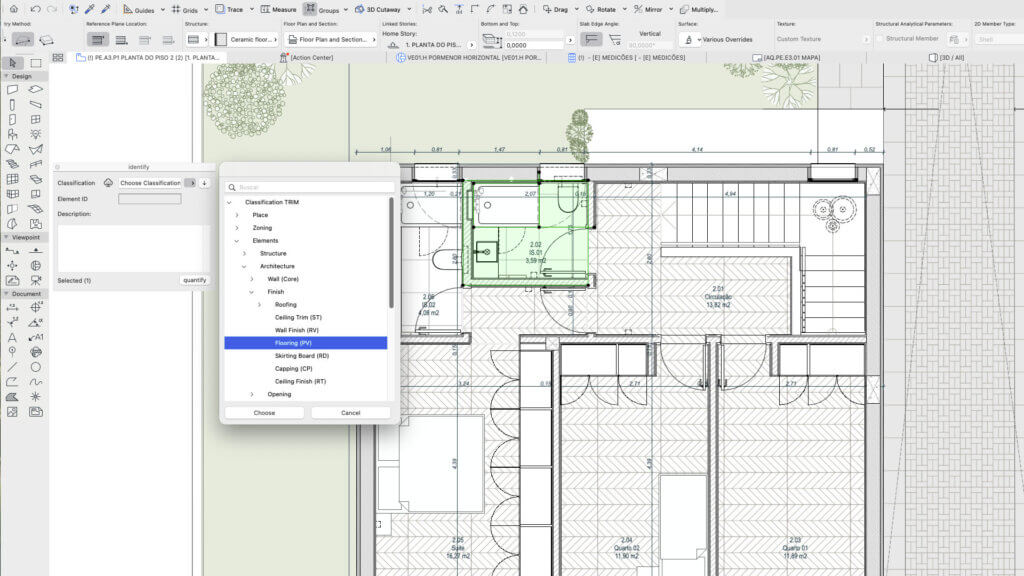
Element classification to provide the element’s identification and description.
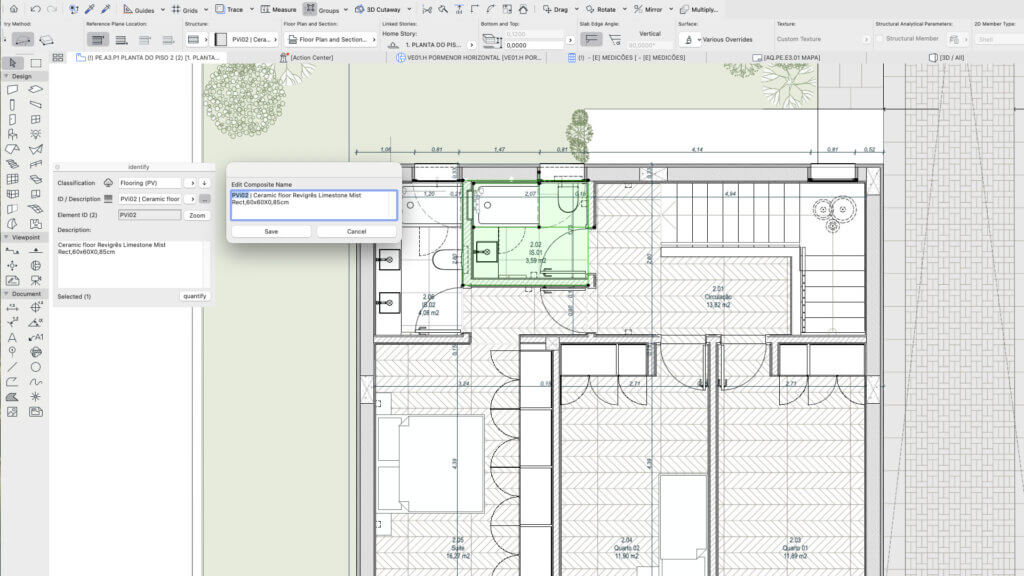
Element identification (ID) as a prefix and its description.
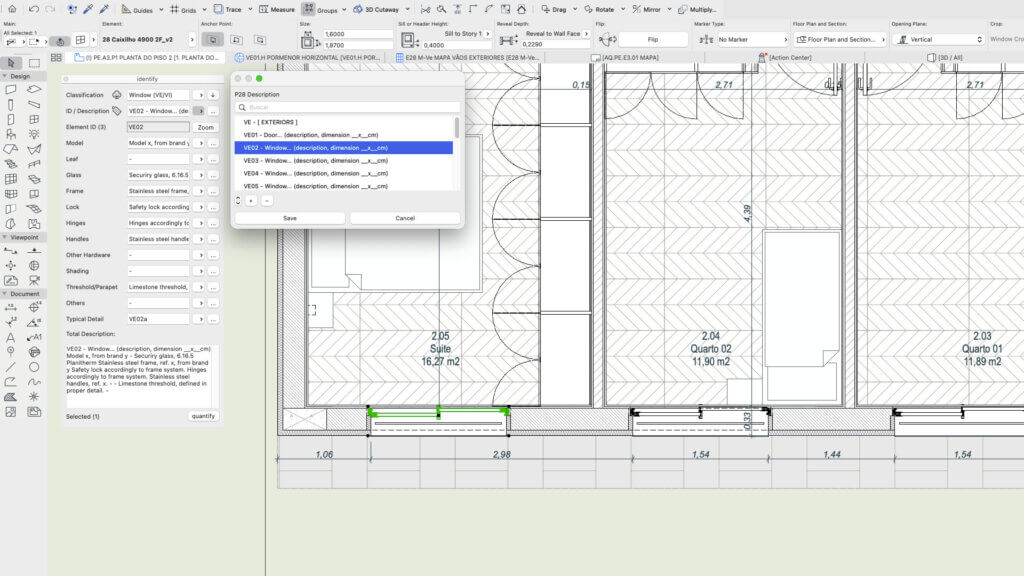
Select ID and Description from a list of property options in GDL Library elements.
Edit properties common to all elements with the same ID.
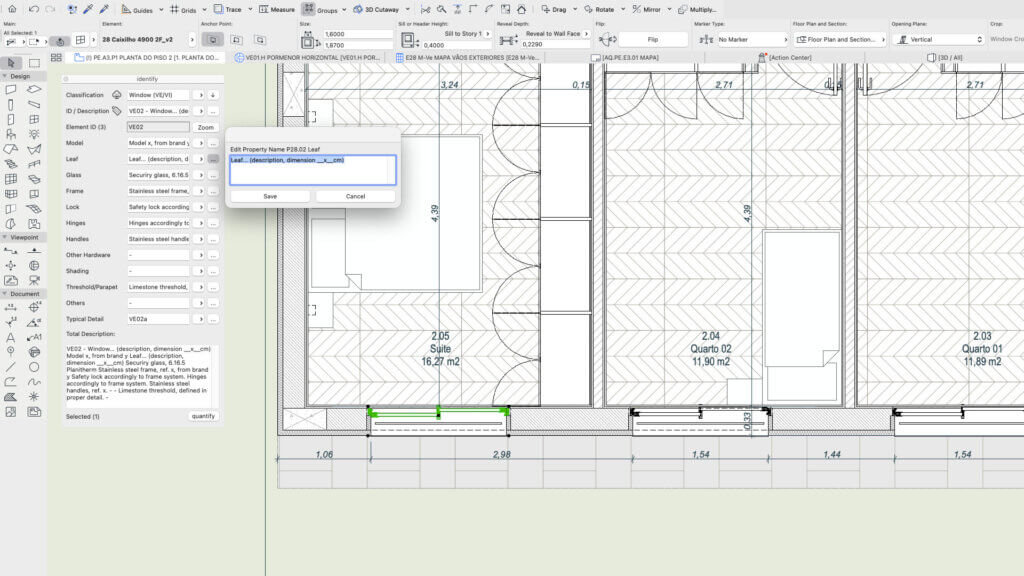
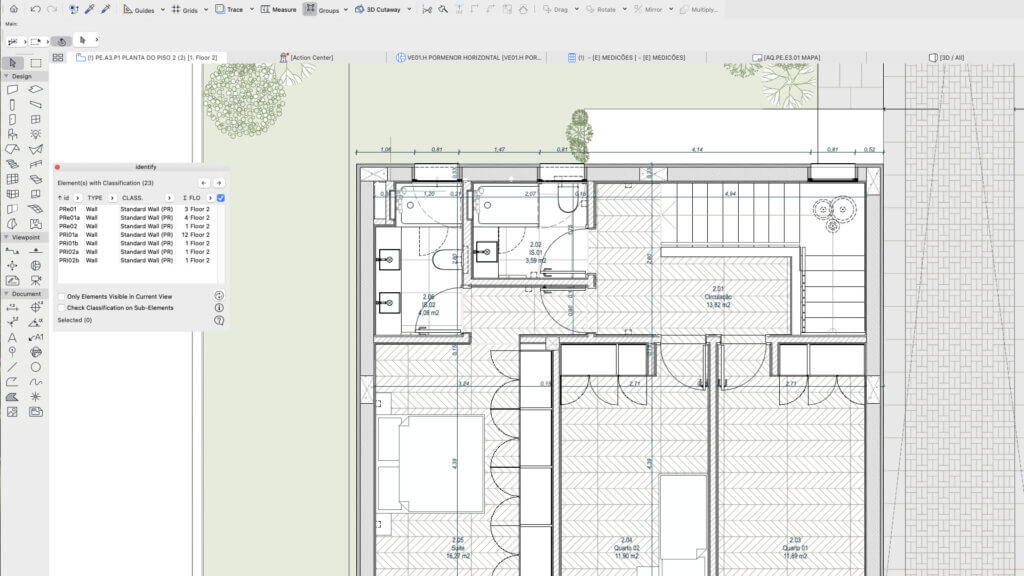
List and filter elements or sub-elements that are classified or yet to be classified.
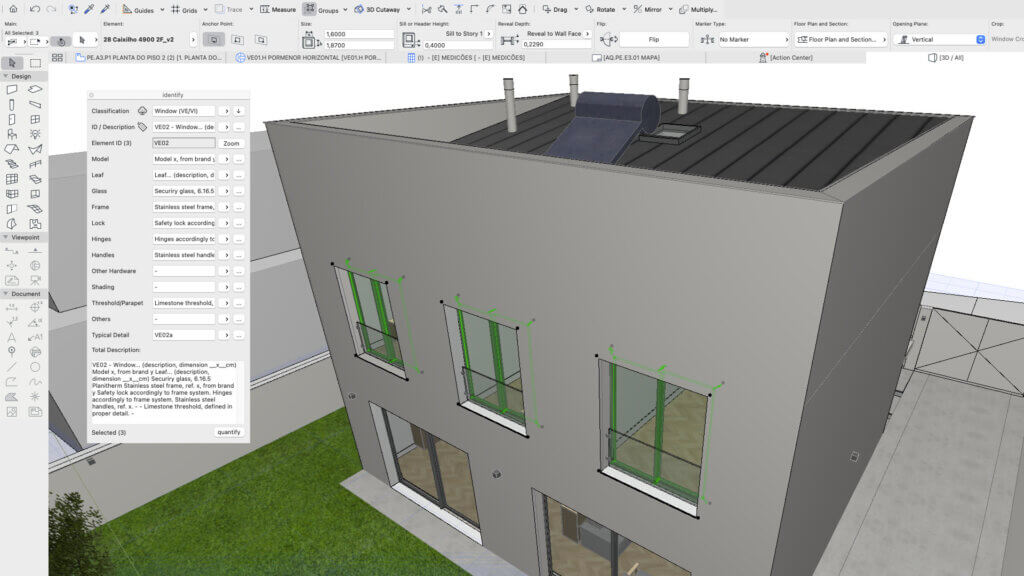
Element type (Ve02) overview now displays full description of window, including all properties contained in the openings table.
Identify is an interface that allows us to automatically generate unique IDs and descriptions for each element type.


Descrizione
Overview
Identify is an interface that automatically generates unique IDs and descriptions for each element type. Simpler, faster and safer BIM information management.
Key Capabilities
Identify incorporates the Trim classification and property system. The Trim classification has a compact, optimized structure based on the Archicad Classification v2.0. It defines the source of each element's identification (ID): building material, composite, complex profile or property. It works with any Archicad tool, whether construction elements or library objects.
Identify lets you control the IDs and descriptions of every element in the project in an integrated, automatic way. You can also filter the list of classified and unclassified elements or sub-elements and view them directly in plan or 3D. The Trim classification is ready for openBIM interoperability through dedicated IFC translators.
Who It's For
Identify is intended for any AEC team working on BIM projects: architects, engineers, contractors and surveyors.
Typical Workflows
- Classify elements and define their type ID and description.
- Define and integrate partial descriptions of element components, as with openings.
- List and filter classified and unclassified elements or sub-elements.
- Edit the ID or description of an element type without creating duplicate IDs or different descriptions for the same ID.
Dettagli
Archicad 28-30

Layered Mesh
Layered Mesh creates layers from an existing Mesh, allowing complex forms to be represented with multiple construction layers.

Nodu Bridge
Turn Archicad elements into native Revit elements, without IFC or manual rebuilding.

quantify
Links project elements to items in bill of quantities, automatically calculates their quantities and generates BOQ in Archicad.

BIMcollab
Connect Archicad to a shared BIM coordination workflow across models, documents, issues, and teams.

Image to GDL
Generate editable GDL objects from product images and place them directly into your Archicad projects.

PAZ-BOX
Automate repetitive Archicad tasks across design and execution phases, saving architects hours every week.