 United States site instead?

Conveniently store your current layer settings into existing layer combinations.
 Archicad 25-29
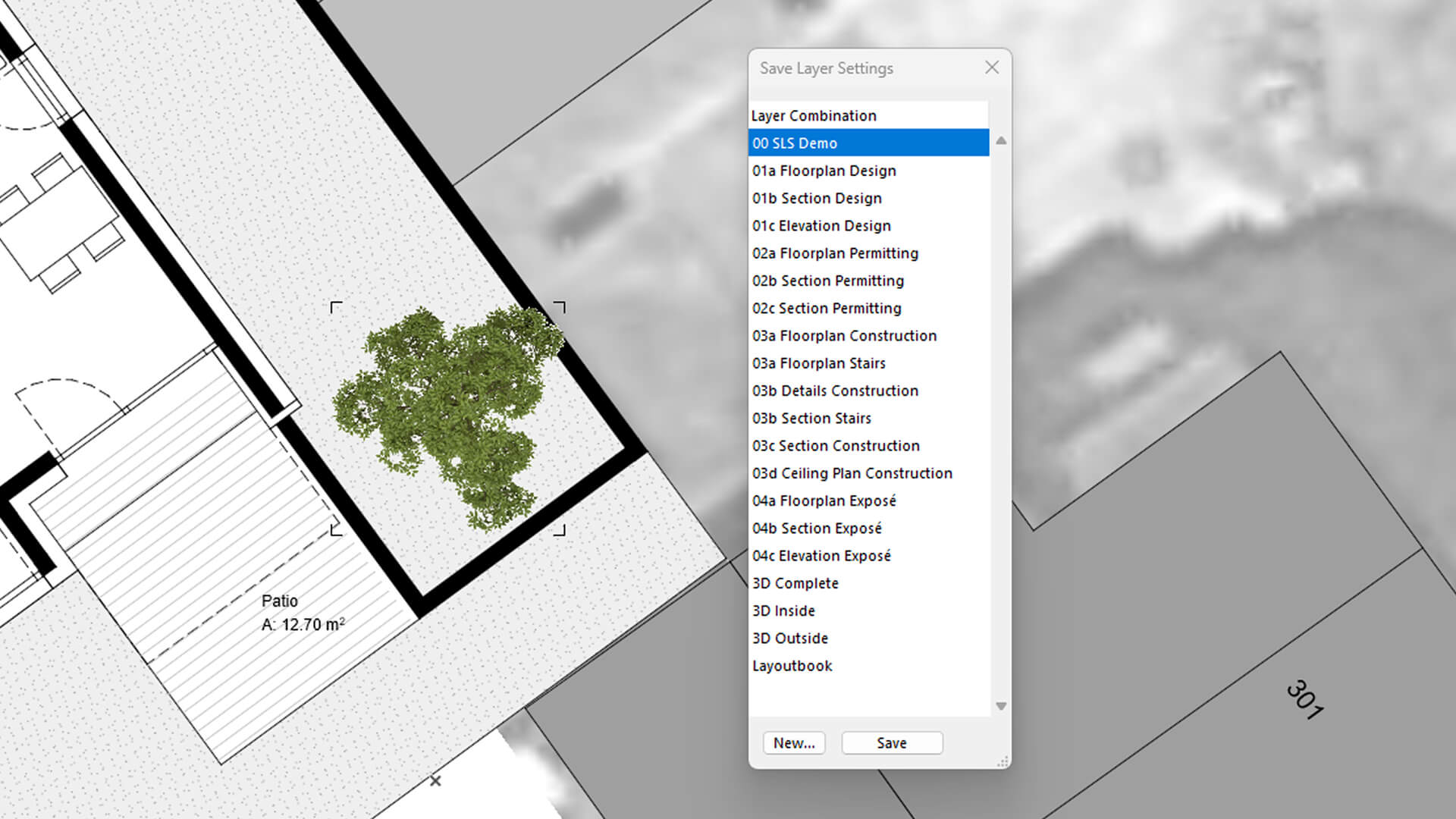
Screenshot of the Save Layer Settings Palette (available in the Pro version)
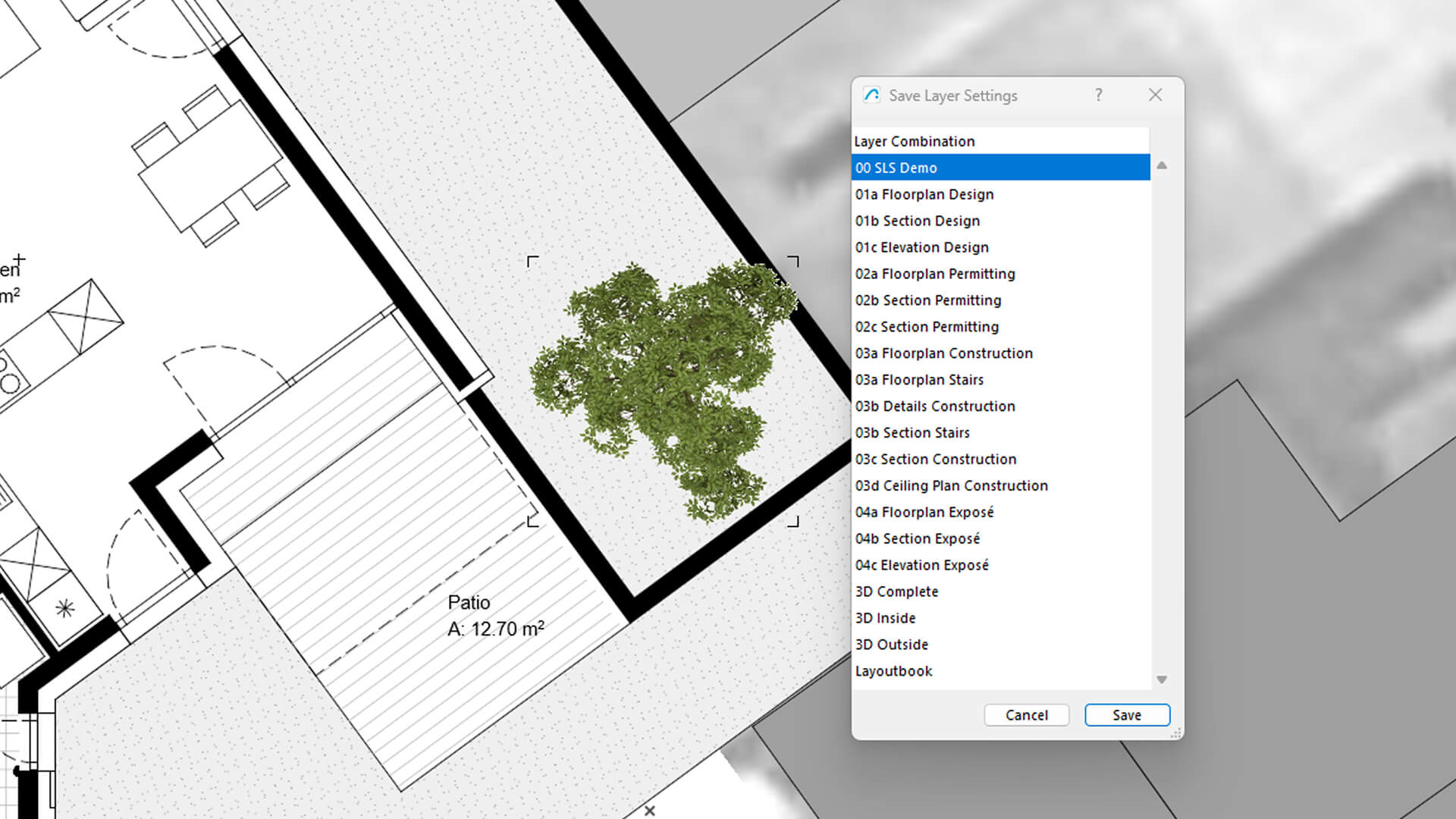
Screenshot of the Save Layer Settings Dialog (available in the Basic & Pro version)
The video demonstrates the capabilities of the Save Layer Settings Pro Version and compares it to the free Basic Versions.

Learn more about the creator on Graphisoft Community
Automate BIM workflows with dedicated add-ons - Watch on-demand webinar

설명
If you want to change a layer combination, you have to go into the layer settings and toggle layers on and off without direct visual feedback. But what if you've already set up the right combination in your working area and now you want to just overwrite an existing layer combination? Exactly that problem is solved by the Save Layer Settings add-on.
Overview
The free "Basic" version of the add-on contains a modal dialog to update existing layer combinations. With the PRO version you get an additional palette, that you can have open all the time to very quickly switch layer combinations and update them on the fly. Additionally you can bind the command "Save to Last Used Layer Combination" for the fastest possible workflow.
Key Capabilities
- Store your current "Custom" layer combination in an existing layer combination
- Faster switching between layer combinations by just double clicking on their name in the palette
- More intuitive handling of layer combinations
Who it's for
- Architects
- Civil Engineers
- BIM Managers
Typical Workflows
1. Use the 'Quick Layers' Palette to turn layers on and off as desired.
2. Then use the add-on to store the current "Custom" combination in an existing layer combination or create a new one directly from the palette.
세부 정보
Archicad 25-29

identify
Automates the assignment of IDs and descriptions to element types in a single interface, easier and faster.

quantify
Links project elements to items in bill of quantities, automatically calculates their quantities and generates BOQ in Archicad.

BIMcollab
Connect Archicad to a shared BIM coordination workflow across models, documents, issues, and teams.

Image to GDL
Generate editable GDL objects from product images and place them directly into your Archicad projects.

PAZ-BOX
Automate repetitive Archicad tasks across design and execution phases, saving architects hours every week.
airc.digital services
BIM Project Management & Digital Transformation for Real Estate Assets.