BIMmTool

簡化重建和翻新的項目

下載 BIMm工具
Logo with the text BimmTool in a modern font. Bimm is in green, while Tool is in dark gray, reflecting its BIM and CAD roots. The design incorporates a stylized green and gray letter B. The background is transparent, making it versatile for integration with Graphisoft platforms.

雷射掃描已成為標準技術,以應對基於現有結構項目的獨特挑戰 。使用「BIMm工具」的最新功能,你便可以比過往更有效地處理複雜的點雲。

「BIMm工具」是一款完善並完全整合的 Archicad 插件,旨在支援點雲的工作流程。從 Archicad 28 開始,「BIMm工具精簡版」已包含在你的 SSA、Forward 或訂購計劃的合約中,以提供導入、組織和顯示點雲*的基本功能。

導入

「BIMm工具」支援直接導入常見的點雲格式,包括 Leica、Faro、Riegel 等,而無需轉換為 e57。有了多重處理和取樣,「BIMm工具」可以輕鬆支援大型掃描項目,並且「點雲切換器」可以精確控制 Archicad 視圖中的點雲顯示。
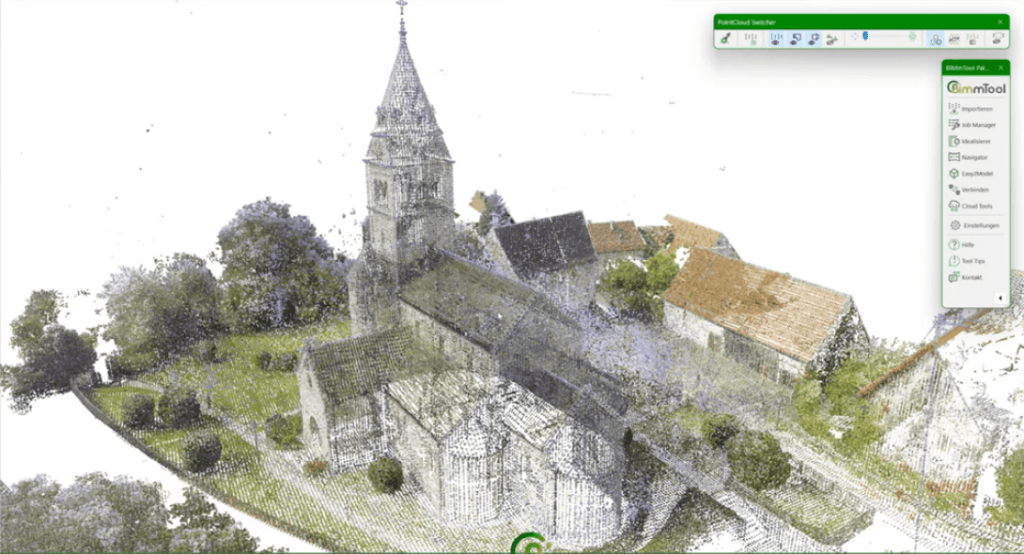
A point cloud rendering of a small village with an old church featuring a tall steeple in the center. Surrounding structures include houses with pitched roofs. A Graphisoft interface, popular among architects for BIM projects, is visible in the top right corner.

分析

「BIMm工具」的項目概述(基於正射影像)提供了對建築方向、地形海拔和樓層數量的理解。根據增量分析儘早瞭解建築物的狀況,並且可檢測到可能被忽略的結構變形。
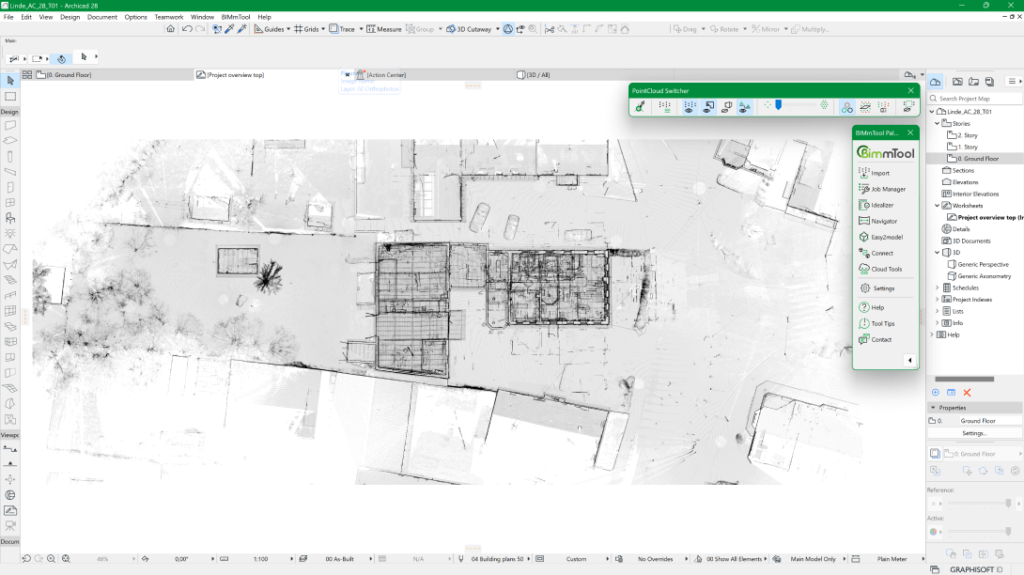
A digital architectural plan in BIMx format displayed on a computer screen showcases detailed floor layouts and structures. The CAD interface includes various toolbars and options on the top and right side, all set against a cohesive green and white theme.

建模

「BIMm工具」優化了點雲到模型的轉換,使用正射影像和低解析度點雲進行 3D 建模,而不會造成表現缺失。簡易建模(Easy2model)調色板和「BIMm導覽器」等工具有助於精確放置建築組件,而剪裁工具箱(Clipping Box)則幫助高效管理點雲數據。
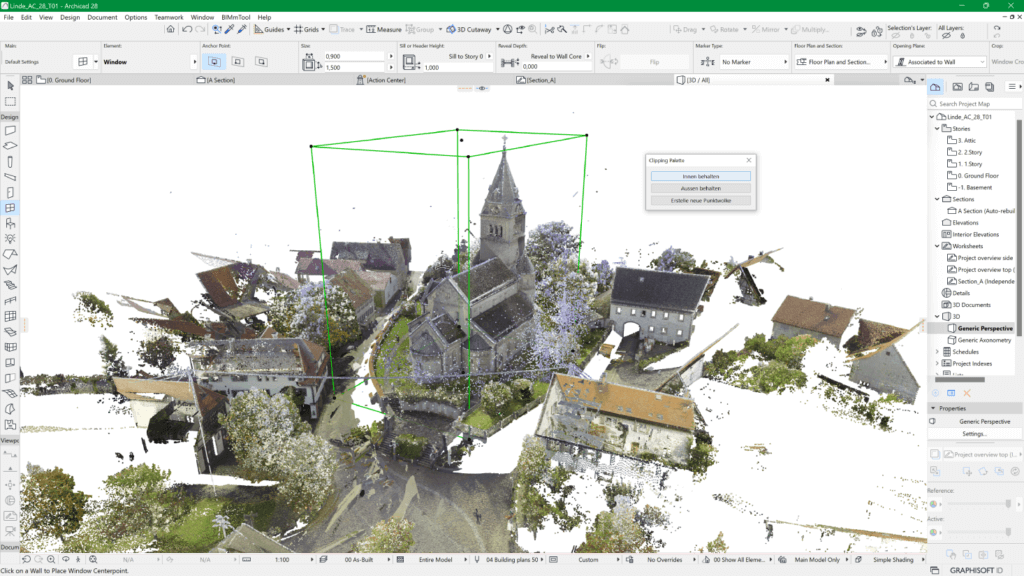
The 3D architectural design software screen displays a textured model of a church with surrounding buildings, rooftops, and trees. A green bounding box highlights part of the church structure on the interface, showcasing the architects precision in using advanced CAD tools like BIMx.

品質管制

實現改造項目準確的品質控制。  「BIMm工具」的點雲與模型比較,可偵測並以帶有編碼的顏色漸變顯示偏差,幫助你及早發現錯誤,甚至降低施工成本。 
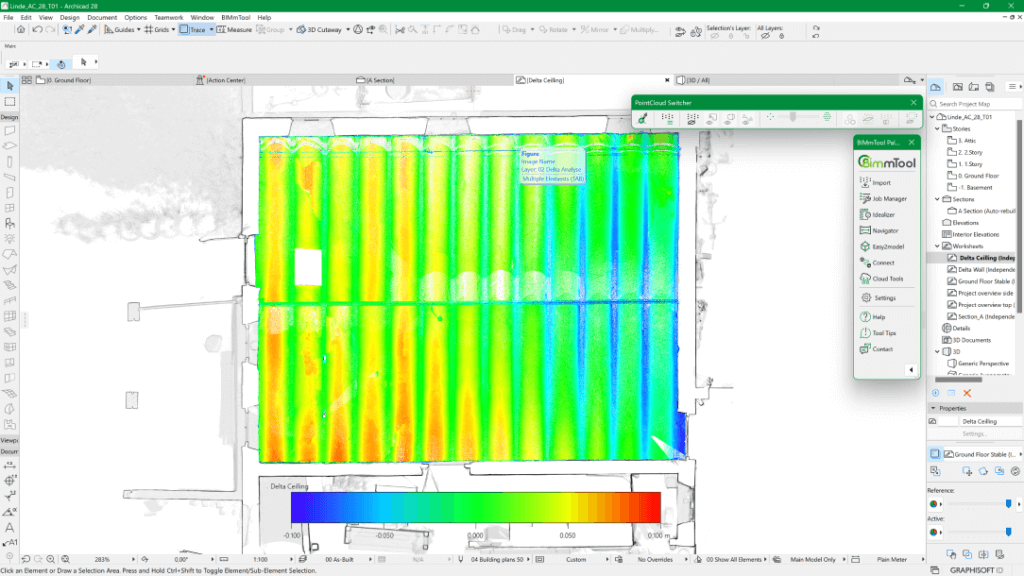
A digital blueprint featuring a thermal map overlay shows color variations from blue to red across a rectangular area. Various menu options are visible, including Graphisoft Archicad, making it perfect for every architects CAD needs. A color scale is at the bottom.

發佈

高效共享你的點雲分析:「BIMm工具」可從點雲生成精確的水平和垂直正射影像,並將其與平面圖、剖面圖和立面圖整合。 透過 Archicad 的發佈功能將這些資料導出為各種格式,你就能輕鬆把品質控制結果和各式模型比對發佈給所有持份者。 
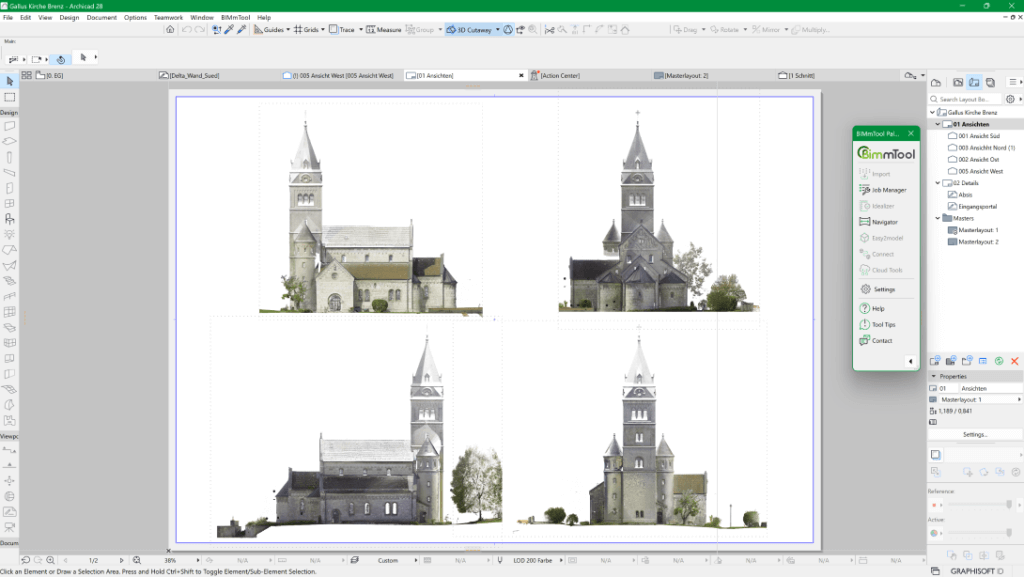
Screenshot of architectural software, possibly Archicad, showing four views of a church design. Each view displays different perspectives: front, back, and sides. The interface includes various toolbars and a green status bar on top, embodying advanced BIM capabilities.

功能比較

BIMm工具精簡版BIMm工具專業版
BIMm導覽器++
所有支援的導入格式++
點雲切換器++
高效能點雲多重處理與取樣++
解析度最高可調至 25 mm++
3D 中距離相關的分辨率++
IVION 整合以查看全景圖++
能夠導入大型非結構化點雲,包括預覽
和樓層分割功能
++
簡易建模(Easy2model)+
剪裁工具箱(Clipping box)+
正射影像+
增量分析+
將高於 25 mm 解析度最少調整到 2 mm+
點雲與模型比較+

附加功能

對 Scan 2 BIM 和其他「BIMm工具專業版」 的功能感興趣?請查看價格並從 BIMm Solutions GmbH 購買你的許可證。

購買 BIMm工具專業版