 United States site instead?

Turn Archicad elements into native Revit elements, without IFC or manual rebuilding.
 Archicad 27-30
Nodu Bridge – the new way to transfer models and data from Archicad to Revit.

Nodu Bridge in action: from Archicad to native Revit in a few clicks.
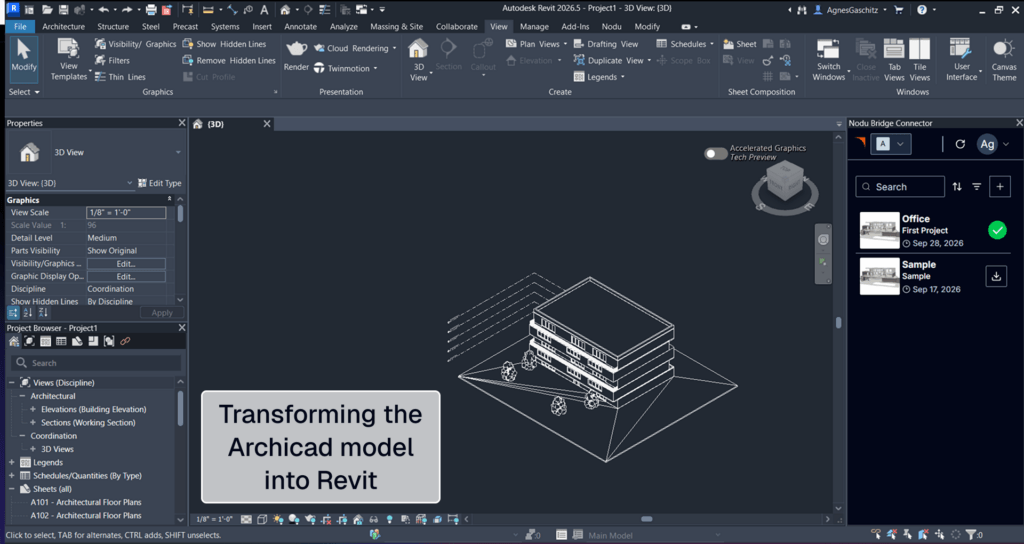
One model, two platforms: the same building in Archicad and in Revit, connected by Nodu Bridge.
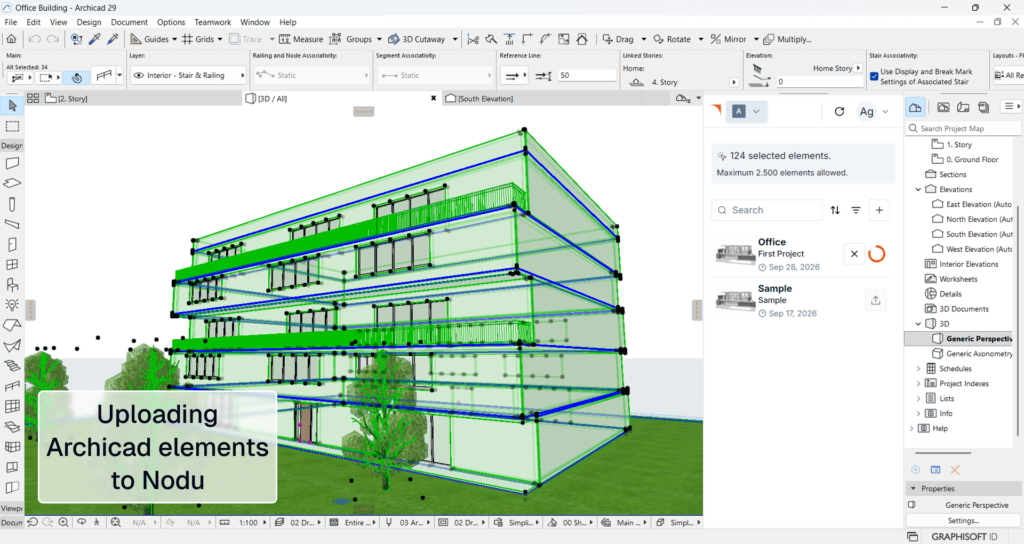
Select elements in Archicad and upload them to Nodu straight from the Nodu Bridge panel.
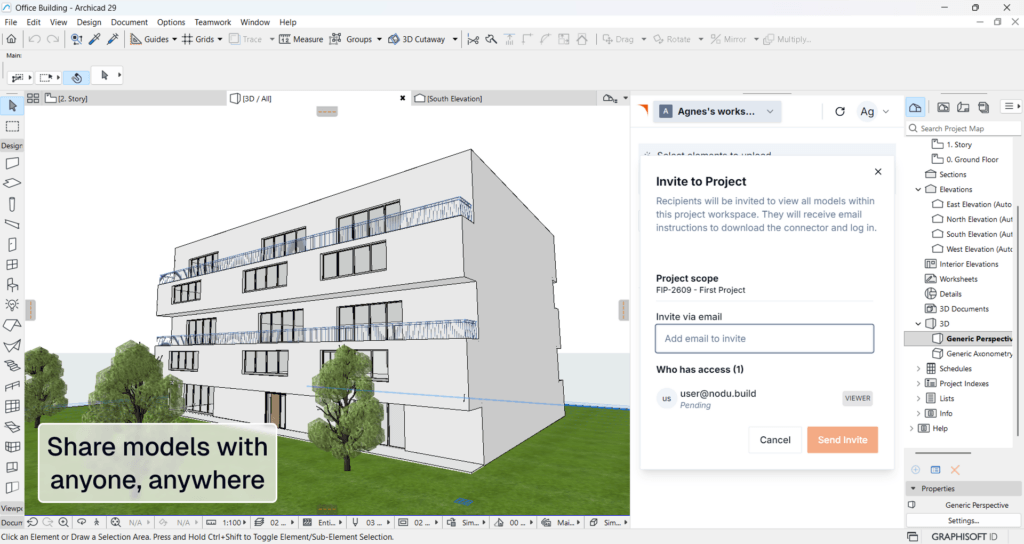
Share models with anyone, anywhere – invite collaborators to your project by email, right from Archicad.
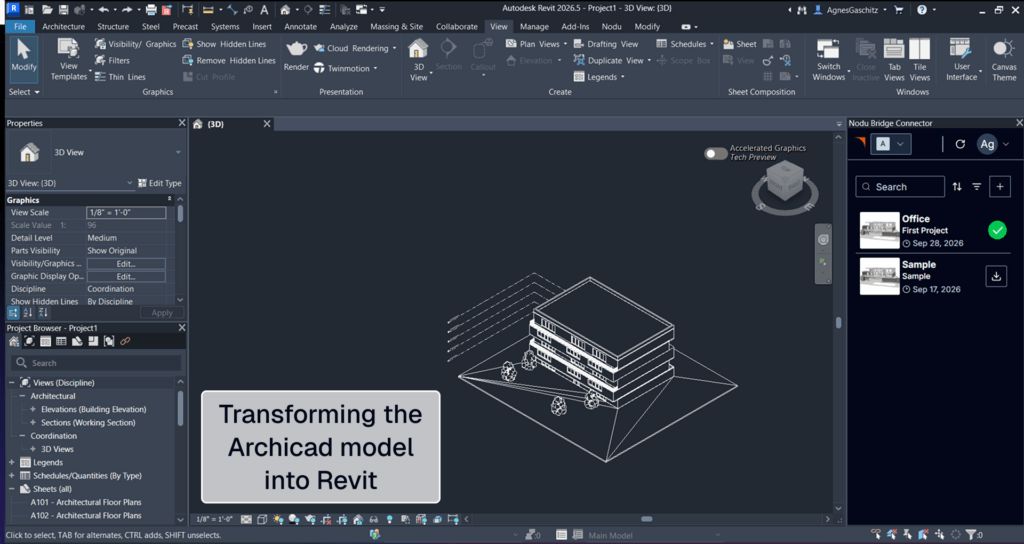
Open the shared project in Revit and transform the Archicad model with the Nodu Bridge Connector.
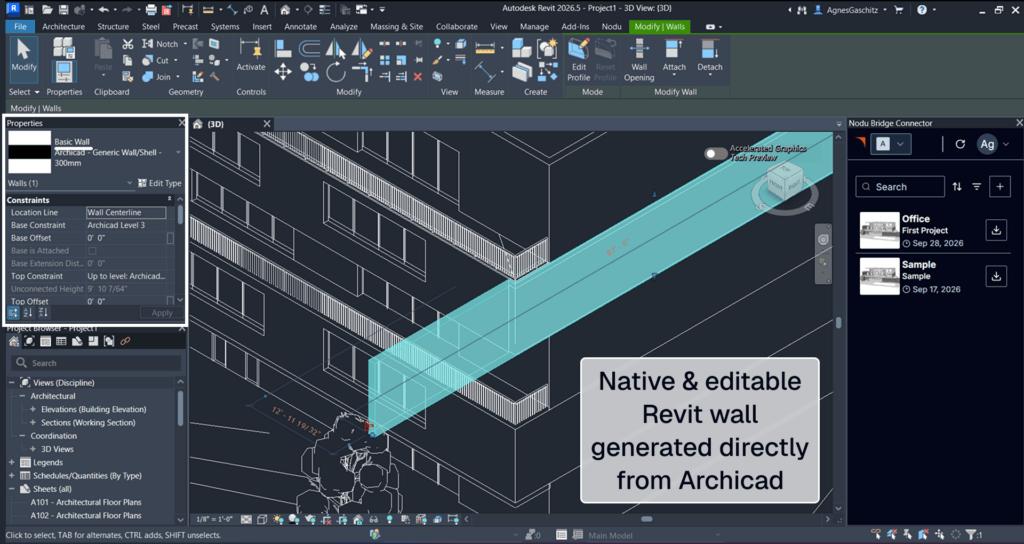
Native, editable Revit walls generated directly from Archicad – no IFC cleanup required.

描述
Nodu Bridge connects Archicad and Revit without IFC exports or manual model rebuilding. It represents the Archicad model as a lightweight cloud graph and rebuilds it on the Revit side through the Revit API, so the result is a real, editable Revit element rather than reference geometry.
Overview
Elements that NODU Bridge can convert arrive in Revit as native objects, keeping their structure and BIM properties. Elements it cannot yet natively map come across as DirectShape geometry, so the result should always be reviewed before use, the same way any model hand-off is reviewed. NODU Bridge runs as an add-in inside both Archicad and Revit; no separate export step or intermediate file format is involved.
Key Capabilities
- Converts Archicad element into native, editable Revit elements.
- Handles up to 10 000 elements per upload, with element coverage expanding in regular releases.
- Matches converted elements to the receiving team’s own Revit family library, so results fit existing templates and content.
- Works on Windows and macOS on the Archicad side; the Revit side runs on Windows, matching Revit’s own platform support
Who It's For
Architecture practices and BIM managers working in mixed Archicad-Revit environments, and teams that need to hand off Archicad models to Revit-based collaborators, consultants, or contractors without a full manual rebuild.
Typical Workflows
An Archicad-based design team shares a model with a Revit-based structural or MEP partner: instead of exporting to IFC and rebuilding generic objects, the Archicad user selects and uploads the relevant elements, and the Revit user downloads them as native, editable objects ready to continue working in.
詳細資訊
Archicad 27-30

identify
Automates the assignment of IDs and descriptions to element types in a single interface, easier and faster.

quantify
Links project elements to items in bill of quantities, automatically calculates their quantities and generates BOQ in Archicad.
BIMcollab
Connect Archicad to a shared BIM coordination workflow across models, documents, issues, and teams.

Image to GDL
Generate editable GDL objects from product images and place them directly into your Archicad projects.

PAZ-BOX
Automate repetitive Archicad tasks across design and execution phases, saving architects hours every week.
airc.digital services
BIM Project Management & Digital Transformation for Real Estate Assets.