 United States site instead?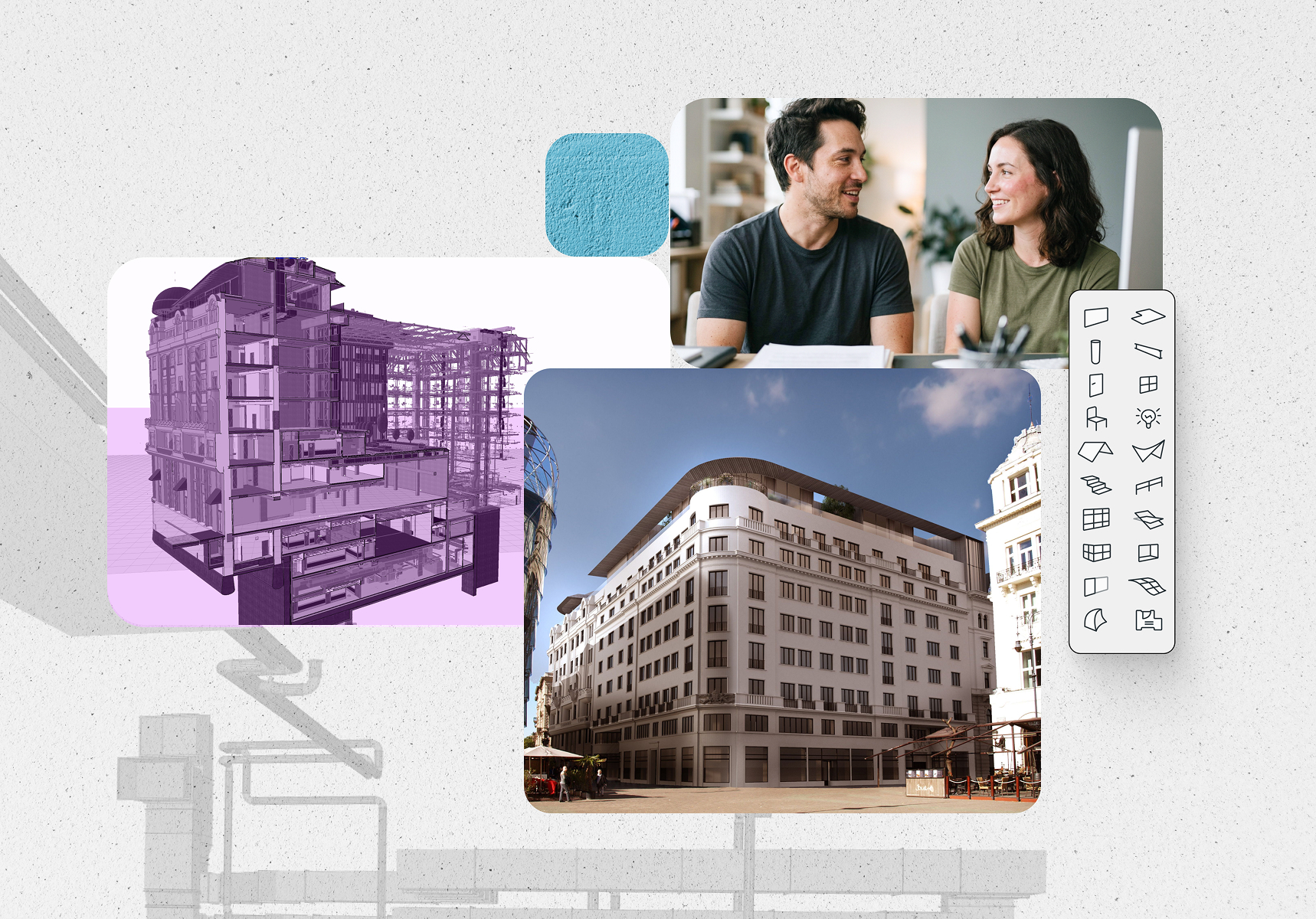
Budapest, Hungary
tspcgroup.com
Photo: @TSPC Group

Empowering growing, multidisciplinary teams
Connect your teams, projects, and workflows by bringing cloud collaboration, integrated MEP design, and advanced AI into one platform. Perfect for growing firms delivering more complex projects across disciplines and offices.
How Archicad Collaborate benefits your team

Deliver as one team
Work on shared projects in real time with BIMcloud SaaS, wherever your people are. No servers to host, no waiting for files — everyone builds on the same live model.

Coordinate across disciplines
Design building systems in-house with MEP Designer and keep them aligned with the architectural model. Catch clashes while you design instead of after documentation.

Put AI to work on real project data
Get insights with agentic AI that works with your model context, including advanced edits and multi-step workflows. Ground it in your own standards with AI Assistant Spaces.

Cut revision cycles
Explore design directions in seconds with AI Visualizer inside your BIM environment. Move from concept to construction documents faster.

Simplify client communication
Create and present interactive 3D walkthroughs together with your team. BIMx Pro includes built-in Teamwork and lets clients explore on their preferred device.

Work without language barriers
Use your local language version or international English across the same projects. Distributed teams and international partners stay on the same model.
Is Archicad Collaborate the right choice for you?
Collaborate is for teams where localized tools no longer keep pace. It includes cloud teamwork, multidisciplinary coordination, and advanced AI in one platform, without enterprise-scale commitments you don’t yet need.
-
 Your team is growing, and people work from more than one office or from home
-
Projects are medium in complexity and involve multiple disciplines, including in-house MEP design
-
You work with international clients or partners and need English alongside your local language
-
You want AI to act on project data, not just answer questions
-
You want a clear path into Nemetschek’s next-generation design intelligence platforms
The tools to bring collaborators together
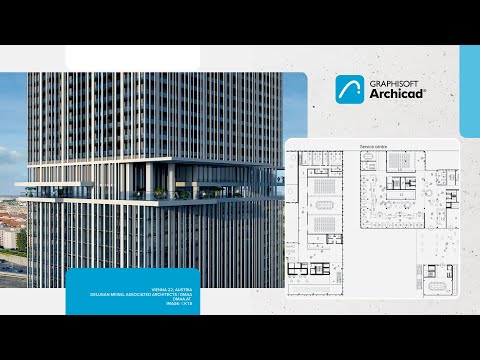
Advanced BIM design, visualization, documentation, and delivery for projects of all sizes.
- Local language version with region-specific object libraries, plus international English version
- Full design and documentation workflow from concept to construction documents
- Coordinated output that updates automatically with the model
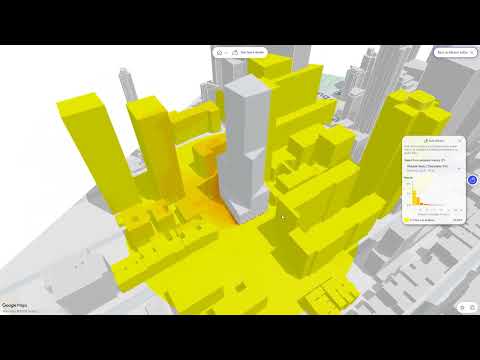
 Early access
Early access to the next generation of early design intelligence, ahead of general availability.**
**Early access to Nemetschek Creator is provided to all Members of the Graphisoft ID Company at no additional cost to a product that will continue to evolve toward its mature commercial release in 2027, irrespective of the end date of your active Subscription Term. We reserve the right to amend these terms, or to modify or discontinue the offering, at any time.

Cloud teamwork with zero server management
- Hosted by Graphisoft, no infrastructure to manage
- Work across offices and locations remotely
- Advanced permissions with role-based access
- Multi-version Archicad support on one server
- Automatic scaling and updates
Work together to create, share, and present digital building models anywhere.
- Interactive 3D and 2D navigation across devices
- Team-based creation and sharing of presentation models
- BCF-based issue creation and markup

Advanced AI throughout your workflow, with an extended usage allowance for daily use.
- Archicad MCP: let AI work with your model as context, make advanced edits, run multi-step workflows.
- AI Assistant Spaces: use your standards, guidelines, and project knowledge to get more relevant answers.
- AI Visualizer: turn models and sketches into presentation-ready visuals with leading AI image models, including Nano Banana Pro.
- 50 AI credits/license/month added to your company pool

Archicad to Autodesk® Forma® Connection
Work on Forma projects directly from Archicad, with seamless data exchange and collaboration across platforms.

ProKit productivity tools
Expand your toolkit with 11 additional productivity add-ons for everyday BIM workflows.

Graphisoft Learn
Provides innovative, flexible learning programs to help you master Graphisoft solutions. Skill up quickly with on-demand and live training sessions designed for all levels.

“If there is a digital platform that everyone can communicate on, whether it is the design team, the construction team, or the facility management team, everyone can work together — to create a splendid result.”
Find the right plan for your needs

Archicad Studio
For basic-complexity projects, individual use, or local teams
Starting from
$195* + tax / month
with upfront payment of $2,345 + tax / 1-year Subscription Term / seat
Archicad


BIMx Pro


BIMcloud Basic
Key benefits:
- Full architectural design and documentation in BIM (Archicad)
- Floating Archicad license
- On-premise collaboration (BIMcloud Basic)
- Mobile and desktop BIM viewer (BIMx Pro Baseline)
- Essential AI assistance and visualization
- 50 AI credits/license/month added to your company pool
Additional benefits
- Local Archicad language version
- Basic Graphisoft Learn access (6 courses)
Archicad Collaborate
For medium-complexity projects, multidisciplinary or multi-office teams
Starting from
$230* + tax / month
with upfront payment of $2,758 + tax / 1-year Subscription Term / seat
Archicad

Nemetschek Creator**
BIMx Pro
BIMcloud Software as a Service
All Archicad Studio benefits, plus:
- Building systems design and coordination (MEP Designer)
- Cloud collaboration across offices and remote teams (BIMcloud SaaS)
- **Early access to the next-gen platform for early design (Nemetschek Creator)
- Archicad to Autodesk® Forma® Connection
- Advanced AI solutions with MCP-enabled model context and edits
- 50 AI credits/license/month added to your company pool
Additional benefits
- Mobile and desktop BIM viewer with teamwork functions (BIMx Pro with Teamwork)
- Advanced productivity add-ons (ProKit Suite)
- International English Archicad version
- Extended Graphisoft Learn access (40+ hours)
Archicad Max
For high-complexity projects and data-driven project delivery
Archicad
Nemetschek Creator**
BIMx Pro
BIMcloud Software as a Service
All Archicad Collaborate benefits, plus:
- MCP-powered AI capabilities with model context for editing and for complex workflows
- 250 AI credits/license/month added to your company pool
- **Early access and after product release full access to the next-gen platform for early design (Nemetschek Creator)
- All Archicad language versions
- All productivity add-ons (ProKit Core and ProKit Suite)
- Full Graphisoft Learn access, with self-paced online courses
*The prices are for information only. Final price depends on your billing country, and may differ from the prices shown here.
 Architectural design
Free Archicad EDU license
Studying or teaching architecture? Get full access to our complete software solution.

Switch to subscription before service contracts end.
Secure uninterrupted access to updates, support, and cutting-edge tools. Enjoy predictable, scalable costs without long-term commitments.
Got more questions?
General
Archicad Collaborate is Graphisoft’s subscription offering for connected project delivery. It combines Archicad for architectural design, MEP Designer for MEP design, BIMcloud SaaS for cloud-based Teamwork, and BIMx Pro with Teamwork for project sharing—all in one plan, with no in-house servers or IT infrastructure required.
The Collaborate plan also includes productivity add-ons, AI tools that work directly with your project data, extensive learning resources, and early access to Nemetschek Creator.
- Growing firms with multiple users, typically working on medium-complexity projects
- Distributed teams working across offices or locations
- Practices that coordinate architecture and MEP design on a daily basis
- Firms ready for cloud collaboration that want to explore AI and data-driven workflows with low adoption risk
- Full architectural and MEP BIM with Archicad and focused full MEP BIM with MEP Designer, as desktop apps for macOS and Windows.
- Your local language version plus INT English Archicad/MEP Designer.
- Cloud-hosted Teamwork with BIMcloud SaaS, including portable BIMcloud licenses for Teamwork across companies
- BIMx Pro with Teamwork on desktop, web, and mobile
- Full OPEN BIM interoperability, BCF support, and a native Archicad to Autodesk® Forma® Connection
- AI that works with your project: agentic AI Assistant (Beta) and Public Archicad MCP (Beta) Server, plus AI Visualizer and AI Assistant Spaces
- Archicad Collaborate plan adds 50 credits/month to your organization’s credit pool
- 40+ hours of self-paced online courses on Graphisoft Learn
- Archicad ProKit Suite with 11 advanced productivity add-ons.
- Early access to Nemetschek Creator**, the next-generation design intelligence platform
- Floating cloud licenses, so your team can share licenses flexibly
**Early access to Nemetschek Creator is provided to all Members of the Graphisoft ID Company at no additional cost. Nemetschek Creator will continue to evolve toward its mature commercial release in 2027, irrespective of the end date of your active Subscription Term. We reserve the right to amend these terms, or to modify or discontinue the offering, at any time.
We’ve added more value to Collaborate:
- Archicad MCP (Beta), so AI can work directly with your project data
- Archicad ProKit Suite with 11 advanced productivity add-ons
- 40+ hours of included online courses
- Early access to Nemetschek Creator**
**Early access to Nemetschek Creator is provided to all Members of the Graphisoft ID Company at no additional cost to a product that will continue to evolve toward its mature commercial release in 2027, irrespective of the end date of your active Subscription Term. We reserve the right to amend these terms, or to modify or discontinue the offering, at any time.
When your team has outgrown local-only work, it’s time to step up to connected delivery. Archicad Collaborate is the right choice when you need cloud-based Teamwork across offices and partners, daily coordination between architecture and MEP, International English version, stronger productivity tools, and AI that works directly with your model data. The extra learning content included with the Collaborate plan also helps new colleagues get up to speed and keeps skills and workflows consistent across your practice.
When your needs extend beyond project-level coordination, Archicad Max is the right fit. Choose Archicad Max if you:
- Work internationally and need access to all language versions
- Plan to roll out agentic AI across your firm and require substantially greater AI capacity
- Want the full set of productivity tools and learning content
- Plan to adopt Nemetschek Creator fully
Teamwork and BIMcloud
BIMcloud Basic gives local teams essential collaboration and communication on the same project. It’s included with Archicad Studio and runs on a dedicated in-house server. BIMcloud Software as a Service (SaaS), included in Archicad Collaborate, suits firms of any size that want to collaborate through the cloud. You don’t need in-house hardware or IT, and you get high-speed servers, backed-up data, and extras like markups in BIMx. See the BIMcloud comparison for details.
Yes. Collaborate includes portable BIMcloud licenses built for Teamwork across company boundaries, so it’s easier to bring consultants and partner firms into the same BIMcloud project.
Both disciplines are in one plan. Archicad and MEP Designer share the same BIMcloud SaaS environment, so architects and MEP engineers coordinate on the same project every day with less back-and-forth and fewer surprises on site.
MEP Designer is also available as a standalone desktop app, with full MEP functionality for focused modeling, calculation, and documentation.
BIMx Pro with Teamwork lets your team, clients, and consultants explore the model on desktop, web, and mobile, with Teamwork functions such as markups. Feedback lands where it belongs: in the project.
AI Solutions and AI Credits
- Agentic AI Assistant (Beta): project-aware AI that works directly with your model data
- Public Archicad MCP (Beta) Server: connects the desktop AI applications your office already uses to your Archicad model
- AI Visualizer: turns a model view into a high-quality image using top-tier AI image models such as Nano Banana Pro
- AI Assistant Spaces: your personal knowledge base built from your own documents (10 spaces with 10 documents each)
Availability of AI Solutions depends on your Archicad version and plan.
The amount of AI credits available varies by product and subscription plan.
Each eligible subscription license contributes a defined monthly credit allowance based on its product or tier. These allowances are combined into one shared pool per Graphisoft ID Company, including licenses acquired through separate purchases. Every employee who has linked their personal Graphisoft ID to the company’s Graphisoft ID Company can use credits from this shared pool.
To provide maximum flexibility, credits are not restricted to individual AI Solutions. Users can spend the available credits on any Graphisoft AI Solution, whether that’s AI Visualizer, Archicad MCP (Beta), AI Assistant (Beta), or AI Assistant Spaces.
The number of credits included depends on the subscription plan.
- Archicad Studio plan: 50 AI credits/license/month added to your company pool
- Archicad Collaborate plan: 50 AI credits/license/month added to your company pool
- Archicad Max plan: 250 AI credits/license/month added to your company pool
- MEP Designer Studio plan: 50 AI credits/license/month added to your company pool
Each eligible subscription license contributes a defined credit allowance, and these allowances form a single shared pool tied to the company’s Graphisoft ID Company. Every employee who has linked their personal Graphisoft ID to the Graphisoft ID Company draws from the same pool, so you don’t need to assign individual quotas before people can start working.
Without that link, the user is not recognized as part of the company and therefore has no access to the shared credit pool. Linking the personal Graphisoft ID to the Graphisoft ID Company is a one-time step and is a prerequisite for using any credit-based AI solution.
Not yet. Currently, all linked users share one credit pool. Admin-controlled credit allocation is on our roadmap and planned for a future release.
Yes. Your company’s AI credits are held in a single shared pool and are not allocated in advance to individual AI solutions. Users can use the available credits with any supported AI solution, as needed.
Usage patterns differ significantly from company to company and from project phase to project phase: A studio in early concept design may rely heavily on AI Visualizer, while a team in documentation may lean on AI Assistant (Beta) and Archicad MCP (Beta). A single shared pool lets each company use its credits where they create the most value at that moment, rather than working around limits set in advance.
Consumption is driven by how much work the AI has to do, not simply by the number of clicks. The main factors are:
- Which solution is used: Image generation in AI Visualizer is computationally heavier than a short text answer, so it typically consumes more credits per action.
- The complexity of the request: Broad, multi-step, or open-ended requests require more processing than narrow, well-defined ones.
- The amount of context involved: Longer conversations, larger documents, and larger BIM models or project context all increase the work performed per request.
- Output size and settings: Longer responses, higher resolution, and a greater number of generated variants each increase consumption.
- The number of iterations: Refining a result several times means several requests, and each one draws from the pool.
- The number of active users: Since the pool is shared, total monthly consumption scales with the number of linked colleagues who are working with the AI solutions.
Formulating requests clearly, avoiding unnecessary regeneration of results that are already good enough, and generating high-resolution or multi-variant output only when it is genuinely needed all help the allowance last through the month.
Before starting to work with the AI solutions, it’s worth reading through the User Guide, which also includes useful examples, for instance, around MCP workflows. These can help users get up to speed with effective prompting techniques. It’s also worth following the AI-related discussions and user best-practice write-ups on the Graphisoft Community platform.
The full allowance is restored at the start of each month, so every cycle begins with the amount defined in the subscription plan.
Unused credits do not carry over to the next month. Each month, the allocated credits are recalculated based on the licenses available under the Graphisoft ID Company.
Credit-based AI features will be unavailable until the next monthly renewal. Users are not left guessing: AI Assistant and AI Visualizer services display a clear message when the available credit allowance has been used up, so it is immediately obvious why a request cannot be completed. Everything in Archicad that does not rely on AI credits continues to work exactly as before.
Graphisoft is working to make credit consumption easier to track and plans to introduce the option to purchase additional credits for companies that use up their monthly allowance. Updates on credit management will be shared on the Graphisoft Community platform.
No, it does not collect or process personal data generated from user interactions. It remains the user’s responsibility not to include sensitive content or personal data in prompts, or in any uploaded documents in AI Assistant Spaces.
Inside Archicad, the AI Assistant (Beta) and AI Visualizer never use project data or prompts to train AI models, and Graphisoft does not use user-generated or project-specific content — project data, project files, documentation, or generated images — for training.
Graphisoft collects software usage data, such as which features are used and how often. This data is never linked to project content. It helps assess feature performance and fix malfunctions while protecting project confidentiality.
When you connect through the Public Archicad MCP (Beta) Server, you choose which desktop AI application to use, and that application’s own license terms and data processing agreements govern the data it receives — the same terms already in place for that tool.
Detailed information on how each AI Solution works is available in the product Help documentation: AI Assistant Help and AI Visualizer Help.
Nemetschek Creator
Nemetschek Creator is a cloud-based, AI-powered design intelligence platform. In a browser-based workspace, it helps you explore massing, layout, and performance scenarios quickly, compare options, and understand the consequences of your design decisions early.
Early access to Nemetschek Creator is provided to all Members of the Graphisoft ID Company at no additional cost to a product that will continue to evolve toward its mature commercial release in 2027, irrespective of the end date of your active Subscription Term. We reserve the right to amend these terms, or to modify or discontinue the offering, at any time.
Productivity Tools
Collaborate includes Archicad ProKit Suite with 11 advanced add-ons: Cabinets, Coverings, Doors + Windows, Electrical, Fitout, Keynotes, MetaData, Quantities, Site, Stairs, and Structure.
Learning and Support
Archicad Collaborate subscribers get access to technical support, learning content on Graphisoft Learn, and peer help from fellow users on Graphisoft Community.
Collaborate includes more than 40 hours of self-paced online courses on Graphisoft Learn. They go deep into Archicad skills and workflows, helping new colleagues get up to speed and maintaining consistent skill levels across your practice.
Licensing, Compatibility, Updates
A floating license can be used by anyone in your team or company; it isn’t tied to a specific person. When a user starts Archicad, they check out a floating license. When they finish, they release the license for others to use. Your team uses licenses flexibly, and you don’t have to manage individual license assignments.
As part of our conversion program, your converted licenses stay with you as Archicad 25 perpetual licenses. That keeps you compatible back to Archicad 8.1, so you can still open and edit your older projects.
Yes. Licensing controls access to the software, not to the content you create with it. Archicad cloud licenses can open projects created with physical key-based licenses and vice versa, and the same goes for perpetual and subscription licenses. Firms with a mixed license pool can open, edit, and work on the same project.
Yes. Subscriptions allow us to deliver innovation and fixes faster. That doesn’t mean forced updates, though. You stay in control of when to update. This also helps teams who keep differently licensed Archicad installations on the same build for compatibility.