 United States site instead?


Empowering practices that build with data and AI
Connect your model, project knowledge, and AI to run advanced workflows — analyze and edit complex models, scale your expertise, and make design decisions you can defend. Built for firms delivering large, complex, and international projects.
Capabilities that handle complexity

Put AI to work on your model
Archicad MCP connects AI directly to your model and project data, so it can analyze, edit, and manage large, complex models through end-to-end workflows — always under your control.

Build on your firm's knowledge
Bring your standards, guidelines, and project documentation into AI workflows with AI Assistant Spaces. Every answer reflects how your practice works, so expertise scales.

Work at the scale your projects demand
Introduce advanced AI to daily processes with the highest AI usage allowance, sized for large projects, complex models, and demanding end-to-end workflows.

Deliver as one global team
Collaborate in real time with BIMcloud SaaS and coordinate building systems with MEP Designer in any language. Standardize advanced AI workflows across offices.

Explore and communicate ideas faster
Turn concepts into high-quality visuals with AI Visualizer and present interactive 3D walkthroughs with BIMx Pro, so stakeholders get your thinking immediately.

Work without limits
Get all Archicad language and libraries, full productivity tool coverage, and full access to personalized training – plus early access to Nemetschek Creator.
Is Archicad Max the right choice for you?
Max is where efficient project delivery stops being the goal. It’s for practices that want AI working with project data, organizational knowledge, and automated workflows — with the coverage and capacity to make that a standard, low-risk way of working.
-
 You work with a large or internationally dispersed team.
-
You deliver large, complex, or international projects and need transparent risk management with design decisions you can defend.
-
You plan to integrate Archicad into an existing AI stack and want an agent that acts on your model, as well as answers questions about it
-
You want standardized advanced AI workflows across the whole practice
-
You want early access to the Nemetschek Creator design intelligence platform
The tools to bring collaborators together
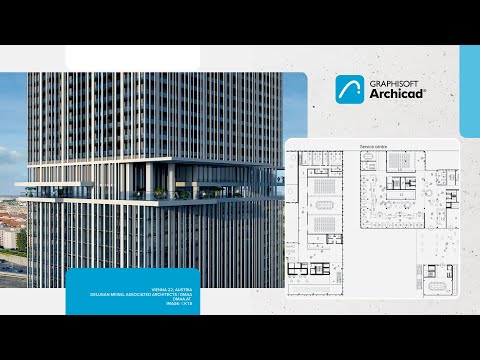
Advanced BIM design, visualization, documentation, and delivery for projects of any size and complexity.
- All available Archicad languages and region-specific object libraries
- Full design and documentation workflow from concept to construction documents
- Coordinated output that updates automatically with the model

Integrated MEP design for coordinated building systems, modeled directly in Archicad.
- Discipline-aware MEP modeling inside your architectural model
- Early clash detection across architecture and building systems
Coordinated documentation for all disciplines from a single source
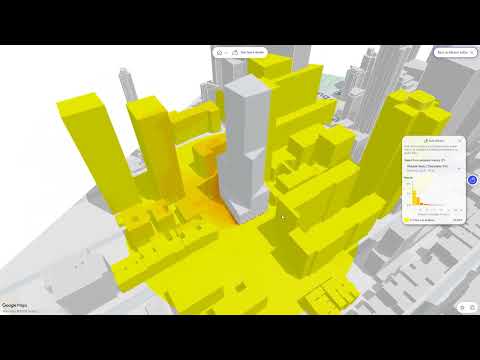
 Early access
Early access to the next generation of early design intelligence, with full access included once commercial versions become available.**
**Early access to Nemetschek Creator is provided to all Members of the Graphisoft ID Company at no additional cost to a product that will continue to evolve toward its mature commercial release in 2027, irrespective of the end date of your active Subscription Term. We reserve the right to amend these terms, or to modify or discontinue the offering, at any time.

Real-time collaboration around shared projects, hosted and maintained by Graphisoft.
- Cloud teamwork across offices, home offices, and time zones
- No server to set up, host, or maintain
Secure access control and project management for distributed teams

Work together to create, share, and present digital building models anywhere.
- Interactive 3D and 2D navigation across devices
- Team-based creation and sharing of presentation models
- BCF-based issue creation and markup

The most advanced AI in the Archicad lineup.
- Agentic AI Assistant: replace manual work by completing multi-step tasks directly in your Archicad project
- Public Archicad MCP Server: fit Archicad into your AI stack by connecting to desktop AI applications.
- AI Assistant Spaces: use your standards, guidelines, and project knowledge to get more relevant answers.
- AI Visualizer: Turn models and sketches into presentation-ready visuals with leading AI image models, including Nano Banana Pro.
- 250 AI credits/license/month added to your company pool

Archicad to Autodesk® Forma® Connection
Work on Forma projects directly from Archicad, with seamless data exchange and collaboration across platforms.

ProKit productivity tools
Full productivity tool coverage — every available add-on for your everyday BIM workflows.

Graphisoft Learn
Full access to online learning courses, including advanced courses and personalized training for your teams.

“With an outer shell of 24 thousand square meters, standardization is absolutely essential. This standardization and typification can be implemented very well in Archicad, which was a very valuable tool giving the Anna Seiler House a long-lasting, almost musical and durable appearance.”
Find the right plan for your needs

Archicad Studio
For basic-complexity projects, individual use, or local teams
Starting from
MYR 733* + tax / month
with upfront payment of MYR 8,799 + tax / 1-year Subscription Term / seat
Archicad


BIMx Pro


BIMcloud Basic
Key benefits:
- Full architectural design and documentation in BIM (Archicad)
- Floating Archicad license
- On-premise collaboration (BIMcloud Basic)
- Mobile and desktop BIM viewer (BIMx Pro Baseline)
- Essential AI assistance and visualization
- 50 AI credits/license/month added to your company pool
Additional benefits
- Local Archicad language version
- Basic Graphisoft Learn access (6 courses)

Archicad Collaborate
For medium-complexity projects, multidisciplinary or multi-office teams
Starting from
MYR 863* + tax / month
with upfront payment of MYR 10,351 + tax / 1-year Subscription Term / seat
Archicad

Nemetschek Creator**
MEP Designer
BIMx Pro
BIMcloud Software as a Service
All Archicad Studio benefits, plus:
- Building systems design and coordination (MEP Designer)
- Cloud collaboration across offices and remote teams (BIMcloud SaaS)
- **Early access to the next-gen platform for early design (Nemetschek Creator)
- Archicad to Autodesk® Forma® Connection
- Advanced AI solutions with MCP-enabled model context and edits
- 50 AI credits/license/month added to your company pool
Additional benefits
- Mobile and desktop BIM viewer with teamwork functions (BIMx Pro with Teamwork)
- Advanced productivity add-ons (ProKit Suite)
- International English Archicad version
- Extended Graphisoft Learn access (40+ hours)
Archicad Max
For high-complexity projects and data-driven project delivery
Archicad
Nemetschek Creator**
MEP Designer
BIMx Pro
BIMcloud Software as a Service
All Archicad Collaborate benefits, plus:
- MCP-powered AI capabilities with model context for editing and for complex workflows
- 250 AI credits/license/month added to your company pool
- **Early access and after product release full access to the next-gen platform for early design (Nemetschek Creator)
- All Archicad language versions
- All productivity add-ons (ProKit Core and ProKit Suite)
- Full Graphisoft Learn access, with self-paced online courses
*The prices are for information only. Final price depends on your billing country, and may differ from the prices shown here.
 Architectural design
Free Archicad EDU license
Studying or teaching architecture? Get full access to our complete software solution.
Got more questions?
General
Archicad Max is our premium subscription for global, AI-driven practices that design, collaborate, and deliver high-complexity projects. Max includes everything in Archicad Collaborate, plus all language versions, the complete set of productivity tools, the highest AI capacity, full Graphisoft Learn access, and a clear path to full Nemetschek Creator access once the commercial product is released later next year. Max helps you scale expertise across teams, standardize AI workflows, and turn project data into better decisions.
- Advanced firms managing multiple teams, projects, or geographies
- Practices working globally that need all language versions and libraries
- Firms investing in AI-supported workflows, practice intelligence, and digital differentiation
- Early adopters who want to be first to work with new AI-enabled workflows
- Full architectural and MEP BIM with Archicad and focused full MEP BIM with MEP Designer, as desktop apps for macOS and Windows.
- All language version
- Cloud-hosted Teamwork with BIMcloud SaaS, including portable BIMcloud licenses for teamwork across companies
- BIMx Pro with Teamwork on desktop, web, and mobile
- Full OPEN BIM interoperability, BCF support, and a native Archicad to Autodesk® Forma® Connection.
- The agentic AI Assistant (Beta) and the Public Archicad MCP (Beta) Server, plus AI Visualizer and AI Assistant Spaces
- Archicad Max plan adds 250 credits/month to the organization credit pool
- Full access to all self-paced online courses on Graphisoft Learn
- The complete Archicad ProKit toolset: 4 ProKit Core and 11 ProKit Suite add-ons
- Early access to Nemetschek Creator**, our innovative solution for early-stage design, followed by full access once the commercial product is released in 2027
- Floating cloud licenses, so your team can share licenses flexibly
**Early access to Nemetschek Creator is provided to all Members of the Graphisoft ID Company at no additional cost to a product that will continue to evolve toward its mature commercial release in 2027, irrespective of the end date of your active Subscription Term. We reserve the right to amend these terms, or to modify or discontinue the offering, at any time.
Collaborate is about connected project delivery. Max is about advanced design intelligence, with broader access to Graphisoft and the Nemetschek Group’s technologies. In addition to all offerings of the Collaborate plan, Archicad Max also includes:
- All language versions (instead of just your local version plus International English)
- Archicad Max plan adds 250 credits/month to the organization credit pool (Archicad Collaborate adds 50 credits/month to the organization pool)
- The complete Archicad ProKit toolset
- Full access to all Graphisoft Learn content (instead of 40+ hours)
- Full access to Nemetschek Creator once the commercial product is released in 2027
- Exclusive early access to new technologies as they become ready for real projects
When your practice works on large, complex, or international projects and wants to operate as one connected firm. Typical triggers: you need several language versions; you want agentic AI to handle everything from everyday tasks to complex, end-to-end workflows across all teams; or you plan to fully implement Nemetschek Creator.
All of them. Max gives you access to every Archicad language version and its libraries. Your teams can work in their own language and deliver to local standards in every market you’re active in, without a separate license for each version.
All of them. Max includes the 4 Archicad ProKit Core add-ons (Annotate, Transformer, Time Tracker, Detail Elements) and the 11 Archicad ProKit Suite add-ons (Cabinets, Coverings, Doors + Windows, Electrical, Fitout, Keynotes, MetaData, Quantities, Site, Stairs, Structure). These handy tools take the repetitive work out of modeling and documentation across your practice.
AI solutions and AI credits
- Agentic AI Assistant (Beta): project-aware AI that works directly with your model data
- Public Archicad MCP (Beta) Server: connects the desktop AI applications your office already uses to your Archicad model
- AI Visualizer: turns a model view into a high-quality image using top-tier AI image models such as Nano Banana Pro
- AI Assistant Spaces: your personal knowledge base built from your own documents (10 spaces with 10 documents each)
Availability of AI Solutions depends on your Archicad version and plan.
The amount of AI credits available varies by product and subscription plan.
Each eligible subscription license contributes a defined monthly credit allowance based on its product or tier. These allowances are combined into one shared pool per Graphisoft ID Company, including licenses acquired through separate purchases. Every employee who has linked their personal Graphisoft ID to the company’s Graphisoft ID Company can use credits from this shared pool.
To provide maximum flexibility, credits are not restricted to individual AI Solutions. Users can spend the available credits on any Graphisoft AI Solution, whether that’s AI Visualizer, Archicad MCP (Beta), AI Assistant (Beta), or AI Assistant Spaces.
The number of credits included depends on the subscription plan
- Archicad Studio plan: 50 AI credits/license/month added to your company pool
- Archicad Collaborate plan: 50 AI credits/license/month added to your company pool
- Archicad Max plan: 250 AI credits/license/month added to your company pool
- MEP Designer Studio plan: 50 AI credits/license/month added to your company pool
Each eligible subscription license contributes a defined credit allowance, and these allowances form a single shared pool tied to the company’s Graphisoft ID Company. Every employee who has linked their personal Graphisoft ID to the Graphisoft ID Company draws from the same pool, so you don’t need to assign individual quotas before people can start working.
Without that link, the user is not recognized as part of the company and therefore has no access to the shared credit pool. Linking the personal Graphisoft ID to the Graphisoft ID Company is a one-time step and is a prerequisite for using any credit-based AI solution.
Not yet. Currently, all linked users share one credit pool. Admin-controlled credit allocation is on our roadmap and planned for a future release.
Yes. Your company’s AI credits are held in a single shared pool and are not allocated in advance to individual AI solutions. Users can use the available credits with any supported AI solution, as needed.
Usage patterns differ significantly from company to company and from project phase to project phase: A studio in early concept design may rely heavily on AI Visualizer, while a team in documentation may lean on AI Assistant (Beta) and Archicad MCP (Beta). A single shared pool lets each company use its credits where they create the most value at that moment, rather than working around limits set in advance.
Consumption is driven by how much work the AI has to do, not simply by the number of clicks. The main factors are:
- Which solution is used: Image generation in AI Visualizer is computationally heavier than a short text answer, so it typically consumes more credits per action.
- The complexity of the request: Broad, multi-step, or open-ended requests require more processing than narrow, well-defined ones.
- The amount of context involved: Longer conversations, larger documents, and larger BIM models or project context all increase the work performed per request.
- Output size and settings: Longer responses, higher resolution, and a greater number of generated variants each increase consumption.
- The number of iterations: Refining a result several times means several requests, and each one draws from the pool.
- The number of active users: Since the pool is shared, total monthly consumption scales with the number of linked colleagues who are working with the AI solutions.
Formulating requests clearly, avoiding unnecessary regeneration of results that are already good enough, and generating high-resolution or multi-variant output only when it is genuinely needed all help the allowance last through the month.
Before starting to work with the AI solutions, it’s worth reading through the User Guide, which also includes useful examples, for instance, around MCP workflows. These can help users get up to speed with effective prompting techniques. It’s also worth following the AI-related discussions and user best-practice write-ups on the Graphisoft Community platform.
The full allowance is restored at the start of each month, so every cycle begins with the amount defined in the subscription plan.
Unused credits do not carry over to the next month. Each month, the allocated credits are recalculated based on the licenses available under the Graphisoft ID Company.
Credit-based AI features will be unavailable until the next monthly renewal. Users are not left guessing: AI Assistant and AI Visualizer services display a clear message when the available credit allowance has been used up, so it is immediately obvious why a request cannot be completed. Everything in Archicad that does not rely on AI credits continues to work exactly as before.
Graphisoft is working to make credit consumption easier to track and plans to introduce the option to purchase additional credits for companies that use up their monthly allowance. Updates on credit management will be shared on the Graphisoft Community platform.
No, it does not collect or process personal data generated from user interactions. It remains the user’s responsibility not to include sensitive content or personal data in prompts, or in any uploaded documents in AI Assistant Spaces.
Inside Archicad, the AI Assistant (Beta) and AI Visualizer never use project data or prompts to train AI models, and Graphisoft does not use user-generated or project-specific content — project data, project files, documentation, or generated images — for training.
Graphisoft collects software usage data, such as which features are used and how often. This data is never linked to project content. It helps assess feature performance and fix malfunctions while protecting project confidentiality.
When you connect through the Public Archicad MCP (Beta) Server, you choose which desktop AI application to use, and that application’s own license terms and data processing agreements govern the data it receives — the same terms already in place for that tool.
Detailed information on how each AI Solution works is available in the product Help documentation: AI Assistant Help and AI Visualizer Help.
Nemetschek Creator and new technologies
Nemetschek Creator is a cloud-based, AI-powered design intelligence platform. In a browser-based workspace, it helps you explore massing, layout, and performance scenarios quickly, compare options, and understand the consequences of your design decisions early.
You can enjoy early access to Nemetschek Creator, our innovative solution for early-stage design, followed by full access once the commercial product is released later next year.
Early access to Nemetschek Creator is provided to all Members of the Graphisoft ID Company at no additional cost to a product that will continue to evolve toward its mature commercial release in 2027, irrespective of the end date of your active Subscription Term. We reserve the right to amend these terms, or to modify or discontinue the offering, at any time.
Teamwork and BIMcloud
Yes. Max includes everything you need for connected delivery: BIMcloud SaaS for cloud-hosted Teamwork without in-house IT, portable BIMcloud licenses for Teamwork across companies, BIMx Pro with Teamwork, and MEP Designer for daily architecture and MEP coordination.
Learning and support
Archicad Max subscribers get access to technical support, the full content library on Graphisoft Learn, and peer help from fellow users on Graphisoft Community.
Everything. Max gives you full access to all self-paced online courses on Graphisoft Learn, from core Archicad skills to BIM coordination and BIM management, in multiple languages. It’s the easiest way to scale standards, skills, and your BIM strategy across the whole practice.
In the Graphisoft Product Help. It explains how each AI solution works, including features and capacity, and it’s kept up to date as the solutions evolve.
Licensing, compatibility, updates
A floating license can be used by anyone in your team or company; it isn’t tied to a specific person. When a user starts Archicad, they check out a floating license. When they finish, they release the license for others to use. Your team uses licenses flexibly, and you don’t have to manage individual license assignments.
Yes. Licensing controls access to the software, not to the content you create with it. Archicad cloud licenses can open projects created with physical key-based licenses and vice versa, and the same goes for perpetual and subscription licenses. Firms with a mixed license pool can open, edit, and work on the same project.
Yes. Subscriptions allow us to deliver innovation and fixes faster. That doesn’t mean forced updates, though. You stay in control of when to update. This also helps teams who keep differently licensed Archicad installations on the same build for compatibility.