 United States site instead?
This manual is intended for users transitioning to legal use of Archicad. The manual describes the process of uninstalling an illegal version of the software, provides installation instruction and describes methods that allow you to check the use of a license by Archicad.
I. Checking the use of the license by Archicad
You can choose one the methods below.
Method 1 (Mac & Win)
- Start Archicad (if you have multiple versions (or copies) installed you need to start each one separately).
- Open the License Information window (Help -> License Information).
If you find the following information your version is illegal:
- There is no detected license (Archicad line) and
- The program is running in Commercial mode (License Type string) or License Type string is missing
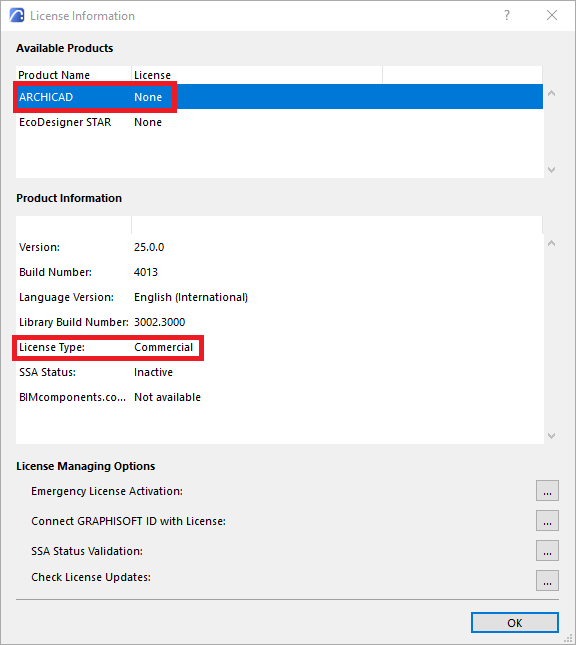
Illegal Archicad copy (cracked, no license available, program is running in Commercial mode)
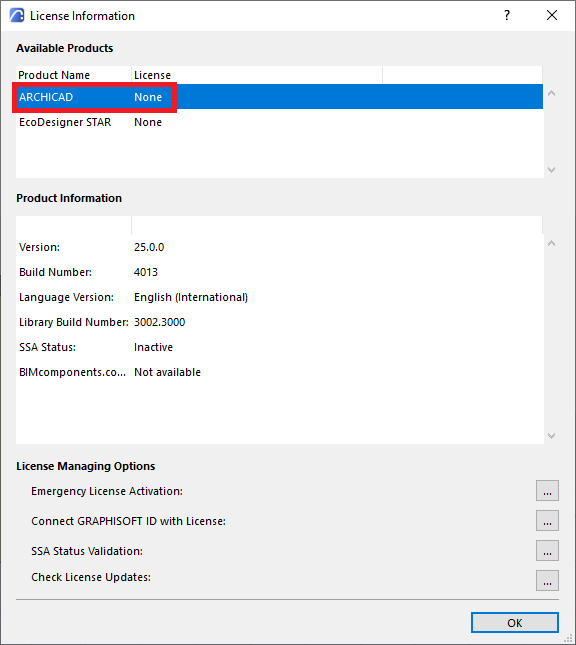
Illegal Archicad copy (cracked, no license available, the License type string is missing
Method 2 (Mac & Win)
- Start CodeMeter app (installed with Archicad).
- In the CodeMeter interface, in the License tab, there is a CodeMeter serial number or software license serial number if it is available in the system.
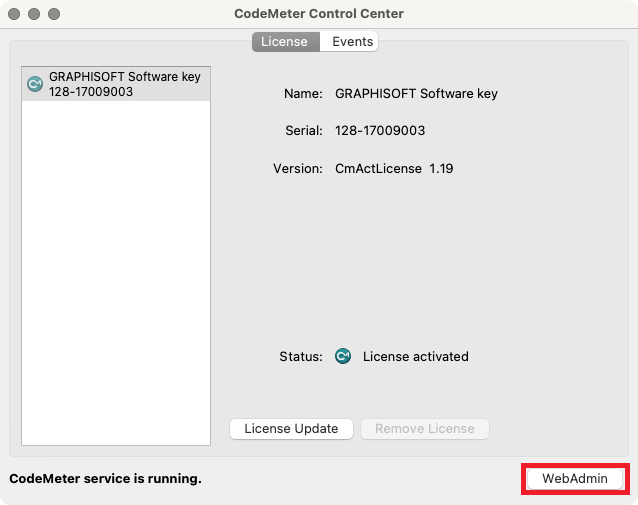
Mac: CodeMeter Control Center interface
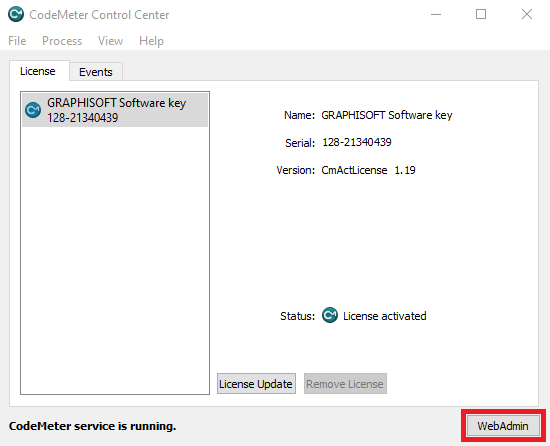
Win: CodeMeter Control Center interface
- Left click on the WebAdmin button, a tab will be opened in the browser, you will see the WebAdmin interface.
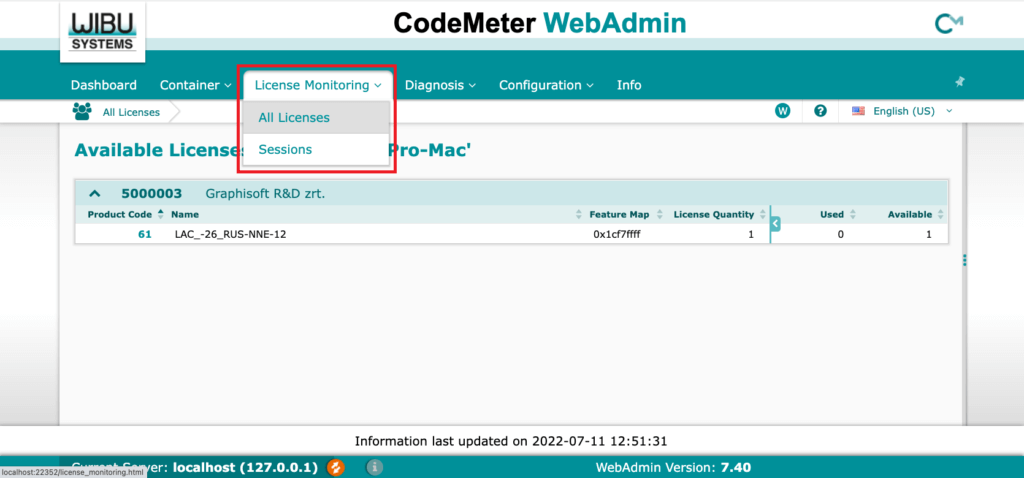
CodeMeter WebAdmin interface
- The License Monitoring menu -> Sessions menu, you can see all currently available and used licenses.
Note: Archicad automatically borrow a license on start-up, if the list of available licenses is empty then Archicad must run in demo mode. Also, Sessions menu, shows information about who is currently using Archicad Licenses.
Method 3 (Mac & Win)
- a. In case of using a CodeMeter license key, you must unplug the key from the USB port -> unplug your computer from the local network or Wi-Fi network.
b. In case of using a software key you must start License Manager Tool (automatically installed with Archicad) -> upload the license (left click on the Upload button) to the license pool -> disconnect your computer from the local network or Wi-Fi network.
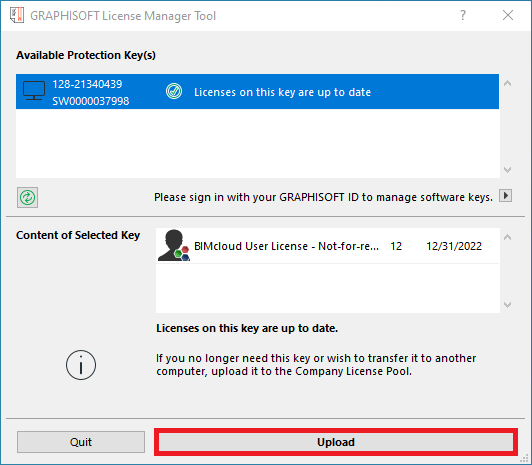
License Manager Tool (LMT) interface
- After that, try to start Archicad, it should run in demo mode. Please use the described procedure to uninstall every illegal version (or copy) of Archicad.
II. Archicad uninstall process (Mac & Win)
The process of uninstallation Archicad must be performed using standard Operating Systems tools.
Mac
- Please follow this path: /Applications/GRAPHISOFT/ARCHICAD…/Uninstall.AC, and run the “Uninstall” application.
Windows 10
- Start -> Settings -> Apps -> Apps & features.
- Select Archicad from the list of applications, click the uninstall button and follow system prompts.

Win 10: Apps & features interface
Windows 11
- Start -> Settings -> Apps -> Apps & features.
- Hover over the three dots to the right of Archicad and click the left mouse button -> in the context menu, left- click on the Uninstall button.
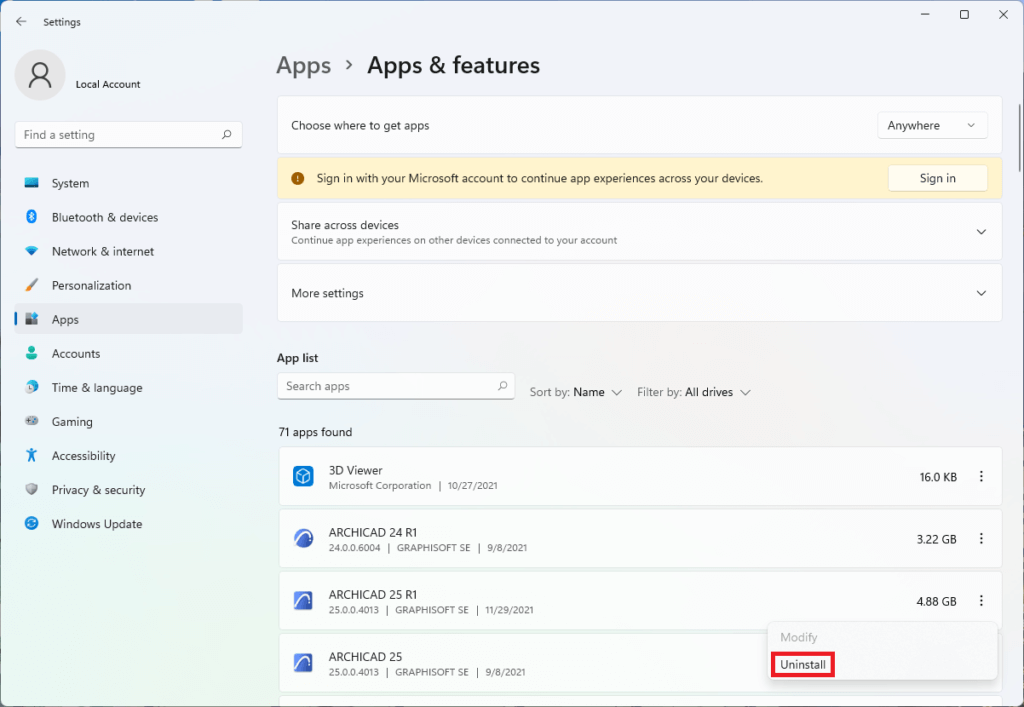
Win 11: Apps & features interface
- After the uninstall process is complete, it is recommended to delete the Archicad folder from your computer.
Win: The default path is C:\Program Files\GRAPHISOFT\…
Mac: The default path is: /Applications/GRAPHISOFT/…
Please, use the described procedure to uninstall every illegal version (or copy) of Archicad.
- Also pay attention and check the hosts file as it may be modified (this could happen if a cracked Archicad installer has been used) If you find strings that mention GRAPHISOFT, Archicad or services related to Graphisoft products – please, delete those strings and save the hosts file again.
Win: The default path is C:\Windows\System32\drivers\etc\hosts\…
Mac: The default path is /private/etc/hosts
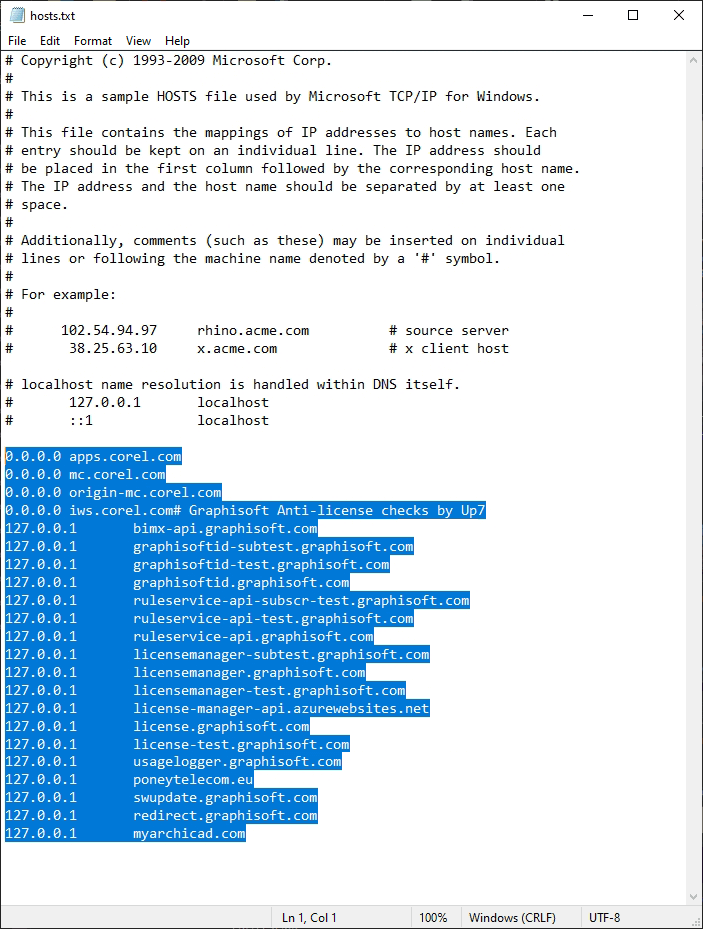
“Bad” hosts file
Archicad installation process
You can find detailed instructions for installing Archicad here:
https://community.graphisoft.com/t5/Let-s-get-started/How-to-Install-Archicad/ta-p/304135