 United States site instead?


Manage element display order with colour-coded stacks and matching model highlights; review element intersection data.
 Archicad 26-30
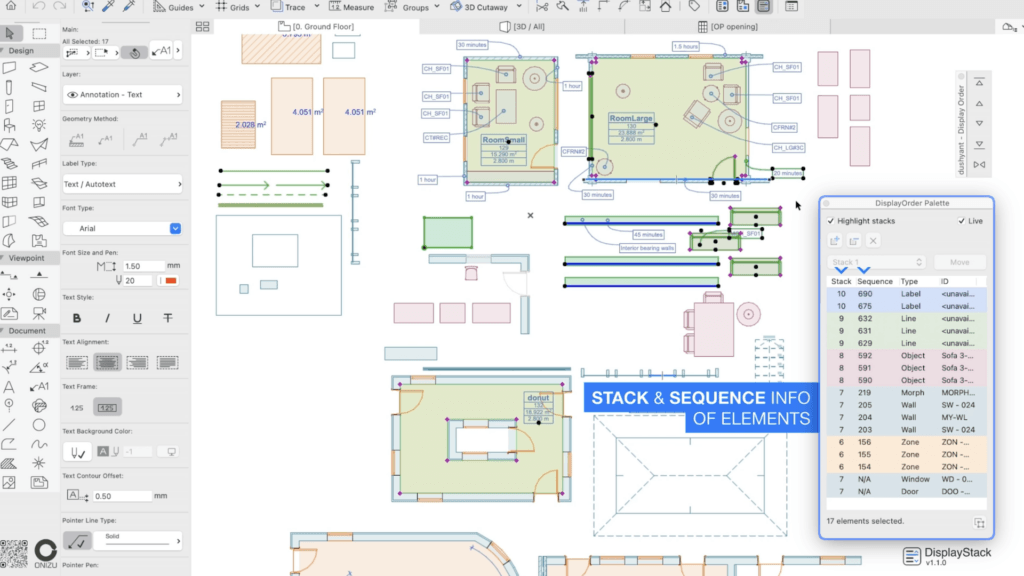
Inspect selected elements by display stack and drawing sequence, alongside their types and IDs for identification.
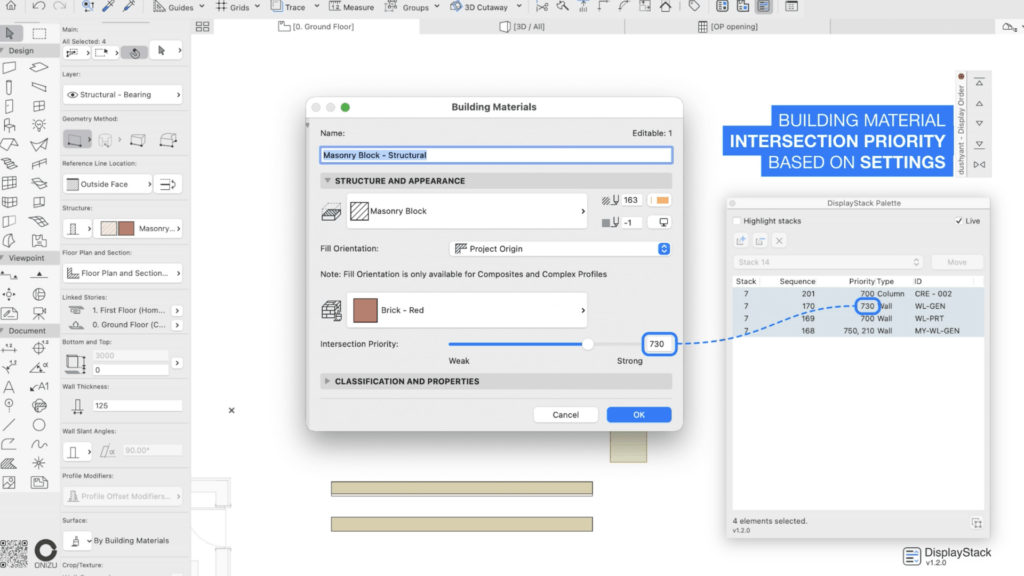
Review Building Material intersection priorities alongside element display-order information.
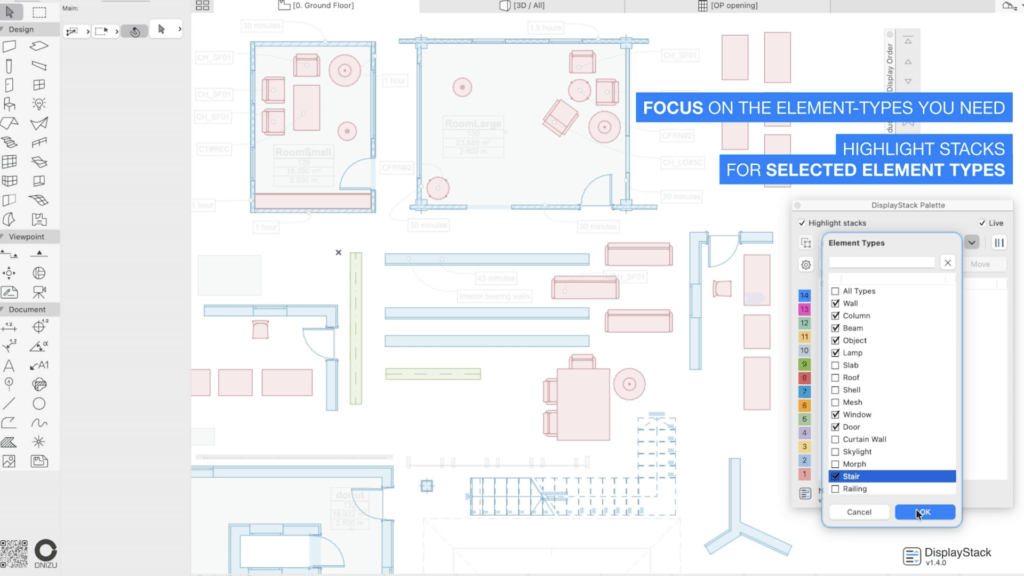
Filter the palette by element types and highlight matching elements by their display-stack colours.
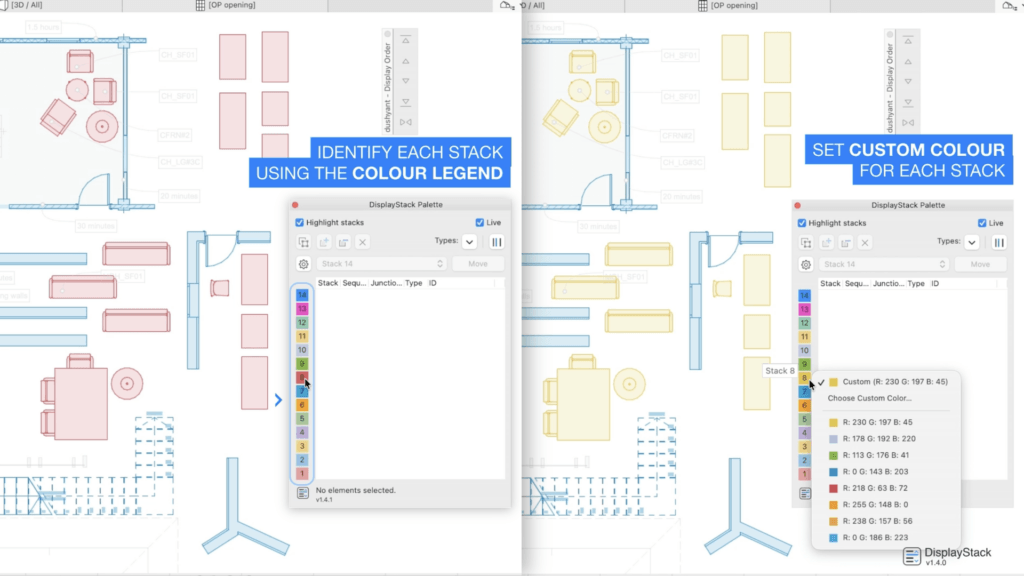
Identify stacks with a colour legend and set custom colours for each stack.
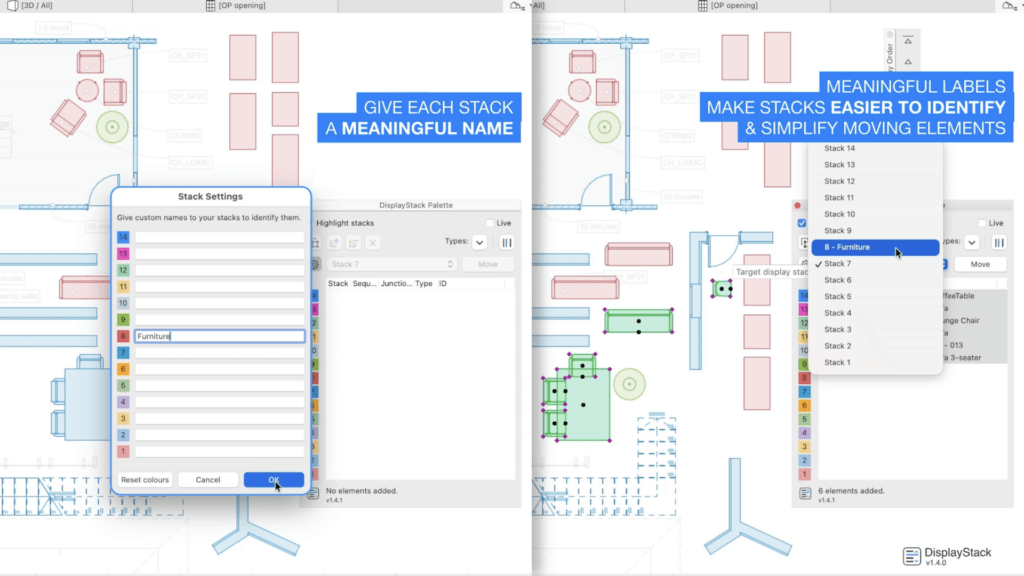
Give stacks meaningful names to identify stacks when choosing a target stack for selected elements while moving.
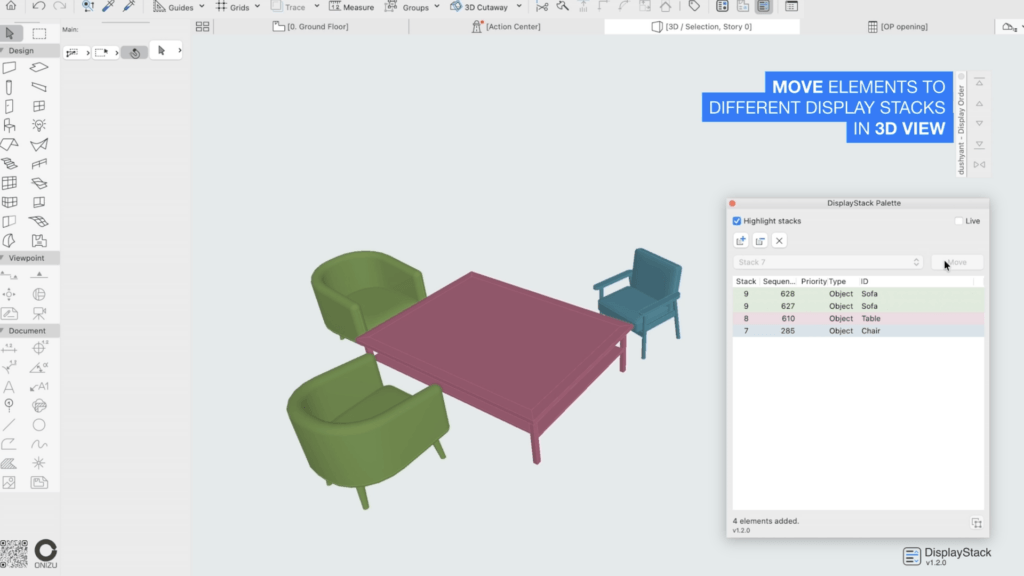
Highlight elements by their stack-colour in 3D and change their corresponding Floor Plan display order.
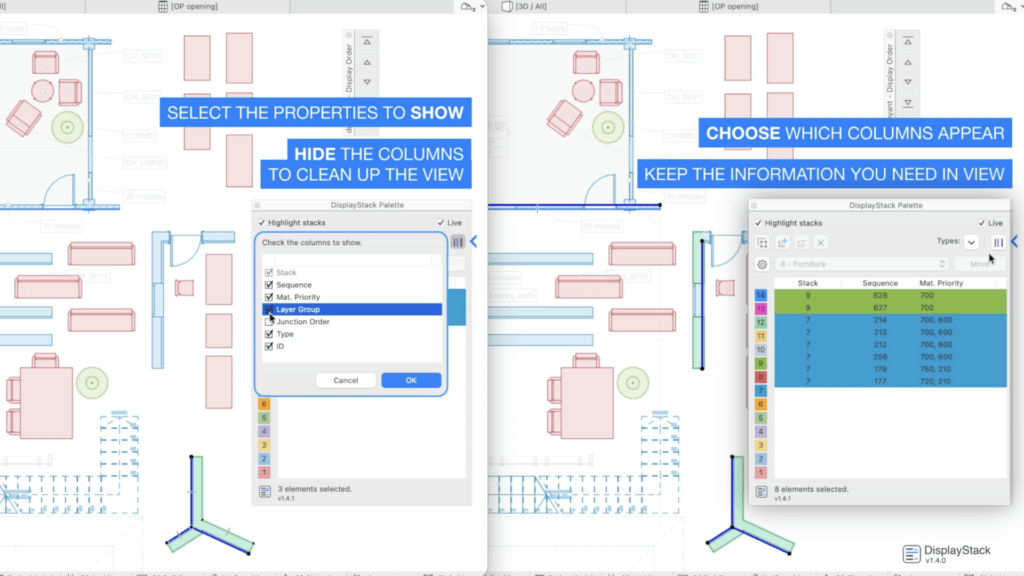
Choose which palette columns to show and keep only the information you need in view.

DisplayStack for Archicad, developed by ONIZU.

See how to inspect overlapping elements, move them between display stacks and customize the palette including stack-colours.


Descrição da vaga
Overview
DisplayStack is an Archicad add-on that makes the display order of overlapping elements visible and easier to manage. Its palette brings display stacks, drawing sequence and intersection information together in one place.
Key Capabilities
Inspect display stacks
Review selected elements listed from higher to lower display order, with colour-coded rows showing element types and IDs. Highlight visible model elements using the same stack colours shown in the palette. Live mode follows the current Archicad selection, making it useful for checking overlapping elements as you work.
Reorganize elements in one operation
Use Manual mode to build a working list from multiple selections, then move several elements directly to a chosen display stack. For example, review overlapping elements in a floor plan and assign selected items to the appropriate stack together. You can also work with a selection in 3D view; the operation changes the corresponding Floor Plan display order. Stack changes support Archicad Undo and Redo.
Keep useful information in view
Inspect applicable Building Material intersection priorities, Layer Intersection Groups and the Junction Order of Walls and Beams alongside display-order information. Filter the list by element type and choose which columns to show. Custom names and colours for the 14 display stacks help organize the palette around your workflow.
Detalhes
Archicad 26-30
Rhino, Grasshopper
Advanced modeling and parametric design tools for architects working with complex forms, building systems, and performance-driven design.

Linespire Reflect
Render Archicad 3D views, plans, elevations and layouts with AI from a panel inside Archicad, for architects and designers.

AT Tools
Add-ons and parametric objects linked to building standards and AI (MCP), reducing manual work for architects and engineers.

Raya.design — Renderização com IA para Archicad
Arquitetos e designers de interiores transformam uma vista do Archicad em visualizações e vídeos IA fotorrealistas.

Layered Mesh
Layered Mesh creates layers from an existing Mesh, allowing complex forms to be represented with multiple construction layers.

identify
Automates the assignment of IDs and descriptions to element types in a single interface, easier and faster.