 United States site instead?

Connects Archicad to bimproject.cloud. Insert up-to-date product information into your project with GDL Library extension.
 Archicad 23-29
 MEP Designer 29
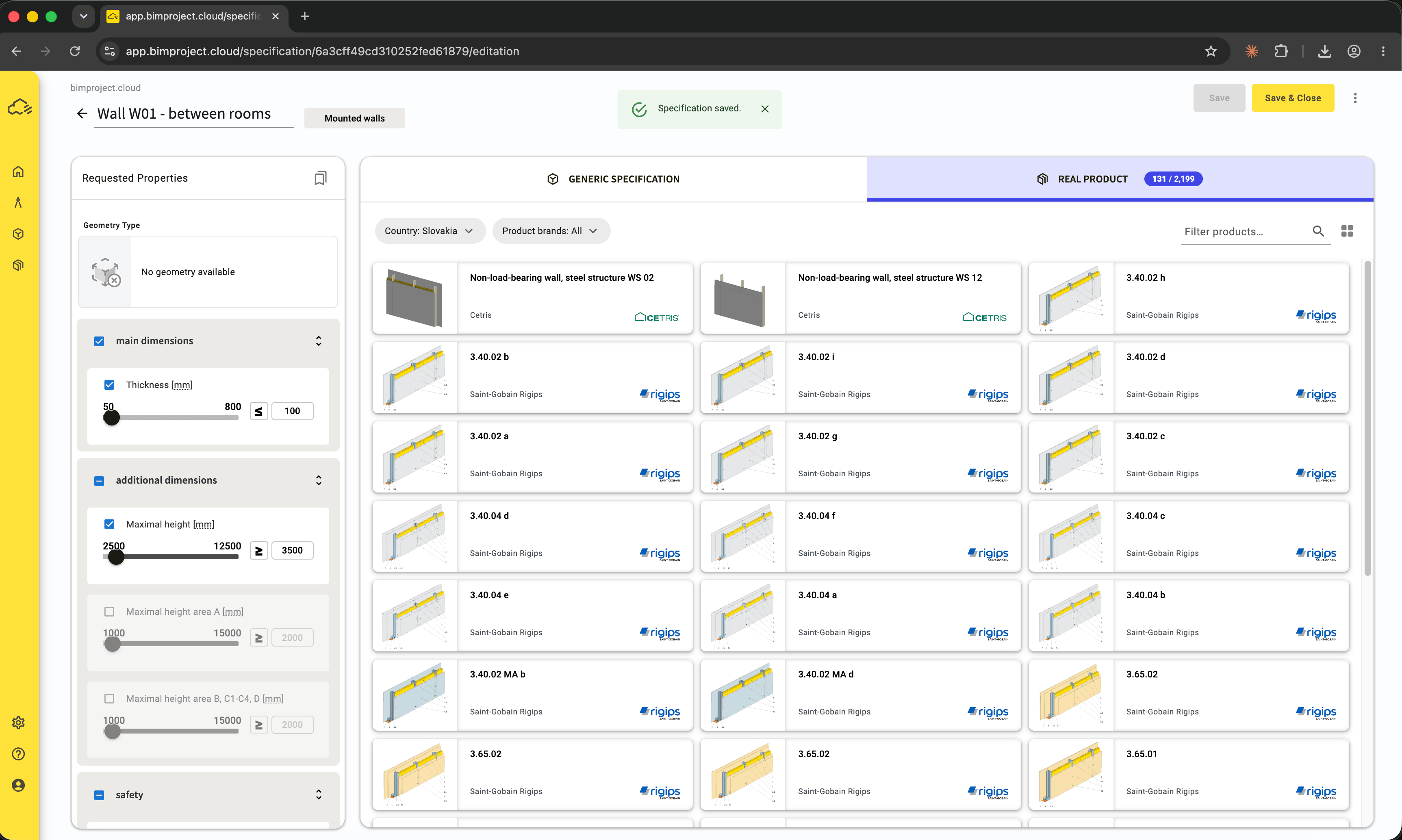
List of matching products
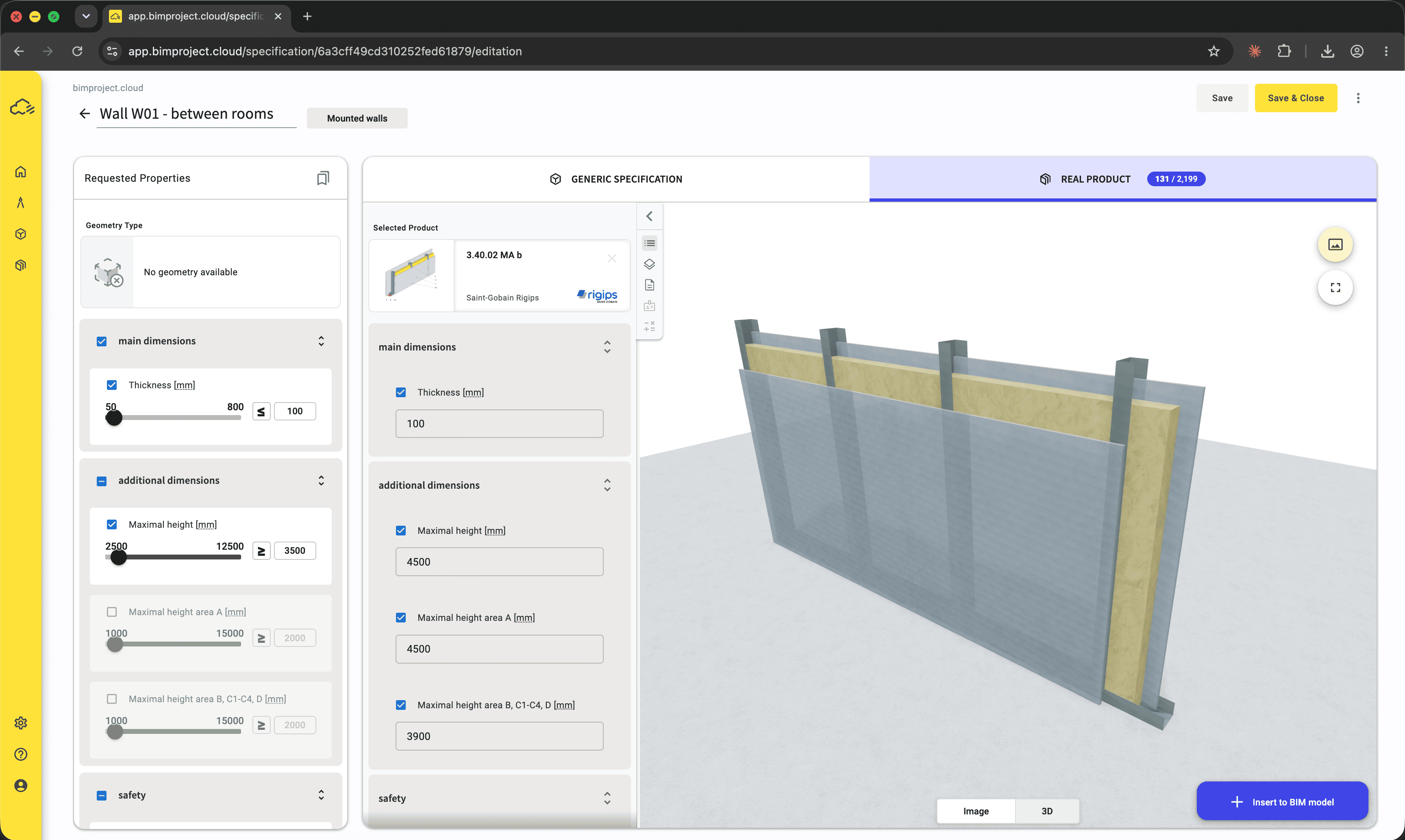
Assigned product to Specification in bimproject.cloud
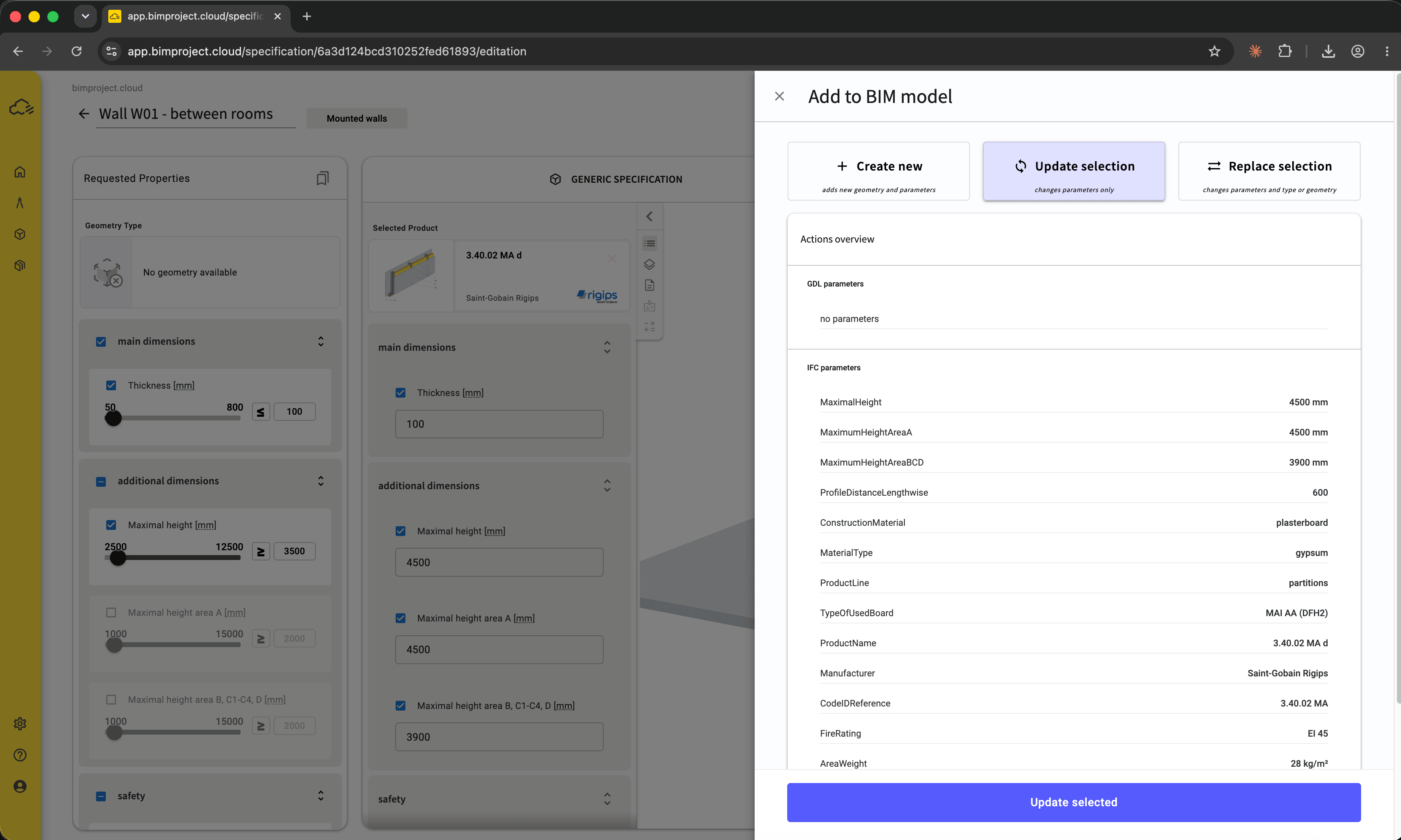
Updating structure – review of data before insertion
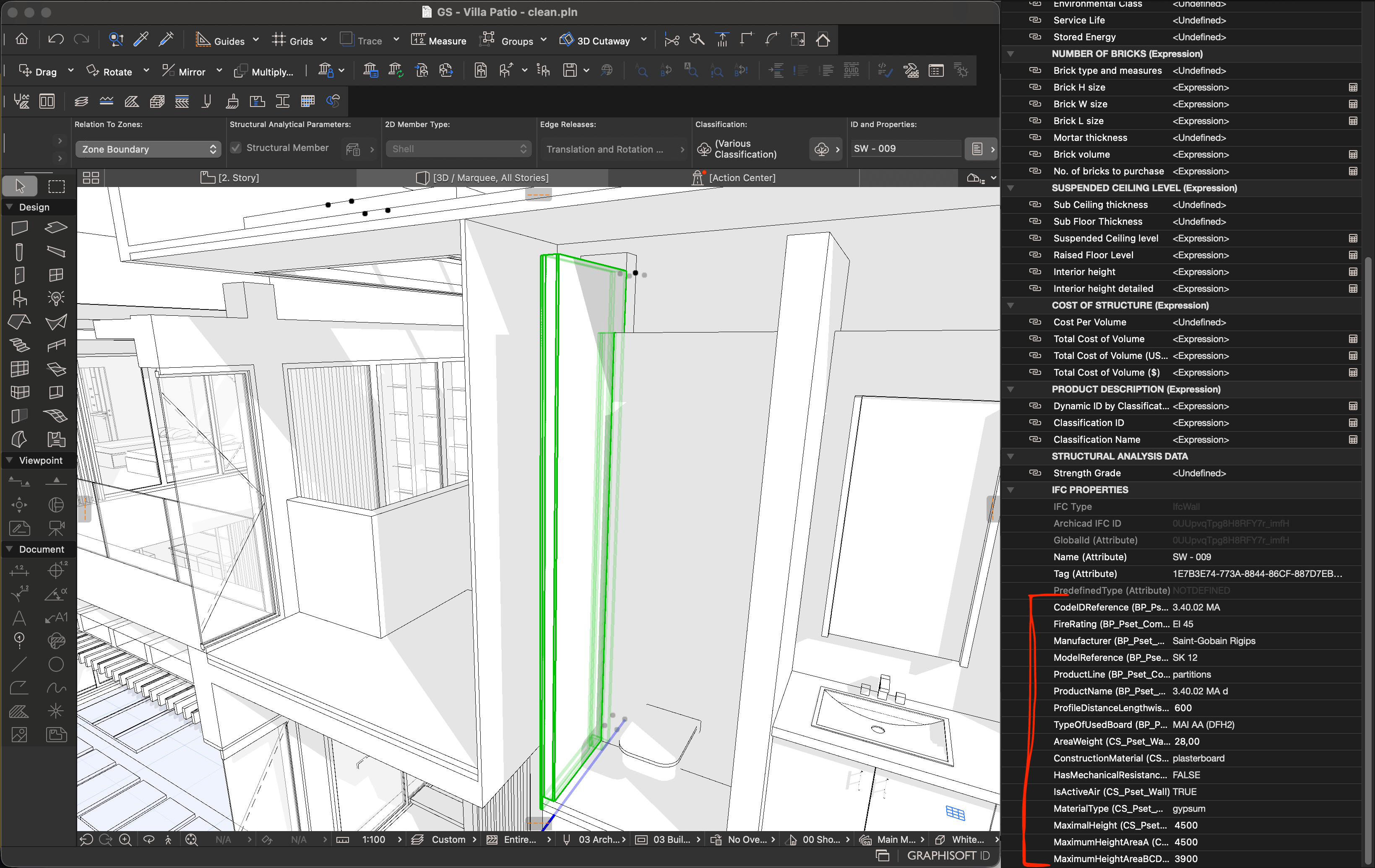
Inserted product data as IFC properties
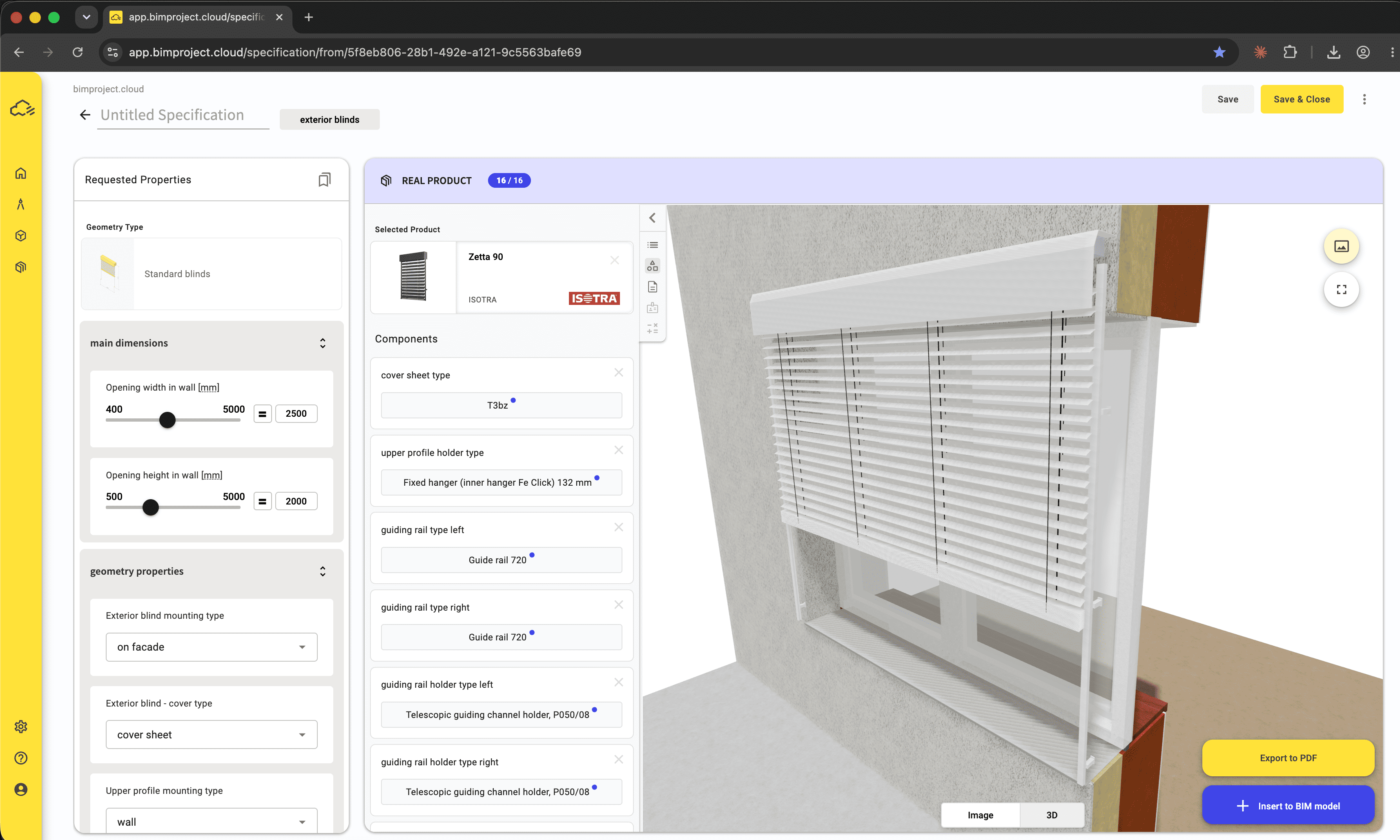
3D configurator of exterior blinds
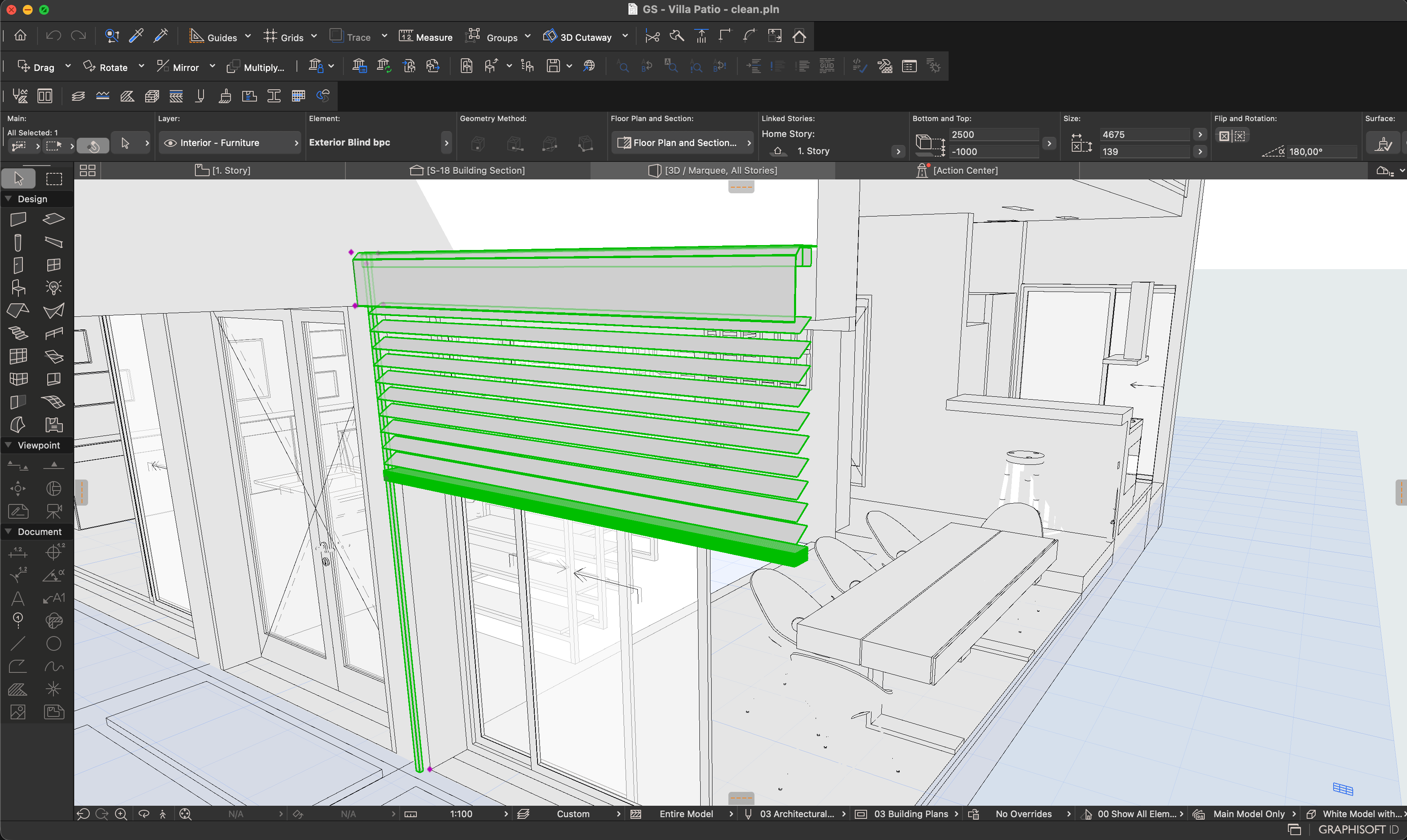
Inserted configuration as native GDL object in Archicad
描述
bimproject.cloud Add-on connects your Archicad project to a construction product data platform. Instead of working with static object libraries, you specify products using structured data and insert the results directly into your Archicad BIM model.
Overview
The Add-on links Archicad to bimproject.cloud, where you create specifications and turn them into BIM objects. You can specify any construction product — define its requirements, insert it into your model, and the requirements become properties on the element. No manufacturer data is needed to start. When you want to match your specification against real products, the platform's manufacturer catalogs are there, but the specification itself is already a fully functional BIM object.
Key Capabilities
- Create a BIM object for any construction product by defining its technical requirements — even before choosing a specific manufacturer. When you are ready, browse manufacturer catalogs and assign a real product to your specification; the BIM object updates without changing your model workflow.
- Use the 3D configurator for products that require dimensional calculations, such as blinds or doors.
- Manufacturer data on the platform is maintained and up to date, so you always work with current product information — not a static file downloaded years ago.
Who it's for?
Architects and designers specifying construction products during the design stage. BIM managers who need consistent, structured product data across projects. Design teams working with multiple manufacturers who want one place to search, compare, and specify products.
Typical workflows
An architect designing a facade selects exterior blinds from a manufacturer catalog and configures dimensions and options in the 3D configurator. The configurator calculates packet height and final dimensions based on the opening dimensions — critical for avoiding fit issues on site. The result is inserted as a native GDL object into the Archicad model. A BIM manager reviewing a project updates product specifications with current manufacturer data and verifies that IFC properties are correctly assigned before handover.
詳細資訊
Archicad 23-29
MEP Designer 29

Nodu Bridge
Turn Archicad elements into native Revit elements, without IFC or manual rebuilding.

identify
Automates the assignment of IDs and descriptions to element types in a single interface, easier and faster.

quantify
Links project elements to items in bill of quantities, automatically calculates their quantities and generates BOQ in Archicad.

BIMcollab
Connect Archicad to a shared BIM coordination workflow across models, documents, issues, and teams.

Image to GDL
Generate editable GDL objects from product images and place them directly into your Archicad projects.

PAZ-BOX
Automate repetitive Archicad tasks across design and execution phases, saving architects hours every week.